DSH Marketplace

dsh-prompt-enhancer

Fishsb/dsh-prompt-enhancer

One-click prompt enhancement: an independent LLM call rewrites your rough draft in the composer, fully undoable.

423JavaScriptSource

Install

Add dsh-prompt-enhancer to DeepSeek Harness

via GitHub · GitHub source

Installing from GitHub runs the project's build script, which pnpm blocks until you allowlist it — run the command once and pnpm prints the exact key to add under `allowBuilds` in ~/.dsh/profiles/web/pnpm-workspace.yaml.

What happened when we ran it

Installed cleanly when we ran it

Every command here is run in a throwaway container against a clean profile, and the result is whatever the harness recorded — not a guess from the source. Last run 6d ago.

Due diligence

Before you install dsh-prompt-enhancer

  • Source of record: Fishsb/dsh-prompt-enhancer — present in the community registry that DSH's own plugin market installs from.
  • No licence file detected. Code without a licence is all-rights-reserved by default.
  • A listing here is not a security review. Plugins run with your agent's permissions.

The AI take

What it is — DeepSeek Harness plugin: one-click enhancement of fuzzy prompt drafts via independent LLM call, with direct replacement and full undo support.

Who it is for — If you are inputting fuzzy prompt drafts in the DeepSeek Harness composer and need independent LLM optimization, install this plugin. Users who have already clear prompt drafts can skip installing this plugin.

Watch out — Sandbox test passed: installed in a fresh profile and registered with harness. No obvious issues found.

The verdict — I would install it because it supports true cancellation during the enhancement process.

Generated by grok-4.6, and a starting point rather than a verdict. Where it says a plugin installs or does not, that is from a real run in a clean profile — everything else is read off the repository. Trust the source over this.

What dsh-prompt-enhancer does

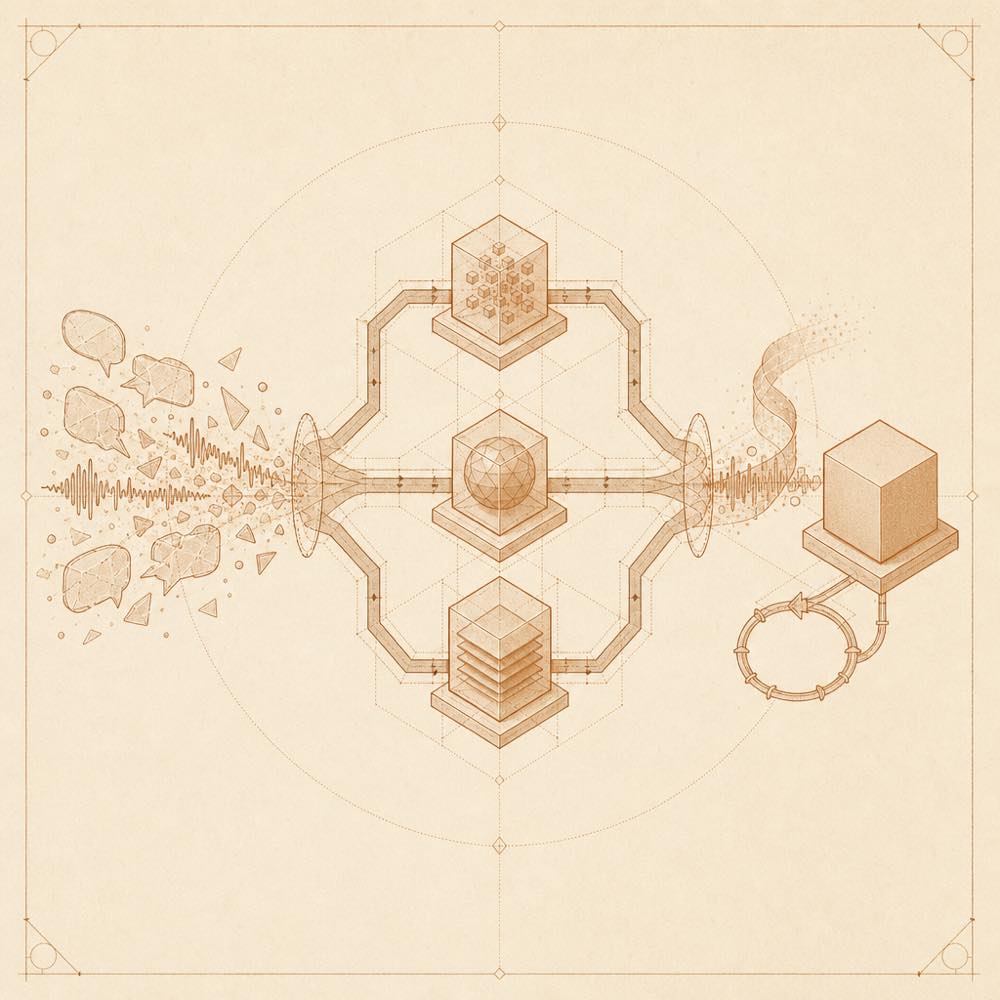
Abstract streams of text and waveforms pass through processors into a clean block and restart loop.

dsh-prompt-enhancer is a DeepSeek Harness plugin that enhances composer drafts with a separate LLM call, and can also turn speech into draft text. DeepSeek Harness loads the plugin into the web profile, where an ✨ composer action reads the current non-empty draft, sends it to the selected model chain, and replaces the draft with the result. The original text remains undoable; enhancement can be repeated or cancelled. Five modes range from direct rewriting to generating a complete development specification. An optional memory setting carries an optimisation–revision chain into the next optimisation and clears it when a message is sent.

The plugin also adds a 🎤 recording action. Speech uses cloud Qwen3-ASR or an optionally downloaded, local SenseVoice engine, with voice-activity detection to stop after a pause. Recognition can be normalised through the base LLM and can trigger enhancement automatically. Recordings are held in memory rather than written to disk. The web client must provide inputActions.setDraft; clients without that contract disable voice input or append recognised text instead.

dsh-prompt-enhancer suits developers who want draft rewriting or voice entry within the composer. It is a poor fit when external LLM processing is unsuitable, when pnpm is unavailable on the local machine, or when a client does not support the documented draft-insertion contract. Its separate restart utility can also create a desktop shortcut or run a Node command to restart the dsh-web service.

dsh-prompt-enhancer documentation

Configuring dsh-prompt-enhancer

DeepSeek Harness exposes the plugin settings under Settings → Model and Plugins:

Area Controls
Model configuration Ordered optimisation model chain, model enablement, thinking toggle, inline connectivity tests, and voice engine settings
Optimisation parameters Optimisation mode, memory switch, context budget, timeout, output limit, and template
Voice recognition Cloud Qwen3-ASR or local SenseVoice, global shortcut, local model download, text normalisation, and automatic enhancement

The local SenseVoice model is optional. Selecting the local engine and choosing Download model downloads the documented 228 MB model with progress reporting.

Commands provided by dsh-prompt-enhancer

DeepSeek Harness manages installation, updates, and removal through its plugin commands. The README documents dsh plugin --profile web update dsh-prompt-enhancer and dsh plugin --profile web remove dsh-prompt-enhancer; removal takes effect after restarting DeepSeek Harness.

The independent restart executor can be called without the web page:

node "<DSH_HOME>\AppData\Local\dsh-prompt-enhancer\executor\0.1.11\lib\updater-host.cjs" --cli restart --service dsh-web --profile web

The plugin can also generate a desktop shortcut from its port-restart settings. The executor supports service restart with process-level fallback.

How dsh-prompt-enhancer behaves

The ✨ action rewrites the current draft, while slash-command prefixes are preserved and only the body is optimised. The voice action detects a pause, recognises speech, optionally normalises it, and inserts the result into the draft. Enhancement history is read and written only while the memory switch is enabled; sending a message clears that chain.

Requirements and limits

DeepSeek Harness must already be installed, and pnpm must be available on PATH. Voice insertion depends on the client injecting inputActions.setDraft: the official web client satisfies this contract, while other clients may degrade or disable the feature. The local engine uses an optional model download rather than bundling the model with the plugin.

Written from the project's own documentation and kept in sync with it. Where the two disagree, the source is authoritative — read the README on GitHub

Same category

Alternatives to dsh-prompt-enhancer

dsh-web-ui-all

zhu1090093659

4.7k

Plugin and skin collection for the DSH Web UI: task board, Git graph, right-side panel, remote mobile UI, pet, live token stats, and a skin center.

No one-line install — this plugin lives inside a larger repository and publishes no npm package.

GitHub sourceTypeScript4d ago

AI review

dsh-web-ui-all

What it is — This is a plugin and skin collection for the DeepSeek Harness Web UI, including Liangshen mode, task board, Git graph, right panel, mobile remote UI, SSH operations, whale girl pet, and skin center.

Who it is for — If you are using DeepSeek V4 Pro for agent tasks and need multi-column task board and Git graph to track changes, this plugin is suitable for you. If you primarily operate DeepSeek Harness in non-Web UI interfaces, you don't need this collection.

Watch out — Installation from the source subdirectory requires manually approving the build script. No sandbox testing was conducted. No obvious issues were found.

The verdict — I would install it because it provides the whale girl pet and SSH remote operations.

Generated by grok-4.6, and a starting point rather than a verdict. Where it says a plugin installs or does not, that is from a real run in a clean profile — everything else is read off the repository. Trust the source over this.Read the source
LINUX DO1Details

dsh-TUI

ccch1mneyyy

2.4k

Claude Code-style full-screen terminal UI: pixel-whale header, live status line, and streaming thought expansion.

Installed cleanly when we ran it

npm packageTypeScripttoday

AI review

dsh-TUI

What it is — dsh-TUI is a DeepSeek Harness plugin that provides a Claude Code-style full-screen terminal UI with pixel-whale header, live status line, and streaming thought expansion.

Who it is for — Users who need to monitor real-time agent status and perform terminal interactions during long DeepSeek Harness sessions are suitable for installing dsh-TUI. Users without terminal TTY requirements do not need to install it.

Watch out — Sandbox testing passed: it installed successfully in a new profile and was registered by harness. No obvious issues found. It requires a functional terminal TTY, pnpm version 10+, and DEEPSEEK_API_KEY.

The verdict — I would install it because it was officially collected by DeepSeek Harness as an internal test user favorite plugin and uses a pure plugin mounting approach.

Generated by grok-4.6, and a starting point rather than a verdict. Where it says a plugin installs or does not, that is from a real run in a clean profile — everything else is read off the repository. Trust the source over this.Read the source
1Details
2.0k

Full sidebar workbench with file rendering and editing, terminal, Git, and subagents; third-party plugins can register new tabs.

Installed cleanly when we ran it

npm packageTypeScript6d ago

AI review

DSH-better-sidebar

What it is — DSH-better-sidebar is a sidebar workbench framework providing file rendering and editing, real terminal, Git panel and subagent support.

Who it is for — When you need to display file resources and perform code editing, terminal operations and Git panel in DeepSeek Harness tasks, users are suitable for installation if they require terminal tools. If your work only involves the default sidebar without real terminal, you can skip installation.

Watch out — It passed sandbox testing in a new profile and was registered into the profile by DeepSeek Harness. No obvious issues were found. The shell command execution is for the real terminal feature.

The verdict — I would install it because it exposes the sidebar capabilities as a service allowing third-party plugins to register new tabs equally.

Generated by grok-4.6, and a starting point rather than a verdict. Where it says a plugin installs or does not, that is from a real run in a clean profile — everything else is read off the repository. Trust the source over this.Read the source
1Details

dsh-at-file

omdsh-dev

333

Codex-style `@file` mentions: search workspace files in the composer and attach their contents to prompts.

Installed cleanly when we ran it

GitHub sourceJavaScript6d ago

AI review

dsh-at-file

What it is — Enables @file mentions in the composer to insert workspace file paths.

Who it is for — When building prompts in the DeepSeek Harness composer that require referencing workspace files for the agent to check, this plugin supports searching and inserting paths. For users who do not build prompts involving workspace file references, this plugin is irrelevant.

Watch out — Sandbox testing passed with successful registration in a new profile. No obvious issues found.

The verdict — I would install it because it adds a reference message before the agent step, allowing inspection with available tools.

Generated by grok-4.6, and a starting point rather than a verdict. Where it says a plugin installs or does not, that is from a real run in a clean profile — everything else is read off the repository. Trust the source over this.Read the source
Details
231

A terminal UI (TUI) for DeepSeek Harness.

Installed cleanly when we ran it

npm packageTypeScriptyesterday

AI review

dsh-tianshu-tui

What it is — dsh-tianshu-tui is a terminal UI plugin for DeepSeek Harness, evolved from the Tianshu-Tui rendering core. The UI is a pure presentation layer where all agent states originate from session event streams, with personalized modifications at the harness engineering level.

Who it is for — People using DeepSeek Harness for coding work and needing to manage agent states and sessions are suitable for installing it. Those who do not need a terminal UI to display agent states or are already in an independent integrated distribution do not need to install this plugin.

Watch out — This plugin requires the official DeepSeek Harness CLI to be installed first. Sandbox testing confirms successful installation and registration into the profile in a fresh profile. No obvious issues were found.

The verdict — I would install it because it supports real-time theme previews and session cost summaries.

Generated by grok-4.6, and a starting point rather than a verdict. Where it says a plugin installs or does not, that is from a real run in a clean profile — everything else is read off the repository. Trust the source over this.Read the source
1Details

dsh-genui

omdsh-dev

225

Interactive UI components rendered inline in replies: layout, charts, forms, quizzes, mermaid, 3D scenes, and an action event loop back to the model.

Installed cleanly when we ran it

GitHub sourceTypeScript6d ago

AI review

dsh-genui

What it is — Renders interactive UI components inline in replies, including charts, forms, quizzes, mermaid and 3D scenes.

Who it is for — When analyzing data with DeepSeek Harness and needing real-time chart updates. Users who do not use quizzes or forms can choose other plugin solutions.

Watch out — Sandbox test passed: installed in a new profile and registered successfully. Static check requires providing API key or token, supports dual-channel rendering for any dsh build; from source install, need to manually allow the build script first.

The verdict — I would install it because it supports rendering charts, quizzes, mermaid and action event loop back to the model, but only if you provide the API key.

Generated by grok-4.6, and a starting point rather than a verdict. Where it says a plugin installs or does not, that is from a real run in a clean profile — everything else is read off the repository. Trust the source over this.Read the source
LINUX DO1Details