DSH Marketplace

oh-dsh

hust-open-atom-club/oh-dsh

Community distribution: TUI, desktop, and Web UI as one bundle with layered installation.

21418TypeScriptMITSource

Install

Add oh-dsh to DeepSeek Harness

via GitHub · GitHub source

Installing from GitHub runs the project's build script, which pnpm blocks until you allowlist it — run the command once and pnpm prints the exact key to add under `allowBuilds` in ~/.dsh/profiles/web/pnpm-workspace.yaml.

Due diligence

Before you install oh-dsh

  • Source of record: hust-open-atom-club/oh-dsh — present in the community registry that DSH's own plugin market installs from.
  • Licensed under MIT.
  • A listing here is not a security review. Plugins run with your agent's permissions.

What oh-dsh does

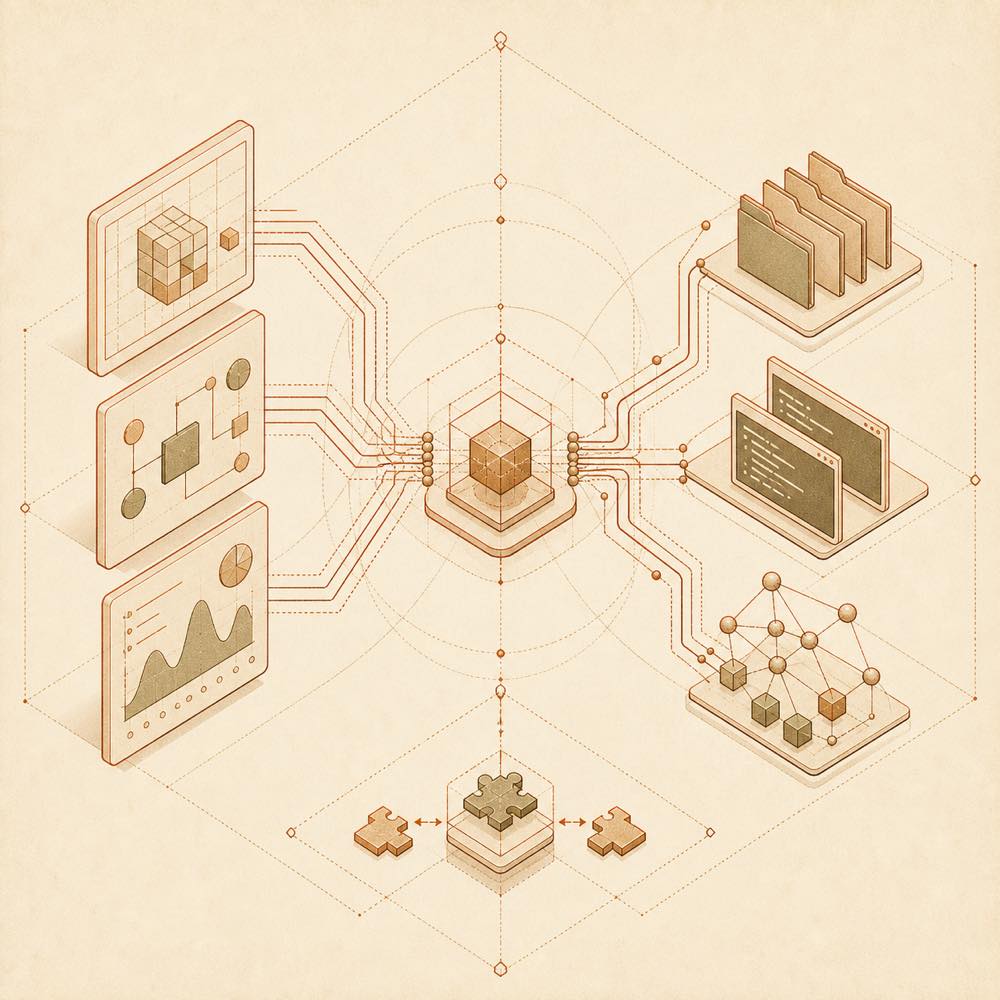
Three interface layers converge through a shared runtime into workspace tools and reversible plugin nodes.

oh-dsh is a DeepSeek Harness plugin that packages the DSH runtime, Node.js, local development tools and built-in plugins into Desktop, Web and TUI distributions. It provides a shared working environment for agents, workspaces, terminals, files, browser access, Git review, sessions and plugin state.

The ohdsh launcher starts desktop, web or tui. The three interfaces share credentials, sessions, skins and plugin caches while retaining separate Profiles. By default, configuration, cache, sessions, credentials and plugin state are stored under ~/.ohdsh; OH_DSH_HOME changes that data directory. The bundled @oh-dsh/vision plugin adds view_image for local Workspace images, HTTP(S) images and image data URLs, using the configured vision backend. Plugin changes are previewed in isolation before application and can be reverted.

This is intended for developers who want a packaged local agent workbench, or who need a browser or terminal interface in addition to Desktop. It is a poor fit when only the base DSH runtime is required, or when a separate UI and runtime are already in place. The full distribution includes Electron, whereas Web-only and TUI-only packages omit it; Web-only is suited to browser or server use, and TUI-only to SSH and terminal environments. Building from source requires Node.js, pnpm and platform build tools.

oh-dsh documentation

How it behaves

oh-dsh packages a fixed version of DSH and Node runtime with its distribution. Desktop, Web and TUI use the same ohdsh command and share sessions, credentials, skins and plugin caches, but keep independent Profiles. The local workbench includes Workspace, a PTY terminal, browser and file panels, Side chat and Trajectory. Git Review can display workspace changes and commit diffs, add comments to code lines, and perform branch, commit and push actions.

The plugin market supports browsing, categorising, installing, enabling, updating and uninstalling plugins. Changes first appear in an isolated preview and can be applied, inspected or reverted.

Configuration

Setting Behaviour
~/.ohdsh Default location for cache, configuration, sessions, credentials and plugin state
OH_DSH_HOME Replaces the shared data directory
--port 3080 Starts Web on the specified port; the documented default is 3080 at http://127.0.0.1:3080

Vision settings and credentials can be changed in the native 设置 → 插件 → 插件配置 → Vision card. @oh-dsh/vision exposes view_image for local Workspace images, HTTP(S) images and image data URLs. TUI uses the same capability through a Workspace image path or URL.

Commands

  • ohdsh desktop starts Desktop.
  • ohdsh gui is an alias for Desktop.
  • ohdsh web starts Web; ohdsh web --port 3080 selects its port.
  • ohdsh tui starts the Terminal UI.
  • ohdsh web --help and ohdsh tui --help show interface-specific options.

Platforms and package forms

The full distribution contains Desktop, Web, TUI, Node runtime and built-in plugins. Web-only excludes Electron; TUI-only excludes Electron and includes terminal plugins. The README documents macOS, Linux and Windows packages. Web-only and TUI-only archives run from their extracted directories; on Windows, use bin\ohdsh.cmd web or bin\ohdsh.cmd tui.

Requirements

Source builds require Node.js, pnpm and platform build tools. The README does not specify supported version numbers for these requirements.

Written from the project's own documentation and kept in sync with it. Where the two disagree, the source is authoritative — read the README on GitHub

Same category

Alternatives to oh-dsh

mirage

strukto-ai

3.5k

Swaps the filesystem and bash providers for a mirage virtual workspace: file tools and shell commands run over mounted resources (RAM, S3, Redis, Slack, Gmail, Notion, Postgres) instead of the host disk, with per-mount read/write/exec modes, per-command sandbox routing (monty, pyodide, quickjs in process; docker, e2b, daytona remote), and installed CLIs (git, gh, slack, linear, ntn, gws, or one you register) as head words in the virtual terminal.

No one-line install — this plugin lives inside a larger repository and publishes no npm package.

GitHub sourceTypeScripttoday

forkprobe

Jayden-X-L

66

Compare multiple skills on the same task and pick the winner.

npm packagePython2d ago

Ecosystem infrastructure: a thin browser console for managing official repository plugins (zero patches) plus a make-dsh-plugin skill for guided plugin development.

GitHub sourceTypeScript3d ago
39

Run the dsh runtime on Multica.

GitHub sourceTypeScript2d ago
22

Plugin health checks: manifest protocol / patch format / build traps, zero-dependency and read-only.

GitHub sourceTypeScript3d ago

dsh-user-experience

DietCokewithSugar

18

Finds potential UX issues in your project: automatically reviews React/TypeScript code, pinpoints each problem, and gives concrete suggestions.

npm packageTypeScript2d ago