DSH Marketplace

dsh_workflow

icetomoyo/dsh_workflow

UltraCode-style multi-agent orchestration: a generatable, savable, governable, observable, resumable workflow layer.

761TypeScriptMITSource

Install

Add dsh_workflow to DeepSeek Harness

via GitHub · GitHub source

Installing from GitHub runs the project's build script, which pnpm blocks until you allowlist it — run the command once and pnpm prints the exact key to add under `allowBuilds` in ~/.dsh/profiles/web/pnpm-workspace.yaml.

What happened when we ran it

Installed cleanly when we ran it

Every command here is run in a throwaway container against a clean profile, and the result is whatever the harness recorded — not a guess from the source. Last run yesterday.

Due diligence

Before you install dsh_workflow

  • Source of record: icetomoyo/dsh_workflow — present in the community registry that DSH's own plugin market installs from.
  • Licensed under MIT.
  • Detected: terminal surface. Read the source before granting these.
  • A listing here is not a security review. Plugins run with your agent's permissions.

The AI take

What it is — This plugin upgrades DeepSeek Harness one-time multi-agent scheduling into a generatable, savable, resumable workflow layer.

Who it is for — When running repeated complex multi-agent tasks like parallel investigations in DSH sessions, this plugin is suitable for saving workflows as reusable capsules. If your tasks are only brief one-time scheduling, this plugin's workflow layer is unnecessary because it focuses on higher-level flow product capabilities.

Watch out — Source installation requires manual approval of the build script. Sandbox test passed in a fresh profile and registered successfully. No obvious issues found.

The verdict — I would install it because it turns multi-agent into a long-term maintained agent workflow library.

Generated by grok-4.6, and a starting point rather than a verdict. Where it says a plugin installs or does not, that is from a real run in a clean profile — everything else is read off the repository. Trust the source over this.

What dsh_workflow does

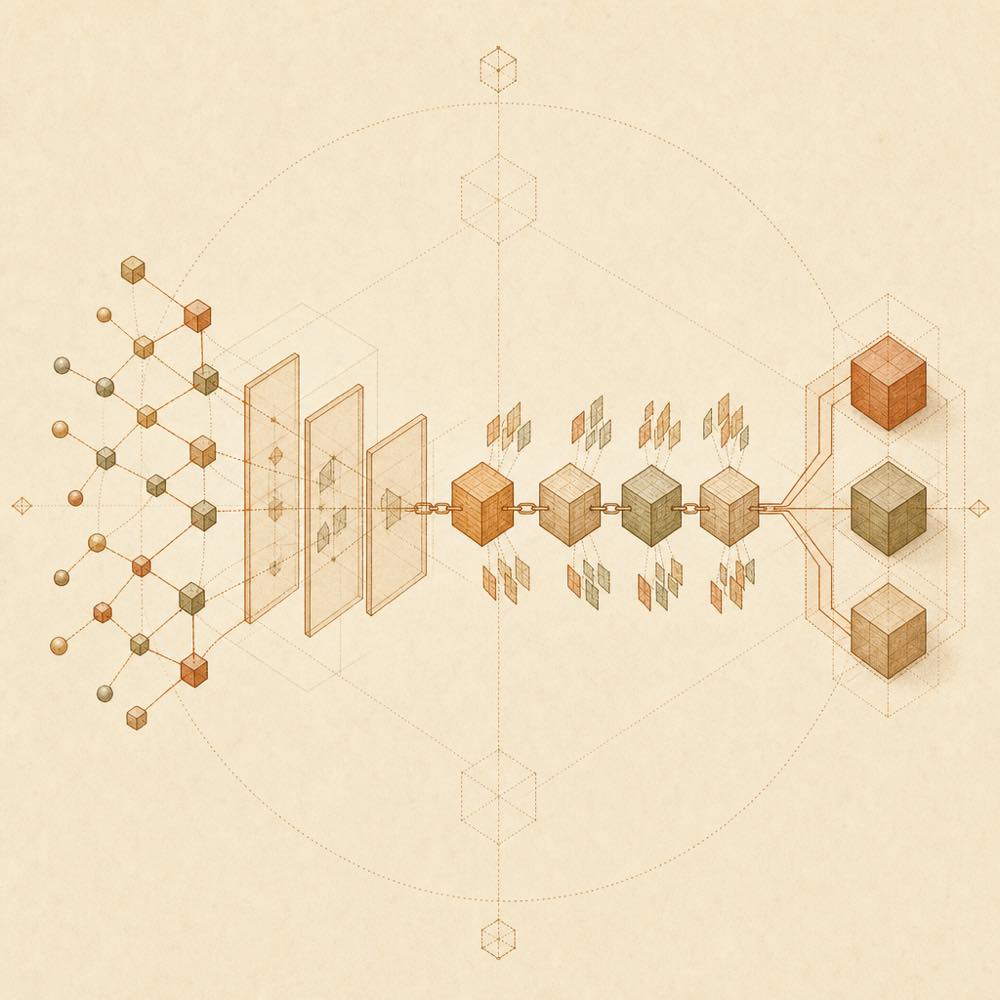
Branching agent nodes pass through control gates into snapshots, evidence, and a converged workflow result.

dsh_workflow is a DeepSeek Harness plugin that adds reusable, durable and governable multi-agent workflows to DSH.

It adds the workflow_list, run_workflow and workflow_manage tools, plus /workflow commands such as /workflow list, /workflow create, /workflow runs, /workflow show, /workflow pause, /workflow resume, /workflow rerun and /workflow resume-run. The plugin discovers built-in workflows and patterns, then project workflows in .dsh/workflows and personal workflows in $DSH_HOME/workflows. A run can use a versioned dsh.workflow v1 capsule, spawn agents through the workflow API, and record its run graph, events, results, artifacts and cost under .dsh/workflow-runs/<run-id>/. It also records tool-workflow/* Session events and uses DSH jobs and approvals for background execution and governance.

This DeepSeek Harness plugin is intended for teams that repeat structured agent work, need resumable runs, or want saved workflows with evidence and runtime limits. It is not a replacement for DSH’s native workflow tool, which is suited to one-off parallel work. It also requires Node.js >=22.19 and a compatible DSH snapshot. The terminal surface is relevant: the plugin exposes commands that can start, stop, pause, resume and delete runs, and can execute workflow-defined agent tasks with the permissions and tool configuration available to DSH. Generated workflows are constrained by a capability-only VM, JSON boundaries and approval rules, while trusted local modules require explicit confirmation.

dsh_workflow documentation

How it behaves

dsh_workflow accepts named workflows, natural-language authoring requests and restricted inline workflows through run_workflow. /workflow create <request> and unknown-name natural-language requests hand the intent to the current main agent. The agent investigates the workspace, then starts a workflow with source and manifest. By default, starting a run returns { runId, status, jobId? } without waiting; use --wait or the tool argument wait: true where supported. approvalMode: always and trusted-local workflows retain their approval requirements.

Workflow discovery is deterministic: built-ins and patterns, project entries in .dsh/workflows, then personal entries in $DSH_HOME/workflows. A project entry with the same name overrides a personal entry. In one directory, .workflow.json takes precedence over .ts, .mjs and .js.

Commands

Command Purpose
/workflow list List discoverable workflows
/workflow <name> [JSON args] Run a named workflow
/workflow runs [--all|--limit N] List runs
/workflow show [--full] [runId] Show the latest or selected run
/workflow pause|resume|stop [runId] Control an active run
/workflow rerun|resume-run <runId|savedName> [JSON args] [--wait] Rerun from a snapshot or resume cached work
/workflow save <runId> <name> [project|personal] Save a run as a workflow
/workflow delete-run <runId> [--force] Delete a run

/workflow review can capture the current Git range and start the built-in review workflow. workflow_manage also supports renaming, revising, deleting saved workflows and pruning retained runs.

Persistence and requirements

Runs are stored by default in .dsh/workflow-runs/<run-id>/, including run.json, append-only events.jsonl, a workflow.workflow.json execution snapshot, results/ for completed verified effect-cache entries and artifacts/ for named evidence. Terminal runs are cleaned according to maxRetainedRuns; prune can also preview or perform cleanup. The plugin requires Node.js >=22.19 and a DSH snapshot matching compatibility.json.

Safety and validation

Capsules use dsh.workflow v1 and include a manifest, source, intent, inputs, requirements and provenance. Path traversal, symlinks, oversized files, unknown fields, incompatible versions and filename/manifest mismatches fail before execution. Generated scripts run in a capability-only VM with JSON boundaries and deterministic guards. runAgent may return null for ordinary subtask failures, while explicit handles preserve failure results.

Written from the project's own documentation and kept in sync with it. Where the two disagree, the source is authoritative — read the README on GitHub

Same category

Alternatives to dsh_workflow

dsh-agent-teams

NanmiCoder

491

AgentTeams multi-agent teams.

Installed cleanly when we ran it

npm packageTypeScriptyesterday

AI review

dsh-agent-teams

What it is — Converts a DeepSeek Harness session into a multi-agent team with role assignment, dependency-aware tasks, and direct messaging.

Who it is for — When I need to break a complex goal into dependency-aware subtasks and coordinate multiple continuable sub-agents, I would use this plugin. Users who only need single-agent execution would not require it, as the plugin requires binding work to a single captain-led team.

Watch out — Sandbox testing confirmed successful registration and enabling in a fresh profile. No obvious issues were found. Team state is persisted in a file-backed directory, with no coordination for concurrent process edits to the same team.

The verdict — I would install it for persistent multi-agent coordination with automatic task claiming, but only if staying within single-team limits to avoid issues with concurrent process access.

Generated by grok-4.6, and a starting point rather than a verdict. Where it says a plugin installs or does not, that is from a real run in a clean profile — everything else is read off the repository. Trust the source over this.Read the source
1Details

dsh-plugin

Tabbit-Browser

83

Tabbit Broser plugins for Deepseek Harness

Installed cleanly when we ran it

GitHub sourceJavaScript2d ago

AI review

dsh-plugin

What it is — The plugin provides Tabbit browser control capability for DeepSeek Harness.

Who it is for — When performing automation tasks with DeepSeek Harness that require browser integration, this plugin enables Tabbit control. It is not necessary if your DSH runs in a sandbox without local GUI Browser access, because this Skill does not make Tabbit automation available.

Watch out — Sandbox testing passed: installed in fresh profile and registered by harness. Static check indicates it can execute shell commands. From source install, the build script needs manual allowance first. Requires Tabbit browser version 1.9.0 or higher.

The verdict — I would install it because it handles Tabbit installation and Skill loading via background tasks, but only if local Tabbit GUI access is possible.

Generated by grok-4.6, and a starting point rather than a verdict. Where it says a plugin installs or does not, that is from a real run in a clean profile — everything else is read off the repository. Trust the source over this.Read the source
1Source

dsh-automation

titanwings

51

Scheduled coding runs in fresh agent sessions with auditable history.

Installed cleanly when we ran it

GitHub sourceTypeScriptyesterday

AI review

dsh-automation

What it is — dsh-automation runs self-contained coding tasks on schedule in fresh agent sessions, leaving an auditable run history.

Who it is for — If you need to run recurring or one-shot coding work later without relying on old chat, each in an explicit workspace with permission boundary and inspect the history, dsh-automation fits. For tasks that depend on interactive approval midway through or react to file, HTTP, or process conditions rather than time, users do not need it as it targets time-based standalone executions.

Watch out — Installation from source requires Node.js 22.19 or newer. Sandbox test passed in fresh profile with harness registration. No obvious issues found.

The verdict — I would install it because sandbox tests confirm it runs in fresh sessions with auditable history for standalone coding tasks.

Generated by grok-4.6, and a starting point rather than a verdict. Where it says a plugin installs or does not, that is from a real run in a clean profile — everything else is read off the repository. Trust the source over this.Read the source
1Source
49

Skill-driven harness/loop engineering workflow agent plugin.

Installed cleanly when we ran it

GitHub sourceTypeScriptyesterday

AI review

mstar-harness

What it is — Morning Star Harness is a TypeScript Harness Workflow Engine Agent Plugin that enforces deterministic workflow gates and provides mstar-* judgment skills.

Who it is for — When performing iteration or codebase audit in DeepSeek Harness for multi-agent code delivery, it fits. If your tasks do not involve judgment skills for engineering loops, you don't need to install it.

Watch out — From source install you need to manually whitelist the build script. It automatically executes scripts and runs shell commands. Sandbox test passed: installed in new profile and registered by harness, no obvious issues found.

The verdict — I would install it because it provides a portable engine across multiple hosts.

Generated by grok-4.6, and a starting point rather than a verdict. Where it says a plugin installs or does not, that is from a real run in a clean profile — everything else is read off the repository. Trust the source over this.Read the source
2Source
39

Reusable agent squads with per-agent provider/model routes and tool policies, serial/parallel dispatch, spawn/fork/chain context modes, and a Web management panel.

Installs, but needs a build approved first

GitHub sourceTypeScriptyesterday

AI review

agent_team_gui

What it is — This plugin adds per-agent agent team support to DeepSeek Harness with independent model and tool policy configuration.

Who it is for — When handling multi-model agent collaboration tasks in the DeepSeek Harness web profile, this plugin supports per-agent model and tool policy selection. If you use a headless or bare-profile bundle, this plugin would not apply to your scenario.

Watch out — Sandbox testing shows the plugin can be installed but the build script requires manual approval to complete registration. No other issues found.

The verdict — I would install it because it supports per-agent model switching and persistent team saving, but I must manually allow the build script first.

Generated by grok-4.6, and a starting point rather than a verdict. Where it says a plugin installs or does not, that is from a real run in a clean profile — everything else is read off the repository. Trust the source over this.Read the source
1Source

Global persistent agent squads with per-agent model/tool policies: manage them in Settings, select and toggle one per conversation, then collaborate on normal sends in a fixed or model-planned order.

Installs, but needs a build approved first

GitHub sourceTypeScriptyesterday

AI review

dsh-agent-team-gui

What it is — This plugin manages persistent agent squads in DeepSeek Harness. Each agent selects its own model and tool policy, and the user chooses and enables collaboration in the conversation.

Who it is for — It suits you when you need multi-agent collaboration with different models in DeepSeek Harness conversations. You don't need it if you only use a single agent.

Watch out — When installing from source, pnpm blocks the build script, requiring manual approval to register successfully. No other obvious issues found.

The verdict — I won't install it because of the need for manual approval of the build script, even though it supports persistent squad management.

Generated by grok-4.6, and a starting point rather than a verdict. Where it says a plugin installs or does not, that is from a real run in a clean profile — everything else is read off the repository. Trust the source over this.Read the source
1Source