DSH Marketplace

deepseek-harness-remote

liguobao/deepseek-harness-remote

Multi-device remote access for DeepSeek Harness: continue an active session from your phone, tablet, browser, or another computer over an end-to-end encrypted channel (Noise IK + adaptive relay/WebRTC transport), with device authorization, ApiProxy-only remote capabilities, and read-only file preview via dsh-file-viewer — no shell, remote desktop, or write access.

88081TypeScriptSource

Install

Add deepseek-harness-remote to DeepSeek Harness

Install into

via GitHub · GitHub source

Installing from GitHub runs the project's build script, which pnpm blocks until you allowlist it — run the command once and pnpm prints the exact key to add under `allowBuilds` in ~/.dsh/profiles/web/pnpm-workspace.yaml.

What happened when we ran it

Installed cleanly when we ran it

Every command here is run in a throwaway container against a clean profile, and the result is whatever the harness recorded — not a guess from the source. Last run 6d agoon DeepSeek Harness 0.2.1-rc.5.

Show it in your README

install verified — dshmarketplace

For maintainers: the badge serves this listing's latest sandbox verdict, so a re-run updates it on its own — and it links readers to the full result here.

Due diligence

Before you install deepseek-harness-remote

  • Source of record: liguobao/deepseek-harness-remote — present in the community registry that DSH's own plugin market installs from.
  • No licence file detected. Code without a licence is all-rights-reserved by default.

Security

What installing deepseek-harness-remote runs

Build scripts

No build script was blocked in our run.

Source: our sandbox install on DeepSeek Harness 0.2.1-rc.5, 6d ago.

Install hooks

package.json declares no preinstall, install or postinstall script.

Source: package.json on GitHub, read at our last sync. prepare is not recorded; it runs only on a GitHub install, and shows up under build scripts when pnpm blocks it.

README mentions

shell commands (bash, exec, spawn …); API keys, tokens or passwords

Source: a keyword match on the README — a hint about what the plugin touches, not an analysis of its code.

Not an audit. These are the record of one install and two text scans; nobody has read this plugin's code on your behalf. Plugins run with your agent's permissions.

The AI take

What it is — It continues a live DeepSeek Harness session on your phone, browser, or another computer over an end-to-end encrypted channel.

Who it is for — Desktop or dsh-TUI is still holding workspaces and an unfinished thread, and you need that same session on Android or the web after you leave the desk. If every conversation already lives in the cloud and no local Host exists to attach to, this plugin does not create a remote environment from nothing.

Watch out — A clean-profile sandbox install succeeded and DeepSeek Harness registered the plugin. Source installs run scripts and expect an API key or token; the Linux path runs Host processes as root, intended only for trusted accounts. iOS is still an unreleased TestFlight, and the Chrome extension only mints a device credential—it does not host a conversation UI.

The verdict — I would add it as a second window onto a machine that is already the Host; I would not treat it as remote desktop or a standalone mobile agent.

Generated by grok-4.6, and a starting point rather than a verdict. Where it says a plugin installs or does not, that is from a real run in a clean profile — everything else is read off the repository. Trust the source over this.

What deepseek-harness-remote does

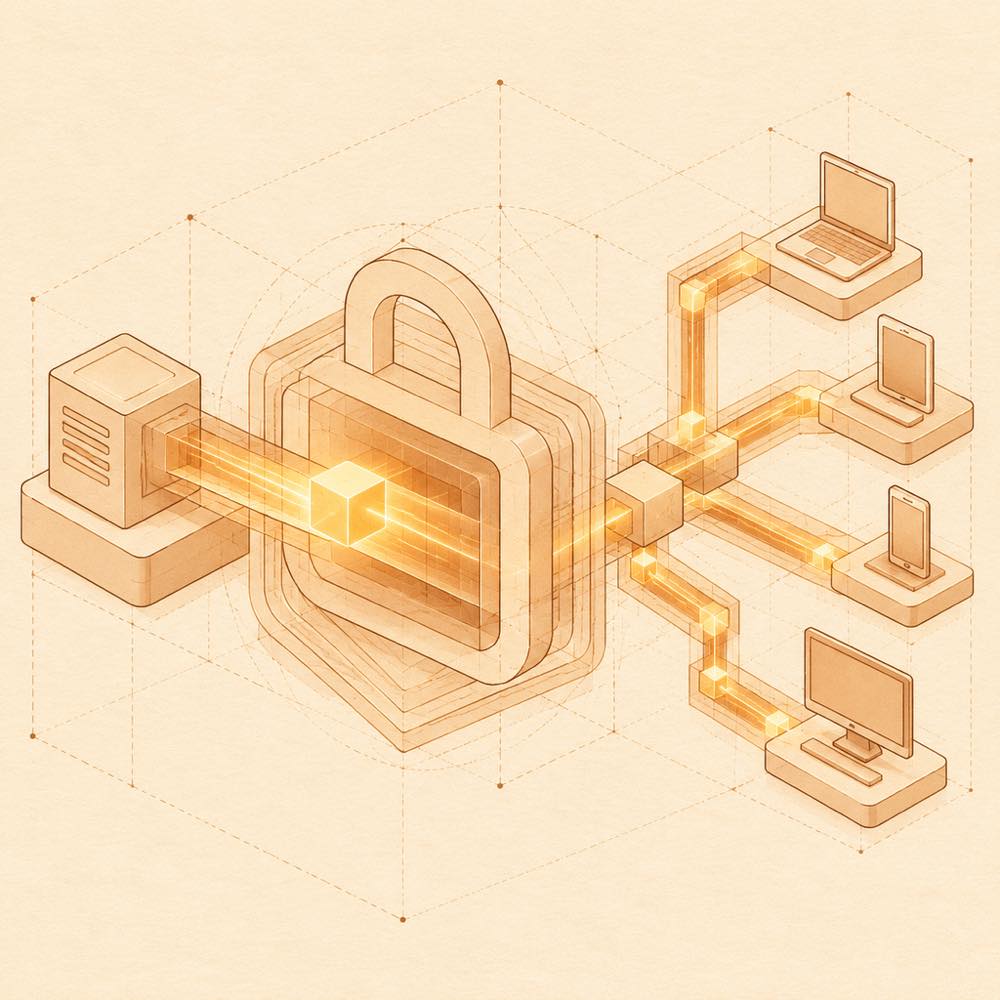
Encrypted paths carry one active session from a host block to several remote devices.

deepseek-harness-remote is a DeepSeek Harness plugin that provides encrypted remote access to an active DeepSeek Harness session from a browser, phone, tablet or another computer. It keeps the session running on the Host and exposes a remote window into its workspaces and conversation state.

The connection uses a bidirectional end-to-end encrypted channel with Noise IK. It prefers peer-to-peer transport, falls back to TURN relay nodes, and can use Server Relay when required; no public listening port or public IP is required. Remote access is authorised per device through a Server-provided OAuth QR-code flow or an account and password. The remote side uses ApiProxy capabilities and supports read-only file previews through dsh-file-viewer; it does not provide shell access, remote desktop control or write access.

DeepSeek Harness users who need to continue an existing session away from the Host are the main audience. Supported clients include the DeepSeek Harness Desktop sidebar, Web, Android and terminal-only dsh-TUI; iOS is a TestFlight beta, and the browser extension is only an authorisation entry point. This is not a replacement for local control. The Linux installer requires root and runs the Host and remote tools as root, so the terminal-related surface should be restricted to trusted accounts. Windows has no repository-provided installer.

deepseek-harness-remote documentation

How deepseek-harness-remote connects

DeepSeek Harness loads deepseek-harness-remote as a plugin and adds a Remote entry to the native sidebar. The Host remains active on the computer running DeepSeek Harness. A remote client authenticates with a Server-provided OAuth QR code or with an account and password, then selects an authorised Host and workspace. Multiple clients can connect to one Host; RPC calls and streams are isolated per connection.

The transport establishes a bidirectional end-to-end encrypted channel using Noise IK. Connections prefer peer-to-peer transport, use TURN relay nodes when needed, and fall back to Server Relay. The Host does not need a public listening port or public IP.

Configuring deepseek-harness-remote

The README documents device authorisation and Host registration rather than named plugin configuration keys. The Linux installer accepts a one-time Host registration token. Remote terminal access starts enabled and can be turned off after setup. The remote side exposes ApiProxy capabilities and read-only file previews through dsh-file-viewer.

Commands and clients

DeepSeek Harness installs the npm package ds-harness-remote@0.5.20 through dsh plugin for the selected profile. The repository installer is scripts/install.sh. Supported client forms are:

  • DeepSeek Harness Desktop remote sidebar
  • Web at https://dsh.r2049.cn
  • Android APK from GitHub Releases
  • terminal-only dsh-TUI, which can act as a Host

iOS is a TestFlight beta. The Chrome extension exchanges an existing Web authorisation for a device credential and opens the same-origin Remote Web; it does not provide a conversation UI.

Requirements and limits

DeepSeek Harness Desktop is supported after installing the pinned package version. Linux installation requires root and enables a systemd system service; the Host and remote tools run as root. macOS uses an existing Desktop launcher or CLI and does not create services. Windows has no repository installer. Remote access requires an internet connection and an authorised account or device. The remote interface does not provide shell, remote desktop or write access.

Written from the project's own documentation and kept in sync with it. Where the two disagree, the source is authoritative — read the README on GitHub

Same category

Alternatives to deepseek-harness-remote

dsh-ssh

zhu1090093659

8.8k

SSH ops panel for DSH: web terminal, SFTP transfer with progress, local port forwarding, and one-command cluster execution across hosts; agents share the same host config.

Installed cleanly when we ran it

npm packageTypeScript19d ago

AI review

dsh-ssh

What it is — A DSH plugin that exposes a web terminal, progress-tracked SFTP, local port forwarding, and the same command across many hosts, with agents on that shared host config.

Who it is for — You run DeepSeek-V3 or DeepSeek-R1 in dsh web and want an agent to inspect a Linux box, move files, or open a local forward; stock dsh web has no server-ops surface. Keep it off if jump hosts and runbooks already live outside Harness and you only open DSH to write code or talk.

Watch out — It installed on a clean profile and DeepSeek Harness registered it. Live SSH to a real host was not exercised. No obvious pit showed up in that pass.

The verdict — This one goes on the profile by itself; I would not pull in the rest of dsh-web just to get an ops panel.

Generated by grok-4.6, and a starting point rather than a verdict. Where it says a plugin installs or does not, that is from a real run in a clean profile — everything else is read off the repository. Trust the source over this.Read the source
Details

dsh-ssh

zhu1090093659

8.6k

SSH ops panel for DSH: web terminal, SFTP transfer with progress, local port forwarding, and one-command cluster execution across hosts; agents share the same host config.

Installed cleanly when we ran it

npm packageTypeScript25d ago

AI review

dsh-ssh

What it is — Gives DSH a browser SSH terminal, SFTP with progress, local port forwarding, and one-shot commands across hosts; agents share one host config.

Who it is for — Fits a DSH agent that must log into remote Linux to change configs, push files, or chase a live service when the stock UI has no SSH surface. Leave it out if the agent stays on the local workspace and you already jump boxes from a separate SSH client.

Watch out — The sandbox only showed a clean install on a fresh profile and that DSH registered it. No real host was attached, so the terminal, SFTP, forwards, and cluster path were not proven. No install-level issue showed up.

The verdict — I'll take that swap: fewer outside terminals, ops stay inside the DSH session.

Generated by grok-4.6, and a starting point rather than a verdict. Where it says a plugin installs or does not, that is from a real run in a clean profile — everything else is read off the repository. Trust the source over this.Read the source
Source

dsh-remote-web-ui

zhu1090093659

8.6k

Remote control of a dsh web workspace from phone or PC: QR-code pairing through a token-gated channel, SSE real-time sync, and separate mobile and full desktop GUI modes.

Installed cleanly when we ran it

npm packageTypeScript25d ago

AI review

dsh-remote-web-ui

What it is — QR-pair a phone or second PC onto a live dsh web workspace through a token-gated channel, sync over SSE, and present a mobile GUI plus a full desktop GUI.

Who it is for — An agent is still running in local dsh web while you are in a meeting with only a phone or another PC, and the stock UI never leaves the host browser. Skip it if you drive DeepSeek Harness from the CLI and never open dsh web: there is no workspace to attach.

Watch out — It installed into a clean profile and the harness registered it. Pairing, SSE, and both GUIs were not exercised, so behavior off-LAN or after a lock screen is unknown. No install-time snag showed up.

The verdict — Leave it on the box that already hosts dsh web as a walk-away tether; I would still start work in the native GUI.

Generated by grok-4.6, and a starting point rather than a verdict. Where it says a plugin installs or does not, that is from a real run in a clean profile — everything else is read off the repository. Trust the source over this.Read the source
Details

dsh-mobile

saya-ch

479

Access DeepSeek Harness from the Android app or a mobile browser with secure LAN and remote connections, persistent device pairing, and a customizable mobile interface.

Installed cleanly when we ran it

npm packageTypeScript20d ago

AI review

dsh-mobile

What it is — Hooks a running computer-side DeepSeek Harness into an Android App or a phone browser so the live session continues after pairing.

Who it is for — A DeepSeek Harness job is still using tools on the PC, you have left the desk, and you need that same workspace on the phone. Do not enable it where a phone cannot be a fully trusted operator of that machine, or where the host cannot expose its own LAN or remote HTTPS endpoint.

Watch out — Fresh-profile install succeeded and DeepSeek Harness registered the plugin into the profile. On DSH Desktop you must quit from the app menu after install; dsh-mobile-question-fixes: failed to import is documented and a normal restart may not clear it. The native App is Android-only; from 0.6.2 the plugin and App ship on separate clocks, and a self-signed FRP front-end still needs App 0.4.6 to pin the remote CA at pairing.

The verdict — Put it on a host that already stays up for DSH; I would not add Funnel, cpolar, cloudflared, or FRP only to check a session from outside.

Generated by grok-4.6, and a starting point rather than a verdict. Where it says a plugin installs or does not, that is from a real run in a clean profile — everything else is read off the repository. Trust the source over this.Read the source
1Source

dsh-ios

ZSeven-W

315

A live iOS Simulator or USB-connected iPhone inside the conversation: 22 agent tools for booting, building, driving the UI by accessibility identity or OCR text, list-row actions and SwiftUI preview hot reload, plus a streaming sidebar panel you can tap and drag on.

Installed cleanly when we ran it

npm packageTypeScript1mo ago

AI review

dsh-ios

What it is — Hooks an iOS Simulator or USB iPhone into a DeepSeek Harness conversation: 22 tools drive the device, and a sidebar shows a live stream you can tap and drag.

Who it is for — You're on a Mac using DeepSeek Harness on iOS / SwiftUI work, and you need the agent to build an Xcode project or Swift package, tap by accessibility tree or OCR, verify list-row actions via counters, and hot-reload SwiftUI previews. Leave it off non-macOS harness hosts: the tools still register, then fail with an explanation.

Watch out — In the sandbox it installed on a fresh profile and harness registered it. It executes shell on the machine. A real phone must stay unlocked; taps are gated by identify-before-tap; the plugin builds and launches WebDriverAgent and loopback-tunnels control and MJPEG. Frames reach the UI only through HMAC-signed URLs on the DSH webserver that expire in about 10 minutes.

The verdict — I'll pin 0.1.0-rc.10 to DSH 0.1.5-rc.1 — RC is what I pay to hand device control to the agent.

Generated by grok-4.6, and a starting point rather than a verdict. Where it says a plugin installs or does not, that is from a real run in a clean profile — everything else is read off the repository. Trust the source over this.Read the source
1Source

Multi-device remote access for DeepSeek Harness and supported coding workspaces through an end-to-end encrypted channel, with adaptive Relay/WebRTC transport, device authorization, workspace files, read-only previews, terminals, and optional Codex Remote.

Installed cleanly when we ran it

GitHub sourceTypeScript27d ago

AI review

ds-harness-remote

What it is — A multi-device remote access solution for DeepSeek Harness, enabling PC, Android, and Web clients to securely access and operate a remote Harness over low-latency, end-to-end encrypted P2P-first network.

Who it is for — If you use DeepSeek Harness on the web profile and need to access or operate sessions remotely from PC or Android devices, install ds-harness-remote. If you are using DSH Desktop, the remote feature is included by default and no separate plugin installation is required.

Watch out — Sandbox test passed in a new profile, where it was registered by Harness into the profile. It requires providing an API key or token. When installing from source, the build script needs to be manually whitelisted first.

The verdict — I would install it because it enables seamless session switching across devices without interruption, but currently only the hosted relay is supported, with self-hosted options not yet available.

Generated by grok-4.6, and a starting point rather than a verdict. Where it says a plugin installs or does not, that is from a real run in a clean profile — everything else is read off the repository. Trust the source over this.Read the source
1Source