
deepseek-harness
tt-a1i
Generate validated, self-contained interactive architecture, workflow, sequence, data-flow, and lifecycle diagrams from repositories or system descriptions.
Installed cleanly when we ran it
npm packageJavaScript2d ago
PerryLink/dsh-industry-research
Deterministic industry research reports for DeepSeek Harness — company and industry research flows produce structured, verifiable reports from staged evidence.
Install
via npm
Resolves a published tarball rather than cloning the repository, and installs without any extra setup. Swap `web` for your profile name if you run another one.
via GitHub · npm package
Installing from GitHub runs the project's build script, which pnpm blocks until you allowlist it — run the command once and pnpm prints the exact key to add under `allowBuilds` in ~/.dsh/profiles/web/pnpm-workspace.yaml.
The desktop app keeps its own profile, desktop, and only the dsh command it ships may change it — the npm-installed dsh refuses that profile. Install the command from the app menu (Manage dsh Command…), open Desktop once, quit it fully, run the line below, then reopen Desktop.
via npm
Resolves a published tarball rather than cloning the repository.
via GitHub · npm package
Installing from GitHub runs the project's build script, which pnpm blocks until you allowlist it — run the command once and pnpm prints the exact key to add under `allowBuilds` in ~/.dsh/profiles/desktop/pnpm-workspace.yaml.
Our install check ran in a web profile on npm's dsh, not in the desktop app.
What happened when we ran it
Installed cleanly when we ran it
Every command here is run in a throwaway container against a clean profile, and the result is whatever the harness recorded — not a guess from the source. Last run 11d agoon DeepSeek Harness 0.2.2-rc.1.
Show it in your README
For maintainers: the badge serves this listing's latest sandbox verdict, so a re-run updates it on its own — and it links readers to the full result here.
Due diligence
Security
No build script was blocked in our run.
Source: our sandbox install on DeepSeek Harness 0.2.2-rc.1, 11d ago.
package.json declares no preinstall, install or postinstall script.
Source: package.json on GitHub, read at our last sync. prepare is not recorded; it runs only on a GitHub install, and shows up under build scripts when pnpm blocks it.
Neither shell commands nor credentials.
Source: a keyword match on the README — a hint about what the plugin touches, not an analysis of its code.
Not an audit. These are the record of one install and two text scans; nobody has read this plugin's code on your behalf. Plugins run with your agent's permissions.
What it is — DeepSeek Harness plugin for industry and company research, supporting chain map construction, policy tracking, and auditable reports.
Who it is for — Using DeepSeek Harness for industry research that requires chain map construction is a suitable scenario to install this plugin. If the research task does not involve company research cards, you can skip this plugin.
Watch out — No obvious issues found. Sandbox test passed: installed in a fresh profile and registered by harness. Compatibility checks through.
The verdict — I would install it because it provides auditable research report generation, with the premise that the research work requires evidence traceability.
Generated by grok-4.6, and a starting point rather than a verdict. Where it says a plugin installs or does not, that is from a real run in a clean profile — everything else is read off the repository. Trust the source over this.
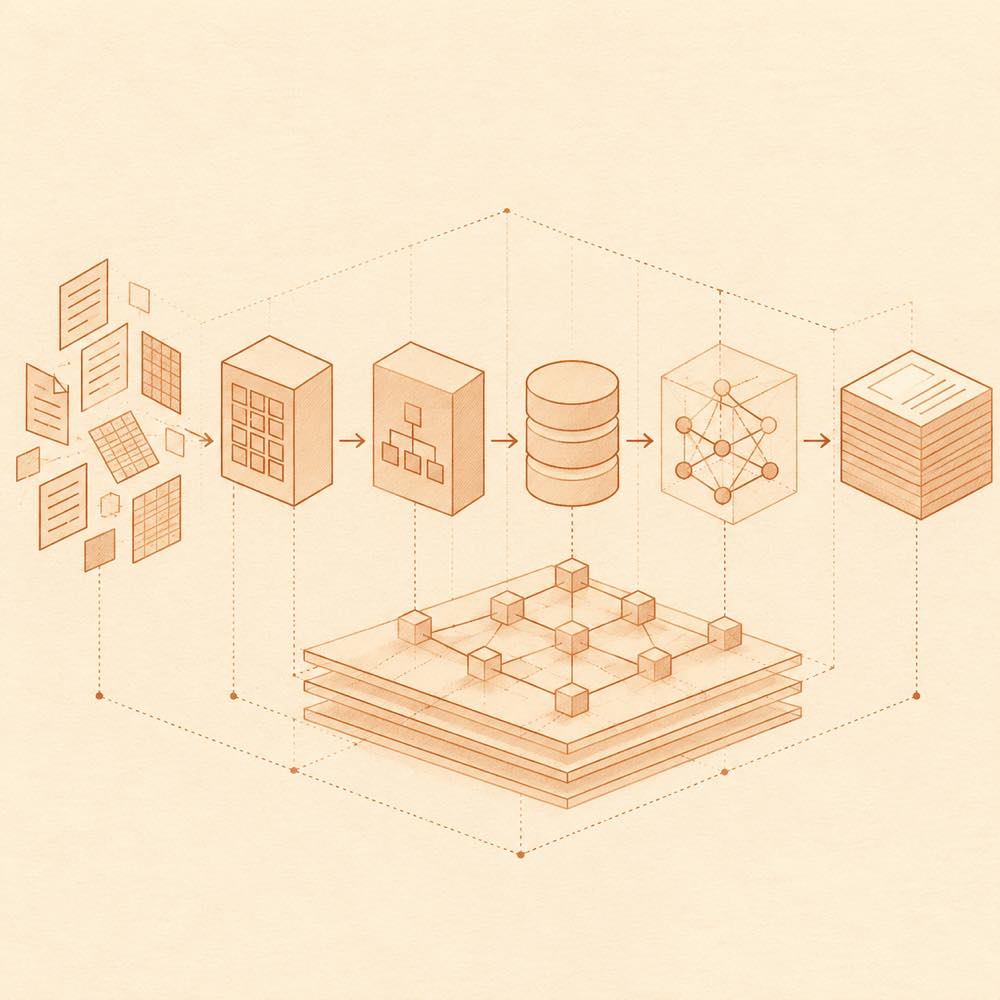
dsh-industry-research is a DeepSeek Harness plugin that produces deterministic company and industry research reports from staged, citable evidence. DeepSeek Harness exposes four research tools: industry_map builds a chain map in chain.json and can render chain.svg; industry_track records public-source updates in timeline.jsonl; company_scan creates card.json and card.md; and industry_report combines those artefacts into an auditable report.
The plugin reads workspace data files, seed notes and files, and, when available, the optional ctx.web capability for public-source retrieval. It records source references, SHA-256 hashes, dates and declared gaps. industry_track applies host allow/block lists, since filtering and retention limits. industry_report checks the assembled delivery contract before writing, groups timeline evidence by category, and produces a sourced bull/bear synthesis. The optional ctx.researchReport capability can provide the sibling report-sealing engine.
This DeepSeek Harness plugin is intended for research workflows that need traceable figures, chain mapping, company cards and declared data quality. It is not an investment-advice or trading tool: the README excludes price prediction and paid or login-walled sources. company_scan supports text formats only in v1, and web-dependent tracking fails when ctx.web is unreachable. It requires Node ^22.19.0 || >=24.0.0, ESM, and the compatible DeepSeek Harness peer range.
DeepSeek Harness loads dsh-industry-research into a named profile. The README documents capability lookup rather than user-defined configuration: ctx.web is optional and used for public-source retrieval, while ctx.researchReport is optional and looked up at execution time for the sibling sealing engine. Neither capability is injected by the plugin.
DeepSeek Harness exposes these plugin tools:
industry_map reads seed notes or files and an optional ctx.web digest, then writes chain.json. renderSvg: true additionally writes chain.svg. depth selects quick, standard or comprehensive web assistance.industry_track searches per topic through ctx.web and appends deduplicated, hashed snapshots to timeline.jsonl. It accepts host allow/block lists and since filtering, applies a retention cap, and fails if web access is unavailable.company_scan reads workspace data files and writes card.json and card.md. companies enables batch mode and depth controls the web complement.industry_report consumes the map, timeline and company cards, validates the delivery contract, and writes the report and a perspectives-note.md subagent job.DeepSeek Harness compatibility is documented for dsh-v0.2.1-alpha.1 and the listed pre-0.2.0 peer ranges. The runtime requires Node ^22.19.0 || >=24.0.0 and ESM. Peer dependencies include @deepseek-ai/cordis ^4.0.2, @deepseek-ai/schemastery ^3.18.2, @deepseek-ai/dsh-tools, @deepseek-ai/dsh-skill, and @deepseek-ai/dsh-skill-filesystem.
Research is support only: no trading, price prediction, or paid or login-walled sources. company_scan accepts text formats only in v1, not PDF. Values require source references, while missing values remain explicit gaps; status and price assertions require dates and sources.
Written from the project's own documentation and kept in sync with it. Where the two disagree, the source is authoritative — read the README on GitHub
Same category
tt-a1i
Generate validated, self-contained interactive architecture, workflow, sequence, data-flow, and lifecycle diagrams from repositories or system descriptions.
Installed cleanly when we ran it
dream-num
Give DeepSeek Harness a real office environment. Univer Office Plugin brings spreadsheets, docs, slides, canvases, relational tables, and more into one runtime — with connected data, validation, versioned changes, and isolated worktrees for multi-agent collaboration.
Installed cleanly when we ran it
A workspace-based Studio for source-grounded reports, slides, tables, mind maps, quizzes, flashcards, audio and video, using DSH models and shared artifact services. Office generation requires Python 3.12+ with its dependencies and DSH_OFFICE_PYTHON configured; media rendering requires Chromium, and local ASR additionally requires whisper.cpp and a model.
No one-line install — this plugin lives inside a larger repository and publishes no npm package.
Roland0511
WYSIWYG Markdown editor in the DSH right sidebar, built on MarkText's muya engine: open a .md file, edit it as a rendered document, and save back through ctx.fs with a version guard.
Installed cleanly when we ran it
joeseesun
Browse UI design references and interaction examples, take design quizzes, and export learning notes as Markdown.
Installed cleanly when we ran it
GGboya
Paper reading workbench: library + PDF reader + tutor-style companion. Answers cite clickable page numbers that jump back and flash the exact passage; select-to-ask without leaving the paper; bundled strict-tutor preset (reading plan, section coaching, graded quizzes tracked across sessions). With MinerU configured (self-hosted, no signup / mineru.net cloud token): scanned PDFs become readable, formulas become click-citable (one click sends the LaTeX source into the chat) and searchable (QK^T hits directly), plus a per-page formula panel; optional embeddings endpoint adds semantic recall for plain-language questions. Rename/delete topics and papers — deletes go to a recoverable .trash with a batch-clear flow for non-empty topics; reader with scroll/single-page modes, rightbar-fullscreen safe, one-click path copy and translated-PDF export; in-place original ↔ Chinese toggle (babeldoc, zero preinstall). Transcription and search run locally by default — documents never leave your machine; only when cloud MinerU, an embeddings endpoint, or a translation endpoint is enabled does the corresponding text go to the service you configure.
Installed cleanly when we ran it