DSH Marketplace

dsh-tts-bridge

Yuuyuko-uu/dsh-tts-bridge

Reads DSH conversations aloud using the DeepSeek web page's built-in read-aloud, driven by a small browser extension.

26210JavaScriptNOASSERTIONSource

Install

Add dsh-tts-bridge to DeepSeek Harness

Install into

via npm

Resolves a published tarball rather than cloning the repository, and installs without any extra setup. Swap `web` for your profile name if you run another one.

via GitHub · npm package

Installing from GitHub runs the project's build script, which pnpm blocks until you allowlist it — run the command once and pnpm prints the exact key to add under `allowBuilds` in ~/.dsh/profiles/web/pnpm-workspace.yaml.

What happened when we ran it

Installed cleanly when we ran it

Every command here is run in a throwaway container against a clean profile, and the result is whatever the harness recorded — not a guess from the source. Last run yesterdayon DeepSeek Harness 0.2.2-rc.5.

Show it in your README

install verified — dshmarketplace

For maintainers: the badge serves this listing's latest sandbox verdict, so a re-run updates it on its own — and it links readers to the full result here.

Due diligence

Before you install dsh-tts-bridge

  • Source of record: Yuuyuko-uu/dsh-tts-bridge — present in the community registry that DSH's own plugin market installs from.
  • Licensed under NOASSERTION.

Security

What installing dsh-tts-bridge runs

Build scripts

No build script was blocked in our run.

Source: our sandbox install on DeepSeek Harness 0.2.2-rc.5, yesterday.

Install hooks

package.json declares no preinstall, install or postinstall script.

Source: package.json on GitHub, read at our last sync. prepare is not recorded; it runs only on a GitHub install, and shows up under build scripts when pnpm blocks it.

README mentions

shell commands (bash, exec, spawn …)

Source: a keyword match on the README — a hint about what the plugin touches, not an analysis of its code.

Not an audit. These are the record of one install and two text scans; nobody has read this plugin's code on your behalf. Plugins run with your agent's permissions.

What dsh-tts-bridge does

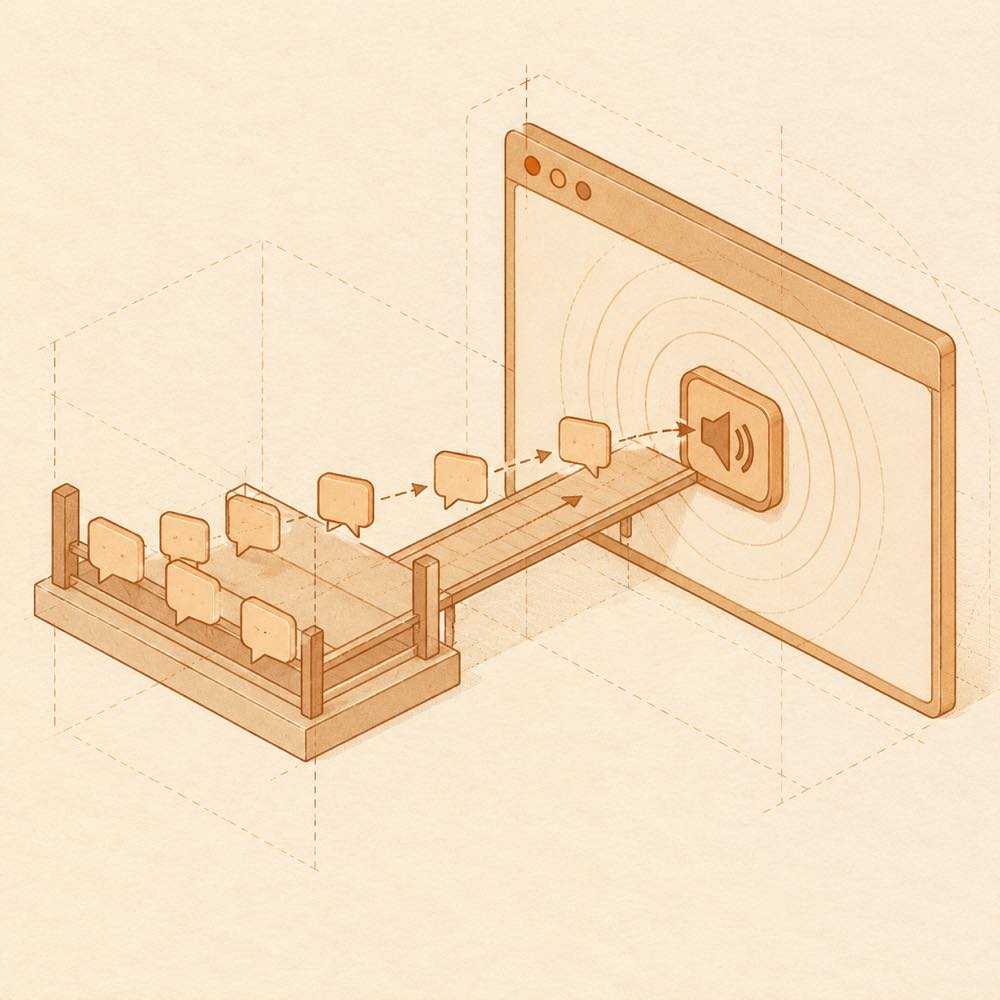
Diagram of queued reply blocks crossing a bridge into a browser and becoming sound waves.

dsh-tts-bridge is a DeepSeek Harness plugin that sends selected conversation replies to a browser extension so DeepSeek's web-page read-aloud can speak them.

DeepSeek Harness watches the conversations selected in the plugin card. When a complete turn finishes, dsh-tts-bridge places the latest reply in a queue. The “朗读桥” extension, loaded in a Chromium browser, takes queued text to an open, signed-in chat.deepseek.com page and activates its built-in read-aloud control. The browser produces the audio; dsh-tts-bridge does not call a DeepSeek API, extract audio, or store account credentials or cookies. The plugin stores selected conversations and favourites in <DSH_HOME>/.dsh/tts-bridge.json.

This is for users who want replies from a DeepSeek Harness web session spoken through their own DeepSeek account. It requires DeepSeek Harness with its Web interface, a Chromium-based browser such as Chrome, Edge, or Brave, the browser extension, an open DeepSeek page, and an initial manual click on DeepSeek’s read-aloud button. Firefox is not supported, and the service has a daily read-aloud limit. The catalogue marks dsh-tts-bridge with a terminal-surface risk: it runs inside the DeepSeek Harness environment and reaches the local configuration file needed to retain its selections and favourites.

dsh-tts-bridge documentation

Requirements for dsh-tts-bridge

DeepSeek Harness must be running with its Web interface. The browser side requires Chrome, Edge, Brave, or another Chromium-based browser; Firefox is not supported. The “朗读桥” extension must be loaded from the plugin’s extension/ directory, and https://chat.deepseek.com must remain open in a browser session signed in to the user’s own DeepSeek account. Before automated speech works, the user must click DeepSeek’s own read-aloud button once. The README does not specify a separate environment variable or command added by the plugin.

Configuring dsh-tts-bridge

The plugin stores its persistent state at:

<DSH_HOME>/.dsh/tts-bridge.json

This file contains the conversations selected under “听谁” and the saved replies under “收藏”. The README does not document editable configuration keys. A newly installed instance does not automatically monitor every conversation: the user selects the conversations to hear in the plugin card.

How dsh-tts-bridge behaves

DeepSeek Harness loads the plugin in the Web profile and displays a “朗读桥” card after the plugin starts. The card can:

  • enable automatic read-aloud by holding the status row for 0.6 seconds;
  • stop playback;
  • select multiple currently loaded conversations;
  • organise, replay, delete, and export saved replies as Markdown.

With automatic read-aloud enabled, a completed turn in a selected conversation is queued. The extension sends the queued text to the open DeepSeek page and activates its read-aloud control. Individual replies can also be played from their own ▶ 朗读 control. Archived or unloaded conversations are removed from the selectable list.

Known limits of dsh-tts-bridge

The extension relies on the DeepSeek web page rather than an API. If the page becomes unavailable or speech remains pending, the README recommends refreshing it; when queued text exists and the page is absent, the extension may reopen a DeepSeek window. The plugin identifies the final reply currently shown on the page, so unrelated page changes can result in the wrong text being read. Read-aloud usage is subject to a daily limit.

Written from the project's own documentation and kept in sync with it. Where the two disagree, the source is authoritative — read the README on GitHub

Same category

Alternatives to dsh-tts-bridge

Rewrites a composer draft into a clearer, structured prompt (5 modes, model fallback chain, optional multi-round memory) and adds stop-on-silence, hotkey and filler-word cleanup to DSH voice input; transcription stays with the official speechToText, the plugin ships no engine.

Installed cleanly when we ran it

GitHub sourceJavaScript16d ago

dsh-omi-voice

PolinniZhong

76

In-chat read-aloud for DeepSeek Harness: tap to read, pause and resume AI replies with natural Doubao TTS voices (BYOK), reading only the final answer with code, tables and diagrams filtered; local engine, plugin keeps no API key.

Installed cleanly when we ran it

npm packageSwift2mo ago

AI review

dsh-omi-voice

What it is — DeepSeek Harness plugin that lets you tap AI replies to read with Doubao TTS natural voices using local Omi engine.

Who it is for — If you want natural-sounding AI replies in DeepSeek Harness on macOS after setting up the Omi engine with Doubao key, this plugin suits. If you are not on macOS or avoid local engine setup, it is not suitable.

Watch out — Sandbox test passed: installed in fresh profile and successfully registered with Harness. Requires macOS Apple Silicon and Omi engine; Doubao TTS costs per character with LRU cache and deduplication. No other obvious issues.

The verdict — If I were using it on macOS, I would install it because it reads only the final answer after filtering code and tables, supports pause and resume, and keeps no keys in the plugin, but only if I accept the BYOK per-character cost.

Generated by grok-4.6, and a starting point rather than a verdict. Where it says a plugin installs or does not, that is from a real run in a clean profile — everything else is read off the repository. Trust the source over this.Read the source
1Source

Voice AI girlfriend for the Web UI: FunASR mic input, Qwen3-TTS spoken replies, companion animation window, and two-way QQ chat (text/voice/image push) via NapCat.

Installs, but needs a build approved first

GitHub sourceTypeScript27d ago

dsh-plugin-tts

1624318455

39

Reads assistant replies aloud via free Edge TTS or your own RVC voice models: read-aloud buttons + auto-read, adaptive chunked progressive playback (gapless long reads), one-click voice-pack installs from a registry, and a portable RVC runtime.

Installed cleanly when we ran it

npm packageJavaScript1mo ago

AI review

dsh-plugin-tts

What it is — Integrates Edge TTS and RVC for voice reading of assistant replies in DeepSeek Harness web UI.

Who it is for — In the DeepSeek Harness web profile, this plugin enables voice reading of assistant replies. Users who do not use the web profile will not be able to use this plugin.

Watch out — Sandbox test confirmed successful installation in a fresh profile and registration by Harness. No obvious issues found.

The verdict — I would install it because the sandbox test passed and it supports RVC custom voices, but only if voice feedback for replies is needed, with the premise of using the web profile.

Generated by grok-4.6, and a starting point rather than a verdict. Where it says a plugin installs or does not, that is from a real run in a clean profile — everything else is read off the repository. Trust the source over this.Read the source
1Source

Adds Xiaomi MiMo, Doubao, Breeze and browser speech to DSH, with external provider and local model adapters, text filtering, streaming read-aloud, audio downloads, sound effects, desktop pets, QQ Bot and AI Passport integration.

Installed cleanly when we ran it

npm packageTypeScript22d ago

AI review

dsh-plugin-xiaomi-mimo-tts

What it is — Add Xiaomi MiMo TTS text-to-speech controls to finalized assistant messages in DeepSeek Harness, with preset and custom voices.

Who it is for — Users who need voice narration for assistant responses in DeepSeek Harness conversations can install it. Users who do not require text-to-speech capabilities do not need to install it.

Watch out — Requires a valid Xiaomi MiMo API key. Sandbox testing succeeded in a new profile with successful registration in harness. No obvious issues found.

The verdict — If I need voice narration for messages, I would install it because it provides preset and custom voice options integrated into the interface.

Generated by grok-4.6, and a starting point rather than a verdict. Where it says a plugin installs or does not, that is from a real run in a clean profile — everything else is read off the repository. Trust the source over this.Read the source
1Source
35

Voice input for the DSH web UI: tap or hold Alt to dictate into the composer. Local SenseVoice ASR by default — offline, zero config, zero key; auto-fallback to browser Web Speech, optional OpenAI-compatible ASR chain, polish through DSH-configured models, settings UI.

Installed cleanly when we ran it

npm packageJavaScript1mo ago

AI review

dsh-voice-scribe

What it is — DeepSeek Harness web UI voice input plugin.

Who it is for — Users editing documents in DeepSeek Harness web UI needing quick voice input may use this plugin. Users seeking prompt optimization and file-to-Markdown conversion may choose other enhancement plugins.

Watch out — Sandbox test passed: installed in fresh profile and registered. No other issues found.

The verdict — I would install it because it supports optional LLM polishing.

Generated by grok-4.6, and a starting point rather than a verdict. Where it says a plugin installs or does not, that is from a real run in a clean profile — everything else is read off the repository. Trust the source over this.Read the source
1Source