DSH Marketplace

DSH-Plugins-Marketplace

bradeGithub/DSH-Plugins-Marketplace

GitHub-topic-driven plugin & skill marketplace: a Settings page that browses the auto-collected registry (the whole dsh-plugin topic plus the skills index, CI-refreshed every 2 hours) with one-click install, type detection, install-script and host-shadow-dependency safety confirmations, env-key management, and the STANDARD.md recognition spec.

1166JavaScriptMITSource

Install

Add DSH-Plugins-Marketplace to DeepSeek Harness

via GitHub · GitHub source

Installing from GitHub runs the project's build script, which pnpm blocks until you allowlist it — run the command once and pnpm prints the exact key to add under `allowBuilds` in ~/.dsh/profiles/web/pnpm-workspace.yaml.

What happened when we ran it

Installed cleanly when we ran it

Every command here is run in a throwaway container against a clean profile, and the result is whatever the harness recorded — not a guess from the source. Last run yesterday.

Due diligence

Before you install DSH-Plugins-Marketplace

  • Source of record: bradeGithub/DSH-Plugins-Marketplace — present in the community registry that DSH's own plugin market installs from.
  • Licensed under MIT.
  • Detected: terminal surface, requires credentials. Read the source before granting these.
  • A listing here is not a security review. Plugins run with your agent's permissions.

The AI take

What it is — The DSH-Plugins-Marketplace provides a settings page in DeepSeek Harness Web GUI for browsing and installing plugins and skills from the dsh-plugin topic.

Who it is for — When using DeepSeek Harness Web GUI for plugin management, it is suitable to browse dsh-plugin topic plugins. If not using the web GUI settings page, it may not be necessary.

Watch out — Sandbox test passed: installed in new profile and registered into harness. Requires providing API key or token. No obvious pits found.

The verdict — If I were you, I would install it from source because the sandbox test passed.

Generated by grok-4.6, and a starting point rather than a verdict. Where it says a plugin installs or does not, that is from a real run in a clean profile — everything else is read off the repository. Trust the source over this.

What DSH-Plugins-Marketplace does

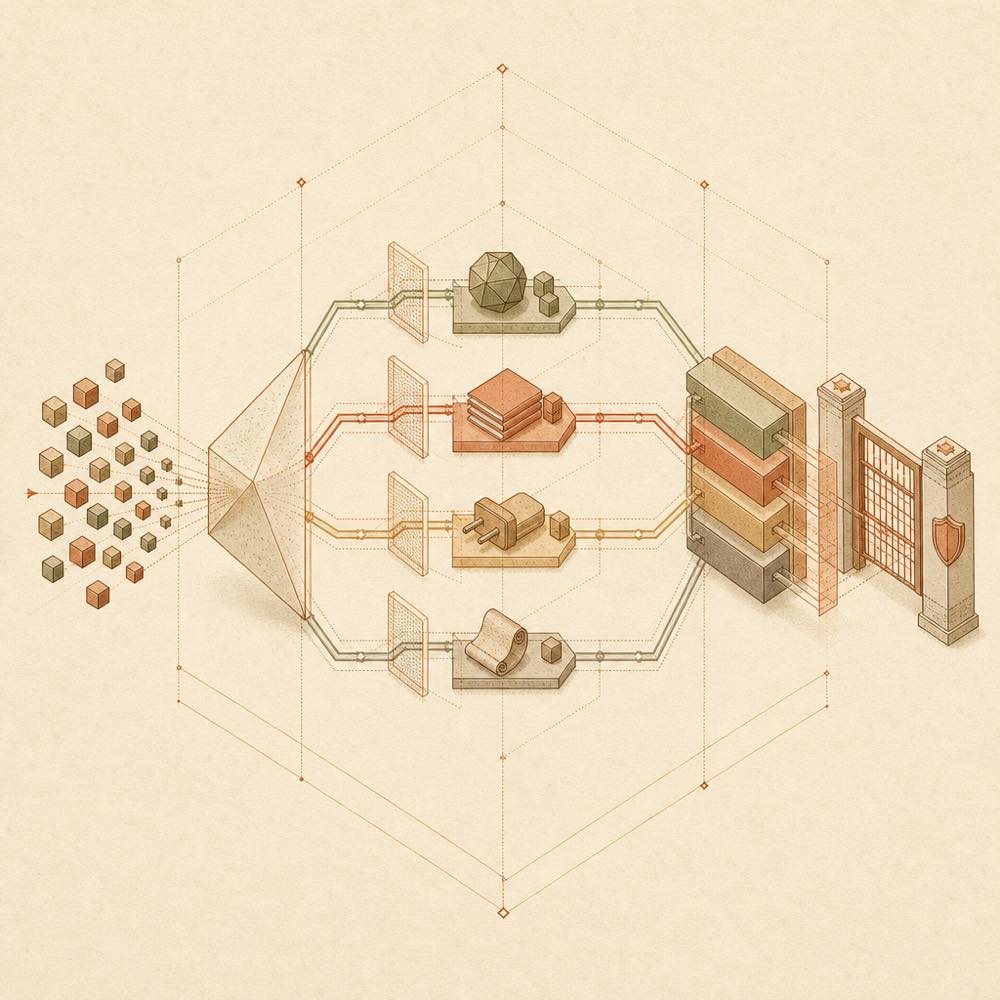
Abstract repository streams pass through detection and safety gates into local installation blocks.

DSH-Plugins-Marketplace is a DeepSeek Harness plugin that provides a Web GUI catalogue for GitHub-hosted DSH plugins and general skills. It reads a CI-generated registry.json index, served through jsDelivr with a raw.githubusercontent.com fallback, and uses GitHub Search API only if both index sources fail. GitHub Actions refreshes the index every two hours by scanning the dsh-plugin topic; installation still clones repositories directly from GitHub.

From Settings, the marketplace identifies SKILL.md repositories, agent presets containing preset.yml and agent.cordis.yml, Cordis plugins containing package.json, and repositories with install.sh or install.ps1. It can install skills under ~/.dsh/skills/, presets under ~/.dsh/.agent-presets/, and Cordis plugins in the Web profile. It records installation state, compares versions, and requests confirmation before running third-party installers or npm lifecycle scripts. If a repository asks for API_KEY, TOKEN, or SECRET, the page pauses for input and passes the material as environment variables rather than storing it on disk. It also performs the documented host-shadow-dependency safety check.

This is intended for developers who want to discover and install community repositories from the DSH Web settings page instead of handling each repository manually. It is a poor choice for environments that do not use the DSH Web profile, cannot restart DSH after registration changes, or do not permit terminal commands and third-party installation scripts. The plugin reaches GitHub, the local DSH profile and marketplace clone directory, and may execute repository-provided scripts with the agent’s available permissions. DSH-Plugins-Marketplace does not provide a human-reviewed catalogue: topic tagging controls automatic inclusion.

DSH-Plugins-Marketplace documentation

How it behaves

The Web settings page loads the plugin catalogue from registry.json, distributed through jsDelivr and then raw.githubusercontent.com. If both fail, it paginates the GitHub Search API and caches that result for 10 minutes. The CI job scans the GitHub dsh-plugin topic every two hours, merges and deduplicates repository metadata, excludes deepseek-harness, and sorts the generated index by Star count. Installation is performed separately by cloning the selected repository into ~/.dsh/marketplace/.

The page checks installed state when the marketplace opens. Its documented checks use installed.json, directory heuristics, package-name mappings, the package’s repository field, and a cached clone. Cordis plugin versions are compared with locally cached information; npm-published plugins use npm dist-tags. An available newer version changes the action to 更新 / update.

Installation targets

Detected repository Target or action
SKILL.md ~/.dsh/skills/
preset.yml and agent.cordis.yml ~/.dsh/.agent-presets/
package.json Install dependencies and register in the Web profile
install.sh or install.ps1 Ask for confirmation, then execute the script

When API_KEY, TOKEN, SECRET, or another required environment variable is detected, installation pauses for submitted material or an explicit skip. The material is supplied as environment variables and is not written to disk.

Configuration and commands

The plugin is registered in ~/.dsh/profiles/web/cordis.patch.yml with an entry containing id: dsh-plugin-marketplace and name: dsh-plugin-marketplace. The Web profile is documented with hmr disabled, so registration or code changes require restarting DSH with dsh web before refreshing the page. The official CLI installation, removal and update workflow uses the web profile; the marketplace itself also provides an in-page install and update action.

Requirements and safety

The documented setup expects the DSH Web profile. The CLI route requires dsh and pnpm; the repository also documents PowerShell for Windows and bash with curl for macOS and Linux when using its installer. Before running a third-party install.sh, install.ps1, or npm lifecycle script such as prepare, install, or postinstall, the page requests confirmation. Rejecting the prompt cancels the operation and cleans its traces. Host allowlisting and a CSRF header protect the HTTP surface, while environment-variable handling is minimised and isolated.

Known limits

The index is metadata rather than a review system: automatic inclusion follows GitHub topic detection, and the community badge is not an endorsement. Installation still contacts GitHub directly. If the CDN and raw index are unavailable, the GitHub Search API fallback is subject to its cache and API availability.

Written from the project's own documentation and kept in sync with it. Where the two disagree, the source is authoritative — read the README on GitHub

Same category

Alternatives to DSH-Plugins-Marketplace

dsh-market

dsh-market

839

(Recommended) The plugin market inside DSH: a Settings page to browse and search the full community catalog by category, with confirmed one-click installs and an installed-plugins view.

Installed cleanly when we ran it

npm packageTypeScriptyesterday

AI review

dsh-market

What it is — DeepSeek Harness plugin market supports searching community plugins and one-click install from settings.

Who it is for — When using DeepSeek Harness web profile for plugin management, this plugin applies. If you do not use the web profile, this plugin is not applicable.

Watch out — It requires providing an API key or token. Sandbox test passed; it was installed and registered in a new profile.

The verdict — I would install it because it supports one-click theme switching.

Generated by grok-4.6, and a starting point rather than a verdict. Where it says a plugin installs or does not, that is from a real run in a clean profile — everything else is read off the repository. Trust the source over this.Read the source
1Details

In-harness plugin market for the dsh web GUI: browse the awesome-dsh-plugin.com catalog and install/uninstall plugins into a profile from Settings → Plugins → Plugin Market.

Installed cleanly when we ran it

npm packageJavaScriptyesterday

AI review

dsh-webui-market-plugin

What it is — Provides a plugin market for dsh web GUI, allowing browse and install from Settings → Plugins → Plugin Market.

Who it is for — When users need to manage plugins in dsh web GUI settings, this plugin applies. Users who prefer command-line dsh management won't need this plugin.

Watch out — The web service must be restarted after installation. Sandbox test passed in a new profile. It will execute shell commands.

The verdict — I would install it because it provides a plugin market for the dsh web GUI, but only if the user is already using the web interface.

Generated by grok-4.6, and a starting point rather than a verdict. Where it says a plugin installs or does not, that is from a real run in a clean profile — everything else is read off the repository. Trust the source over this.Read the source
1Details

zat-dsh-engine

mishibeikejie

70

Visual plugin marketplace for DeepSeek Harness — browse, search and install community plugins

Installed cleanly when we ran it

GitHub sourceTypeScript2d ago

AI review

zat-dsh-engine

What it is — Adds a plugin marketplace tab to DeepSeek Harness for browsing, searching, and installing community plugins.

Who it is for — When using DeepSeek Harness to build vision-enabled agents, this plugin allows installing plugins for image processing capabilities. If your needs do not involve model-based translation of plugin intros, the bilingual feature is irrelevant.

Watch out — Sandbox test passed: installed in a new profile and registered by harness. Will execute shell commands but safe by default with automatic rollback. No obvious pitfalls found.

The verdict — I would install it because it automatically rolls back on failure and provides a last-known-good backup.

Generated by grok-4.6, and a starting point rather than a verdict. Where it says a plugin installs or does not, that is from a real run in a clean profile — everything else is read off the repository. Trust the source over this.Read the source
1Source

自动分类、收录和验证 DeepSeek-Harness 社区插件的市场。 Automatically categorize, curate, and validate the DeepSeek-Harness community plugin marketplace.

Installed cleanly when we ran it

GitHub sourceTypeScriptyesterday

AI review

dsh-plugins-store

What it is — The DSH plugin marketplace offering automatic categorization and validation of community plugins.

Who it is for — If you are using DeepSeek Harness in a web profile and Agent sessions, this plugin is suitable for directory and ranking features. If you primarily use the command line without web profiles, this plugin's web-focused directory features are not useful.

Watch out — Sandbox testing passed with installation and profile registration. No obvious issues detected. The site provides a public API for directory access.

The verdict — I won't install it because it focuses on web-based browsing and Agent interactions rather than command-line use.

Generated by grok-4.6, and a starting point rather than a verdict. Where it says a plugin installs or does not, that is from a real run in a clean profile — everything else is read off the repository. Trust the source over this.Read the source
1Source

dsh-plugin-hub

Noob-stupid

40

A plugin management panel: one-click enable/disable for installed plugins plus a GitHub dsh-plugin marketplace with details and one-click installs.

Installed cleanly when we ran it

GitHub sourceJavaScriptyesterday

AI review

dsh-plugin-hub

What it is — It adds a plugin management panel to DeepSeek Harness, supporting one-click enable/disable for installed plugins and integration with the GitHub dsh-plugin marketplace.

Who it is for — It is suitable for users managing plugins through the DeepSeek Harness web interface. Users who do not use the web interface do not need it.

Watch out — It executes shell commands according to static checks. Sandbox testing passed. Installing from the marketplace may incur DeepSeek API costs.

The verdict — I would install it if I need to manage plugins in the web interface, but only if I am okay with potential API fees for fallback installation and use DSH 0.1.0 series.

Generated by grok-4.6, and a starting point rather than a verdict. Where it says a plugin installs or does not, that is from a real run in a clean profile — everything else is read off the repository. Trust the source over this.Read the source
1Source

plugin-manager

whyihaveyou

37

In-app plugin store for the DSH Web UI: browse, search, one-click install, compat badges.

No one-line install — this plugin lives inside a larger repository and publishes no npm package.

GitHub sourceHTMLyesterday

AI review

plugin-manager

What it is — DSH Web UI settings page adds a plugin store supporting directory browsing, plugin search, compatibility badge viewing, and one-click installation.

Who it is for — If you manage plugins in the DSH Web UI settings page, installing this plugin allows you to browse and search for plugins in the dsh-suite directory. If you only use the official plugins provided and do not need a plugin store, you do not need to install this.

Watch out — It requires providing an API key or token and can execute shell commands. No obvious issues found.

The verdict — I would not install it because it cannot be installed via a command.

Generated by grok-4.6, and a starting point rather than a verdict. Where it says a plugin installs or does not, that is from a real run in a clean profile — everything else is read off the repository. Trust the source over this.Read the source
2Source