DSH Marketplace

brooks-lint

hyhmrright/brooks-lint

Provides six code quality skills for code review, architecture audits, technical debt, test quality, health dashboards, and remediation.

1,54272HTMLMITSource

Install

Add brooks-lint to DeepSeek Harness

Install into

via npm

Resolves a published tarball rather than cloning the repository, and installs without any extra setup. Swap `web` for your profile name if you run another one.

via GitHub · npm package

Installing from GitHub runs the project's build script, which pnpm blocks until you allowlist it — run the command once and pnpm prints the exact key to add under `allowBuilds` in ~/.dsh/profiles/web/pnpm-workspace.yaml.

What happened when we ran it

Installed cleanly when we ran it

Every command here is run in a throwaway container against a clean profile, and the result is whatever the harness recorded — not a guess from the source. Last run 6d agoon DeepSeek Harness 0.2.1-rc.5.

Show it in your README

install verified — dshmarketplace

For maintainers: the badge serves this listing's latest sandbox verdict, so a re-run updates it on its own — and it links readers to the full result here.

Due diligence

Before you install brooks-lint

  • Source of record: hyhmrright/brooks-lint — present in the community registry that DSH's own plugin market installs from.
  • Licensed under MIT.

Security

What installing brooks-lint runs

Build scripts

No build script was blocked in our run.

Source: our sandbox install on DeepSeek Harness 0.2.1-rc.5, 6d ago.

Install hooks

package.json declares no preinstall, install or postinstall script.

Source: package.json on GitHub, read at our last sync. prepare is not recorded; it runs only on a GitHub install, and shows up under build scripts when pnpm blocks it.

README mentions

shell commands (bash, exec, spawn …)

Source: a keyword match on the README — a hint about what the plugin touches, not an analysis of its code.

Not an audit. These are the record of one install and two text scans; nobody has read this plugin's code on your behalf. Plugins run with your agent's permissions.

The AI take

What it is — Makes a DeepSeek Harness agent diagnose code against twelve engineering classics and return cited findings with remedies.

Who it is for — You already send living PRs, architecture slices, and test-debt through an agent in DeepSeek Harness, and you need conclusions tied to cognitive load, dependency direction, and domain distortion. A pipeline whose gates are the compiler and the test runner, and whose agent never opens existing design, will not absorb this.

Watch out — It installed on a fresh profile and harness registered it. It executes shell commands. The README we have is truncated, so the six commands’ exact boundaries are not fully verified here.

The verdict — I would put it on a repo I keep sending through review, not on a profile that only adds features.

Generated by grok-4.6, and a starting point rather than a verdict. Where it says a plugin installs or does not, that is from a real run in a clean profile — everything else is read off the repository. Trust the source over this.

What brooks-lint does

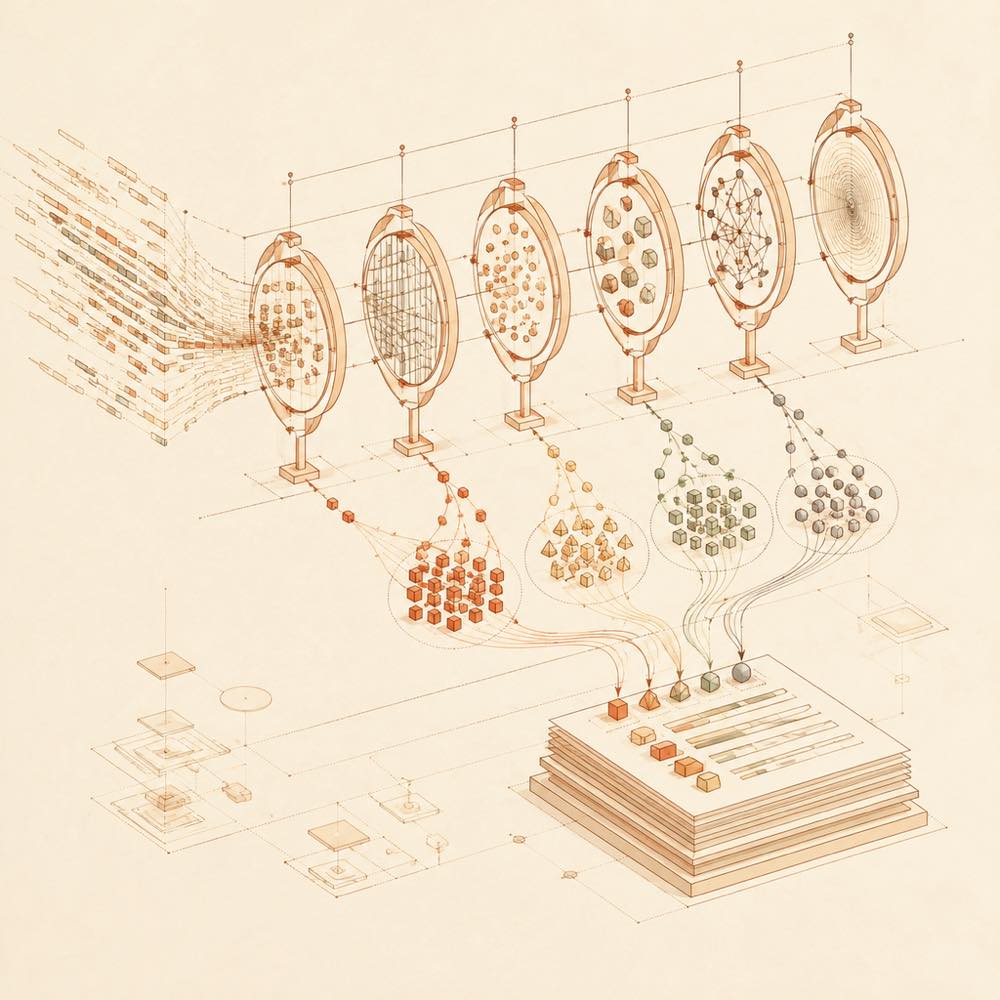
Code fragments pass through diagnostic lenses and converge into scored findings with corrective paths.

brooks-lint is a DeepSeek Harness plugin that reviews code against six decay-risk dimensions derived from twelve classic software-engineering books. DeepSeek Harness loads brooks-lint as a skill, where the agent can use six named commands: /brooks-review, /brooks-audit, /brooks-debt, /brooks-test, /brooks-health, and /brooks-sweep. The commands analyse code and produce a 0–100 Health Score plus structured findings in the form Symptom → Source → Consequence → Remedy, with book citations, severity labels, and suggested remedies.

The checks cover cognitive overload, change propagation, knowledge duplication, accidental complexity, dependency disorder, and domain model distortion, alongside test-suite decay risks. This makes brooks-lint suitable for developers who want review and architecture discussions tied to named engineering principles rather than only line counts or cyclomatic complexity. The README does not document configuration keys, stored outputs, or files that brooks-lint writes; its documented output is the agent’s report.

brooks-lint is a poor fit when a project only needs conventional static metrics, or when its book-based diagnostic model is not wanted. The plugin is intended for Agent Skills-compatible environments and is installed into DeepSeek Harness with the web profile. Its detected terminal surface matters: installation and related workflows use shell commands, including a curl-piped installation script in the upstream README, so the agent’s terminal permissions should be considered before enabling it.

brooks-lint documentation

How brooks-lint works

DeepSeek Harness exposes brooks-lint as an Agent Skills plugin. The agent applies its review skills to code and returns a 0–100 Health Score with findings structured as Symptom → Source → Consequence → Remedy. Each finding includes a book citation, a severity label, and a concrete remedy. The README does not describe a separate service, database, output file, or write operation.

brooks-lint Commands

The README documents six slash commands:

Command Purpose
/brooks-review Code review
/brooks-audit Architecture audit
/brooks-debt Technical-debt analysis
/brooks-test Test-quality analysis
/brooks-health Health dashboard
/brooks-sweep Remediation

The commands can also be invoked through natural-language requests such as “review this PR” or “audit the architecture”, according to the README.

brooks-lint’s diagnostic coverage

brooks-lint synthesises guidance from twelve classic engineering books. Its production-code checks cover Cognitive Overload, Change Propagation, Knowledge Duplication, Accidental Complexity, Dependency Disorder, and Domain Model Distortion. The README also describes six test-suite decay risks, although their individual names are not included in the supplied documentation.

Requirements and limits

DeepSeek Harness installs brooks-lint with the web profile. The upstream README identifies the package as an Agent Skills plugin and lists compatibility with platforms including Claude Code, Cursor, Codex, Gemini, Copilot, Windsurf, OpenCode, Kiro, and Bob. The supplied README excerpt documents no configuration keys, environment variables, version requirements, or project file requirements. brooks-lint has a terminal surface because its documented installation options include shell commands and a curl-piped script.

Written from the project's own documentation and kept in sync with it. Where the two disagree, the source is authoritative — read the README on GitHub

Same category

Alternatives to brooks-lint

dsh-skill-explorer

zhu1090093659

8.6k

Skill center for the dsh web GUI: browse all loaded skills grouped by source, enable or disable model invocation, create new skills, and delete into a recoverable trash.

Installed cleanly when we ran it

npm packageTypeScript25d ago

AI review

dsh-skill-explorer

What it is — Groups loaded skills by source in the DSH Web GUI, with toggles for model invocation, creation, and deletes that land in recoverable trash.

Who it is for — You work in the DSH Web GUI with agents, skills already loaded, and you need the UI to decide whether the model may invoke them. If your workflow never leaves the terminal, skip it; you will not hit this surface.

Watch out — Install on a fresh profile succeeded, and the harness registered it into the profile. No obvious pitfalls found.

The verdict — I would spend the plugin slot only while the skill list still changes in the GUI; a freeze-it-and-forget-it setup does not earn the slot.

Generated by grok-4.6, and a starting point rather than a verdict. Where it says a plugin installs or does not, that is from a real run in a clean profile — everything else is read off the repository. Trust the source over this.Read the source
Details

skillhub

iflytek

5.3k

Browse and search a SkillHub registry and manage local skill installation, updates, and removal inside DeepSeek Harness. Targets DSH 0.2.0-rc.2 and 0.2.1-rc.2; not yet compatible with 0.2.1-rc.3.

No one-line install — this plugin lives inside a larger repository and publishes no npm package.

GitHub sourceJava12d ago

AI review

skillhub

What it is — A DeepSeek Harness plugin that queries a SkillHub registry and installs, updates, or removes skills on the local machine.

Who it is for — You do agent work inside DeepSeek Harness while the skills your team actually reuses already live in a SkillHub you can reach, and you are still jumping out to fetch packages. If skills move as git repos or shared folders and your day is not spent in DSH, skip this plugin.

Watch out — It is not published as a one-command package; you have to wire it from a repository subdirectory. It runs shell commands and expects an API key or token. It targets DSH 0.2.0-rc.2 and 0.2.1-rc.2 and is not compatible with 0.2.1-rc.3.

The verdict — This is not a reason to introduce SkillHub; I would only attach it after a registry is already how skills get distributed.

Generated by grok-4.6, and a starting point rather than a verdict. Where it says a plugin installs or does not, that is from a real run in a clean profile — everything else is read off the repository. Trust the source over this.Read the source
2Source

dashi-taskboard

chuspeeism

3.4k

现代化可灵活嵌入的任务面板,支持 Codex、DeepSeek Harness

Installed cleanly when we ran it

GitHub sourceJavaScript6d ago

AI review

dashi-taskboard

What it is — A local issue board with a browser UI, HTTP API, and taskctl CLI, and a path to embed it in Codex.

Who it is for — You are cutting Codex work into prioritized, labeled issues and need the agent to move them through statuses until you accept. Skip it if a DeepSeek Harness thread is already your only backlog and you will not maintain issue fields.

Watch out — It installed in a clean profile and DeepSeek Harness registered it. It wants Node.js 22.5 or newer, executes shell, and expects an API key or token. The Codex launcher must stay running; the Linux desktop package is Ubuntu 24.04 x64 only.

The verdict — I would live with the standalone board for one real slice before adding it to a profile, so I am not parking a idle process on 127.0.0.1:47823.

Generated by grok-4.6, and a starting point rather than a verdict. Where it says a plugin installs or does not, that is from a real run in a clean profile — everything else is read off the repository. Trust the source over this.Read the source
2Source

Answers a question with a one-page visual HTML explainer: the model writes a short Markdown draft and the bundled `am` CLI builds the page, with flow, sequence, tree, timeline and ER diagrams, tables and callouts.

Installed cleanly when we ran it

GitHub sourceJavaScript23d ago

AI review

answer-me-with-html

What it is — The model drafts short Markdown; the bundled am CLI emits one offline HTML file with diagrams, tables and callouts.

Who it is for — You are in DeepSeek Harness unpacking a protocol, how a repo's modules connect, or Redis versus Memcached, and the chat transcript cannot carry that structure. Threads that are mostly edits, tests and logs can skip it — those need a command outcome.

Watch out — It installed on a clean profile and harness registered it. A source install needs the build script allowed by hand; a shell runs while the page is built, and Node.js 20 or newer is required. The README's 612 vs 4,893 tokens and 12 s vs 31 s were measured with Claude Sonnet 5.5, not DeepSeek Harness.

The verdict — Throwaway answers do not get this extra hop from me; I install it when the file will be opened again or sent onward.

Generated by grok-4.6, and a starting point rather than a verdict. Where it says a plugin installs or does not, that is from a real run in a clean profile — everything else is read off the repository. Trust the source over this.Read the source
1Details

vox-director

Alisa0808

2.5k

Turn one topic into a finished Vox-style paper-collage explainer/ad video — automated end to end on Atlas Cloud + ffmpeg. An agent skill.

Installed cleanly when we ran it

GitHub sourcePython1mo ago

AI review

vox-director

What it is — Use DeepSeek Harness to turn one topic into a Vox-style paper-collage explainer/ad video, automating script, collage keyframes, motion, voice-over, music and captions to final mp4.

Who it is for — When generating explainer videos using Atlas Cloud models for collage keyframes and motion, this plugin handles the full automation from topic to final mp4.

If your video production workflow does not involve AI-driven collage generation or ffmpeg integration, this plugin is not required.

Watch out — From GitHub source installation, you need to manually allow the build script since the plugin executes shell commands.

Sandbox testing confirmed successful installation in a fresh profile and registration with Harness.

No obvious issues found.

The verdict — I would install it because it automates the entire video creation pipeline using Atlas Cloud and ffmpeg, turning a topic directly into an mp4.

Generated by grok-4.6, and a starting point rather than a verdict. Where it says a plugin installs or does not, that is from a real run in a clean profile — everything else is read off the repository. Trust the source over this.Read the source
1Source
1.9k

Daily radar for new AI terms: names of new models, products and repos, caught on X, Hugging Face, GitHub and sitemaps before keyword tools list them.

Installed cleanly when we ran it

GitHub sourcePython8d ago

AI review

new-term-radar

What it is — Builds a once-a-day list of newly surfaced AI model, product and repo names, scanning X, Hugging Face, GitHub and sitemaps.

Who it is for — You run an agent in DeepSeek Harness to draft landing pages, newsletters or directory entries for AI tools, and the missing piece is the name on the day it appears on X or GitHub, not the curve on Google Trends later. Anyone who only uses the profile to edit local code can skip it; this does not help write or debug software.

Watch out — On a clean profile it installed and was registered. Installing from GitHub source executes shell commands. X and newly ranking sites need an AIsa key (about $0.003 per account per run; about $0.13 per weekly query); Hugging Face, GitHub breakouts and sitemaps are free, and a GitHub token only raises the rate limit.

The verdict — I would add it only if I already block time each day to scan new names, not as a just-in-case plugin.

Generated by grok-4.6, and a starting point rather than a verdict. Where it says a plugin installs or does not, that is from a real run in a clean profile — everything else is read off the repository. Trust the source over this.Read the source
1Source