dsh-skill-explorer
zhu1090093659
Skill center for the dsh web GUI: browse all loaded skills grouped by source, enable or disable model invocation, create new skills, and delete into a recoverable trash.
Installed cleanly when we ran it
QingYunA/answer-me-with-html
Answers a question with a one-page visual HTML explainer: the model writes a short Markdown draft and the bundled `am` CLI builds the page, with flow, sequence, tree, timeline and ER diagrams, tables and callouts.
Install
via GitHub · GitHub source
Installing from GitHub runs the project's build script, which pnpm blocks until you allowlist it — run the command once and pnpm prints the exact key to add under `allowBuilds` in ~/.dsh/profiles/web/pnpm-workspace.yaml.
The desktop app keeps its own profile, desktop, and only the dsh command it ships may change it — the npm-installed dsh refuses that profile. Install the command from the app menu (Manage dsh Command…), open Desktop once, quit it fully, run the line below, then reopen Desktop.
via GitHub · GitHub source
Installing from GitHub runs the project's build script, which pnpm blocks until you allowlist it — run the command once and pnpm prints the exact key to add under `allowBuilds` in ~/.dsh/profiles/desktop/pnpm-workspace.yaml.
Our install check ran in a web profile on npm's dsh, not in the desktop app.
What happened when we ran it
Installed cleanly when we ran it
Every command here is run in a throwaway container against a clean profile, and the result is whatever the harness recorded — not a guess from the source. Last run 6d agoon DeepSeek Harness 0.2.1-rc.5.
Show it in your README
For maintainers: the badge serves this listing's latest sandbox verdict, so a re-run updates it on its own — and it links readers to the full result here.
Due diligence
Security
No build script was blocked in our run.
Source: our sandbox install on DeepSeek Harness 0.2.1-rc.5, 6d ago.
package.json declares no preinstall, install or postinstall script.
Source: package.json on GitHub, read at our last sync. prepare is not recorded; it runs only on a GitHub install, and shows up under build scripts when pnpm blocks it.
shell commands (bash, exec, spawn …)
Source: a keyword match on the README — a hint about what the plugin touches, not an analysis of its code.
Not an audit. These are the record of one install and two text scans; nobody has read this plugin's code on your behalf. Plugins run with your agent's permissions.
What it is — The model drafts short Markdown; the bundled am CLI emits one offline HTML file with diagrams, tables and callouts.
Who it is for — You are in DeepSeek Harness unpacking a protocol, how a repo's modules connect, or Redis versus Memcached, and the chat transcript cannot carry that structure. Threads that are mostly edits, tests and logs can skip it — those need a command outcome.
Watch out — It installed on a clean profile and harness registered it. A source install needs the build script allowed by hand; a shell runs while the page is built, and Node.js 20 or newer is required. The README's 612 vs 4,893 tokens and 12 s vs 31 s were measured with Claude Sonnet 5.5, not DeepSeek Harness.
The verdict — Throwaway answers do not get this extra hop from me; I install it when the file will be opened again or sent onward.
Generated by grok-4.6, and a starting point rather than a verdict. Where it says a plugin installs or does not, that is from a real run in a clean profile — everything else is read off the repository. Trust the source over this.

answer-me-with-html is a DeepSeek Harness plugin that turns an agent’s answer into a one-page visual HTML explainer. Instead of asking the model to write HTML, the plugin has the model produce a short Markdown draft, then passes that draft to the bundled am CLI. The CLI generates the page, including flow, sequence, tree, timeline and ER diagrams, as well as tables and callouts. The result is a single page that can be viewed offline.
DeepSeek Harness loads the plugin as an agent skill. In normal use, the model decides when a visual explanation is useful; an optional always-on rule can make the agent add a page to every conclusion. The generated page can use information from the question, the conversation and, for repository questions, the files available to the agent. The README also documents explainer videos and examples such as TCP handshakes, module maps, comparisons, annotated prose and change plans.
This is intended for developers who want structured explanations rather than a long terminal response. It is less suitable when plain text is sufficient, or when adding a generated HTML page would add unnecessary output. The plugin requires Node.js 20 or newer. Its terminal surface comes from invoking the bundled am CLI inside the agent’s environment, so the plugin reaches the terminal with the agent’s permissions; the README does not document a separate permission boundary.
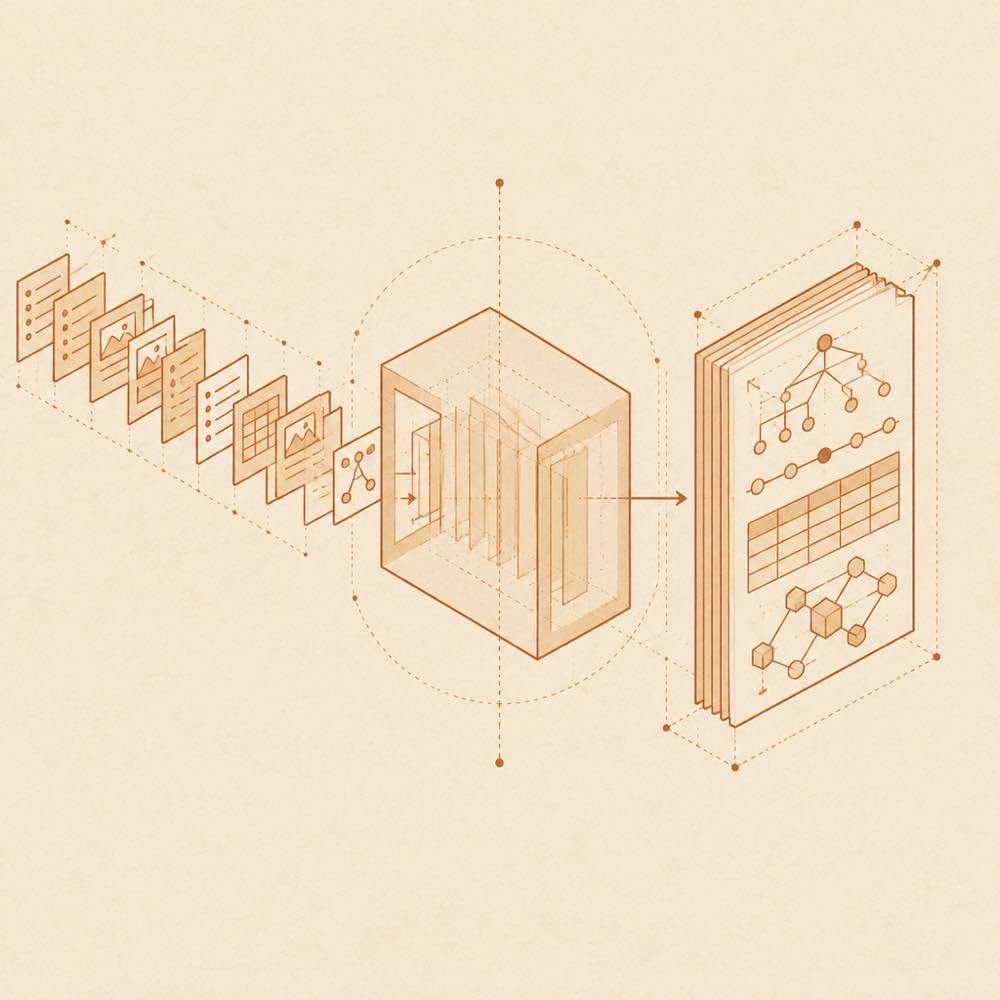
The model writes a short Markdown draft rather than hand-writing page markup, CSS or SVG geometry. The bundled am CLI consumes that draft and generates a one-page HTML explainer. The documented visual components include flow diagrams, sequence diagrams, trees, timelines, ER diagrams, tables and callouts. Example requests cover TCP handshakes, repository module organisation, cache comparisons, paragraph annotation, project history and change planning.
DeepSeek Harness uses the installed skill as part of an agent session. The README recommends an always-on rule so the agent adds a page to every conclusion instead of only generating pages for difficult questions. The rule belongs in the agent’s rules file, but the README does not specify a configuration key or a canonical rule text.
The plugin bundles the am command-line tool. DeepSeek Harness runs that tool to turn the model’s Markdown draft into the generated page. The README names am, but does not document a complete invocation syntax, flags, input paths or output paths.
The repository also documents node bench/corpus.mjs for reproducing its token-count corpus numbers. This is a benchmark command, not a documented runtime command for generating an explainer.
DeepSeek Harness requires Node.js 20 or newer to run the bundled CLI. The README states that no npm install step is needed. It describes the generated result as a single file that can be used offline.
The generated pages are intended to replace a wall of terminal text with a readable visual explanation. The README describes explainer videos as an additional output mode and gives examples of pages containing diagrams, tables, annotations and highlighted timeline events. The plugin’s documented scope is answer presentation; it does not describe a separate data service or remote API.
Written from the project's own documentation and kept in sync with it. Where the two disagree, the source is authoritative — read the README on GitHub
Same category
zhu1090093659
Skill center for the dsh web GUI: browse all loaded skills grouped by source, enable or disable model invocation, create new skills, and delete into a recoverable trash.
Installed cleanly when we ran it
iflytek
Browse and search a SkillHub registry and manage local skill installation, updates, and removal inside DeepSeek Harness. Targets DSH 0.2.0-rc.2 and 0.2.1-rc.2; not yet compatible with 0.2.1-rc.3.
No one-line install — this plugin lives inside a larger repository and publishes no npm package.
chuspeeism
现代化可灵活嵌入的任务面板,支持 Codex、DeepSeek Harness
Installed cleanly when we ran it
Alisa0808
Turn one topic into a finished Vox-style paper-collage explainer/ad video — automated end to end on Atlas Cloud + ffmpeg. An agent skill.
Installed cleanly when we ran it
zhuyansen
Daily radar for new AI terms: names of new models, products and repos, caught on X, Hugging Face, GitHub and sitemaps before keyword tools list them.
Installed cleanly when we ran it
hyhmrright
Provides six code quality skills for code review, architecture audits, technical debt, test quality, health dashboards, and remediation.
Installed cleanly when we ran it