DSH Marketplace

ModLens: Vision & OCR Plugin

liustack/modlens

Vision bridge for text-only models: paste an image, get structured JSON evidence (OCR, layout, semantics).

3,877114TypeScriptMITSource

Install

Add modlens to DeepSeek Harness

via npm

Resolves a published tarball rather than cloning the repository, and installs without any extra setup. Swap `web` for your profile name if you run another one.

via GitHub · npm package

Installing from GitHub runs the project's build script, which pnpm blocks until you allowlist it — run the command once and pnpm prints the exact key to add under `allowBuilds` in ~/.dsh/profiles/web/pnpm-workspace.yaml.

What happened when we ran it

Installed cleanly when we ran it

Every command here is run in a throwaway container against a clean profile, and the result is whatever the harness recorded — not a guess from the source. Last run 27d ago.

Show it in your README

install verified — dshmarketplace

For maintainers: the badge serves this listing's latest sandbox verdict, so a re-run updates it on its own — and it links readers to the full result here.

Due diligence

Before you install modlens

  • Source of record: liustack/modlens — present in the community registry that DSH's own plugin market installs from.
  • Licensed under MIT.
  • Detected: terminal surface. Read the source before granting these.
  • A listing here is not a security review. Plugins run with your agent's permissions.

The AI take

What it is — ModLens adds image pasting vision capabilities to text-only models in DeepSeek Harness. Pasting an image returns structured JSON evidence including OCR, layout, and semantics.

Who it is for — When you use a text-only model in DeepSeek Harness for chat tasks that require analyzing pasted images, this plugin is suitable. If you use a model that supports native image processing or your work does not involve any image input, you do not need to install it because it does not affect the independent operation of pure text models.

Watch out — It was successfully installed and registered in a fresh profile during sandbox testing. The static check indicates it executes shell commands for image reading bridging. No other issues were observed.

The verdict — I would install it because it provides an extension for text models to read images and generate structured evidence; it is not worth it if you do not handle visual input tasks.

Generated by grok-4.6, and a starting point rather than a verdict. Where it says a plugin installs or does not, that is from a real run in a clean profile — everything else is read off the repository. Trust the source over this.

What modlens does

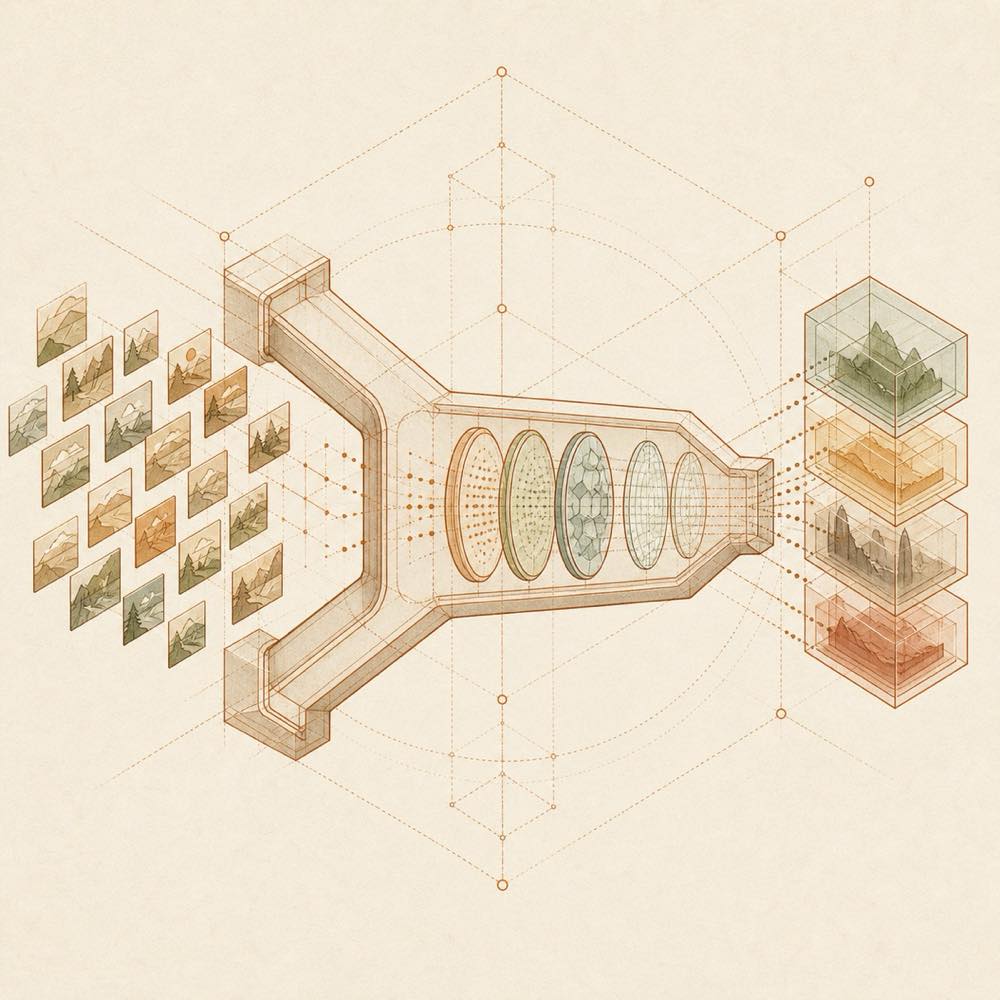
Image tiles pass through a lens and provider channels, converging into structured data blocks.

modlens is a DeepSeek Harness plugin that gives text-only DeepSeek and GLM models an image-reading path. It handles images pasted into the chat or supplied by path, then returns structured JSON evidence such as OCR, reading-order layout regions, entities and relations. The plugin uses the native modlens_read_image tool. In the standard paste flow, the host places the image in a private temporary file and puts its path in the composer. A (modlens vision) model entry instead keeps the thumbnail in the message and converts it to evidence at request time. ModLens discovers provider routes carrying text-only models and creates wrapped entries for them, while leaving confirmed vision models on their native paste path.

It is intended for agents whose selected model cannot inspect images, provided at least one vision engine is reachable. The README describes built-in providers and reuse of existing logins from Claude Code, Codex, OpenCode or Pi; reads can therefore consume an API key, endpoint quota or a reused local CLI login. The terminal surface matters: setup and operation may inspect local harness CLIs and invoke their authenticated routes, and pasted images pass through a temporary local file. It is the wrong choice when the selected model already has native vision support, when image data must not be sent to an external vision engine, or when no configured provider or reusable CLI can read images.

modlens documentation

How it behaves

modlens_read_image is the native tool exposed to the text-only model. A pasted image can arrive as a private temporary-file path in the composer, or through a selected (modlens vision) model entry, where the thumbnail remains in the message until request time. The result is structured evidence intended to ground the model’s answer in what the image contains. A path can also be supplied directly in chat.

Model routing

The plugin auto-discovers provider routes whose metadata positively confirms that they carry text-only DeepSeek or GLM models. It adds a wrapped (modlens vision) entry for each such route. Confirmed native vision models are excluded, and unconfirmed models are left alone. A stock setup is documented as exposing DeepSeek-V4-Flash (modlens vision) and DeepSeek-V4-Pro (modlens vision); additional routes such as opencode-go or zai can receive their own entries.

Vision engines

The README describes six built-in providers and four reusable local agent CLIs. Documented provider examples include gemini-api, which needs a Gemini API key, openai, which takes an OpenAI-compatible key, baseUrl and model, and anthropic, which needs an Anthropic API key. antigravity-cli is also documented as a no-key channel after sign-in. Existing logins in Claude Code, Codex, OpenCode and Pi can be offered for reuse, with each reused read labelled by the quota it used.

Local access and operation

The setup checks available local credentials and asks before reusing them. The documented Antigravity sign-in command is agy. The plugin can inspect local harness CLI availability and invoke an approved route, so its terminal and credential access should be reviewed alongside the image data sent to the selected provider.

Written from the project's own documentation and kept in sync with it. Where the two disagree, the source is authoritative — read the README on GitHub

Same category

Alternatives to modlens

6.6k

A `describe_image` vision tool for text-only models: images (local path, URL, attachment) go to a configurable OpenAI-compatible vision endpoint and only the returned text enters the session.

No one-line install — this plugin lives inside a larger repository and publishes no npm package.

GitHub sourceTypeScript13d ago

AI review

dsh-tool-describe-image

What it is — This plugin provides a describe_image tool that sends images to a configurable OpenAI-compatible vision endpoint and only returns the text.

Who it is for — When you use a text-only model in a DeepSeek Harness session and need to describe images, you should install it.

If your model is multimodal or your workflow does not require image analysis, you do not need to install it.

Watch out — It may require executing shell commands. When installing from source, you need to manually allow the build script. No obvious issues found.

The verdict — I will not install it because I would have to manually allow its build script when installing from source.

Generated by grok-4.6, and a starting point rather than a verdict. Where it says a plugin installs or does not, that is from a real run in a clean profile — everything else is read off the repository. Trust the source over this.Read the source
1Source

为纯文本模型"看图“设计更好的视觉工具箱和技能,支持多图理解,图片问答,前端UI还原、GUI 自动化等,并可选无缝接入多个主流agent,直接识别粘贴图片| A vision toolkit and skill designed for text-only llms — image Q&A, long-screenshot OCR, frontend UI restoration, and GUI automation, with optional seamless integration for Codex, Claude Code, Pi, Oh My Pi, and OpenCode

Installed cleanly when we ran it

GitHub sourcePython17d ago

AI review

agent-vision-toolkit

What it is — agent-vision-toolkit provides a vision toolkit and skill for text-only models to handle image Q&A, long-screenshot OCR, frontend UI restoration, and GUI automation.

Who it is for — In DeepSeek Harness using a text-only model for software development, if the model lacks image understanding for screenshots or UI, this can be used for visual tasks. If using native multimodal models, this provides optional seamless integration.

Watch out — Sandbox test passed with successful registration in a new profile. Code has been verified in real Codex and DeepSeek sessions, and the same pipeline has been live-verified end-to-end in Claude Code, Pi, Oh My Pi, and OpenCode.

The verdict — If your agent needs to handle UI screenshots and GUI automation in DeepSeek Harness, I would install it because it can make the text-model agent's visual experience as seamless as using a multimodal one, and ultimately let a tool-equipped text-model agent outperform a native multimodal agent that does not use this toolkit.

Generated by grok-4.6, and a starting point rather than a verdict. Where it says a plugin installs or does not, that is from a real run in a clean profile — everything else is read off the repository. Trust the source over this.Read the source
1Source

Free vision for text-only agents: built-in keyless vision chain plus pixel tools (Q&A, grounding, crop, pixel diff, colors, OCR, SVG trace, cutout, screenshots); paste an image to use it.

Installed cleanly when we ran it

npm packageJavaScript7d ago

AI review

dsh-vision-router

What it is — dsh-vision-router enables text-only agents to process images using pixel tools and vision chain.

Who it is for — Users conducting image grounding or OCR tasks with text-only models in DeepSeek Harness are suitable to install this plugin. If the agent focuses on pure text reasoning without visual support, it is unnecessary to install this plugin.

Watch out — Sandbox test passed: installed in a fresh profile and registered into the harness profile. It executes shell commands. No obvious pitfalls found.

The verdict — I would install it because it supports Oh-DSH Desktop and fixes DSH runtime readiness issues.

Generated by grok-4.6, and a starting point rather than a verdict. Where it says a plugin installs or does not, that is from a real run in a clean profile — everything else is read off the repository. Trust the source over this.Read the source
1Details

Vision for text-only models: paste an image and the model switches to a Vision Toolkit variant for image Q&A, multi-image comparison, long-screenshot OCR, screenshot-to-UI reproduction, element grounding, and pixel diff. No API key by default — images are processed by the author-hosted free service, 100 per machine per day; configurable to your own provider.

Installed cleanly when we ran it

npm packageTypeScript9d ago

AI review

dsh-vision-toolkit

What it is — Enables text-only models in DeepSeek Harness with vision capabilities including image Q&A, long screenshot OCR, UI reproduction, grounding, and pixel diff.

Who it is for — When using text-only models in DeepSeek Harness for tasks involving screenshots and UI elements. If your tasks use native vision models rather than text-only ones, you can leverage their native features instead.

Watch out — It executes shell commands. Sandbox test passed in a fresh profile where it is registered by Harness. No other issues found.

The verdict — I would install it because it is the first comprehensive vision-tool plugin in the DeepSeek Harness ecosystem and sandbox testing passed.

Generated by grok-4.6, and a starting point rather than a verdict. Where it says a plugin installs or does not, that is from a real run in a clean profile — everything else is read off the repository. Trust the source over this.Read the source
Details
334

DeepWatch, powered by Watch Skill: a local-first perception and verification stack for AI agents. Understand video, audio and screen activity, keep timestamped evidence, and independently verify what a tool or workflow actually did. MCP, CLI, REST, Web and DeepSeek Harness.

Installed cleanly when we ran it

GitHub sourcePython8d ago

AI review

watch-skill

What it is — watch-skill is a local-first perception and verification plugin for AI agents that enables understanding of video, audio and screen activity with timestamped evidence and independent verification of agent actions.

Who it is for — When handling browser flows or generated videos in DeepSeek Harness that require verifying agent effects, watch-skill is suitable. For users not involving dynamic screen or video input, watch-skill is not necessary.

Watch out — Sandbox testing in a fresh profile succeeded with registration by DeepSeek Harness. The plugin will execute shell commands. No obvious issues were found.

The verdict — I would install it because it can drive browser and prove the effect of each action, which is necessary in agent workflows.

Generated by grok-4.6, and a starting point rather than a verdict. Where it says a plugin installs or does not, that is from a real run in a clean profile — everything else is read off the repository. Trust the source over this.Read the source
1Source

Photo-to-editorial Skill with Original (Codex) and V3 Adaptive editions. Scene-aware layouts, creative controls, Strict Fidelity composition, structured QA, and a validated DeepSeek Harness capability path.

Installed cleanly when we ran it

GitHub sourcePython7d ago

AI review

photo-abstract-editorial

What it is — Converts a photograph into an editorial composition with original photo, abstract memory panel, and poetic English title.

Who it is for — When using DeepSeek Harness for photo editing tasks requiring scene-aware layouts and creative controls, this plugin is suitable. If you want the fixed Codex-only workflow without adaptive features, you do not need this plugin.

Watch out — Sandbox test passed: installed in a new profile and registered by Harness. No obvious issues found.

The verdict — I would install it because it includes a validated DeepSeek Harness capability path for photo-to-editorial tasks.

Generated by grok-4.6, and a starting point rather than a verdict. Where it says a plugin installs or does not, that is from a real run in a clean profile — everything else is read off the repository. Trust the source over this.Read the source
1Source