DSH Marketplace

dsh-skills-manager

MichengAI/dsh-skills-manager

Manages local DeepSeek Harness skills in Settings and shows shared Agent skills as read-only.

38624JavaScriptApache-2.0Source

Install

Add dsh-skills-manager to DeepSeek Harness

Install into

via npm

Resolves a published tarball rather than cloning the repository, and installs without any extra setup. Swap `web` for your profile name if you run another one.

via GitHub · npm package

Installing from GitHub runs the project's build script, which pnpm blocks until you allowlist it — run the command once and pnpm prints the exact key to add under `allowBuilds` in ~/.dsh/profiles/web/pnpm-workspace.yaml.

What happened when we ran it

Installed cleanly when we ran it

Every command here is run in a throwaway container against a clean profile, and the result is whatever the harness recorded — not a guess from the source. Last run 8d agoon DeepSeek Harness 0.2.2-rc.1.

Show it in your README

install verified — dshmarketplace

For maintainers: the badge serves this listing's latest sandbox verdict, so a re-run updates it on its own — and it links readers to the full result here.

Due diligence

Before you install dsh-skills-manager

  • Source of record: MichengAI/dsh-skills-manager — present in the community registry that DSH's own plugin market installs from.
  • Licensed under Apache-2.0.

Security

What installing dsh-skills-manager runs

Build scripts

No build script was blocked in our run.

Source: our sandbox install on DeepSeek Harness 0.2.2-rc.1, 8d ago.

Install hooks

package.json declares no preinstall, install or postinstall script.

Source: package.json on GitHub, read at our last sync. prepare is not recorded; it runs only on a GitHub install, and shows up under build scripts when pnpm blocks it.

README mentions

Neither shell commands nor credentials.

Source: a keyword match on the README — a hint about what the plugin touches, not an analysis of its code.

Not an audit. These are the record of one install and two text scans; nobody has read this plugin's code on your behalf. Plugins run with your agent's permissions.

The AI take

What it is — Manages local DeepSeek Harness skills in Settings and displays shared Agent skills as read-only.

Who it is for — Users who need to manage local and project skills across multiple tools in DeepSeek Harness setups would use this plugin. Users who only rely on shared agent skills without local or project management do not need it.

Watch out — Passed sandbox test: installed in a new profile and registered by Harness. No obvious issues found. Compatible with DeepSeek Harness 0.2.x series.

The verdict — I would install it because it supports incremental updates from public GitHub repositories with backup restoration.

Generated by grok-4.6, and a starting point rather than a verdict. Where it says a plugin installs or does not, that is from a real run in a clean profile — everything else is read off the repository. Trust the source over this.

What dsh-skills-manager does

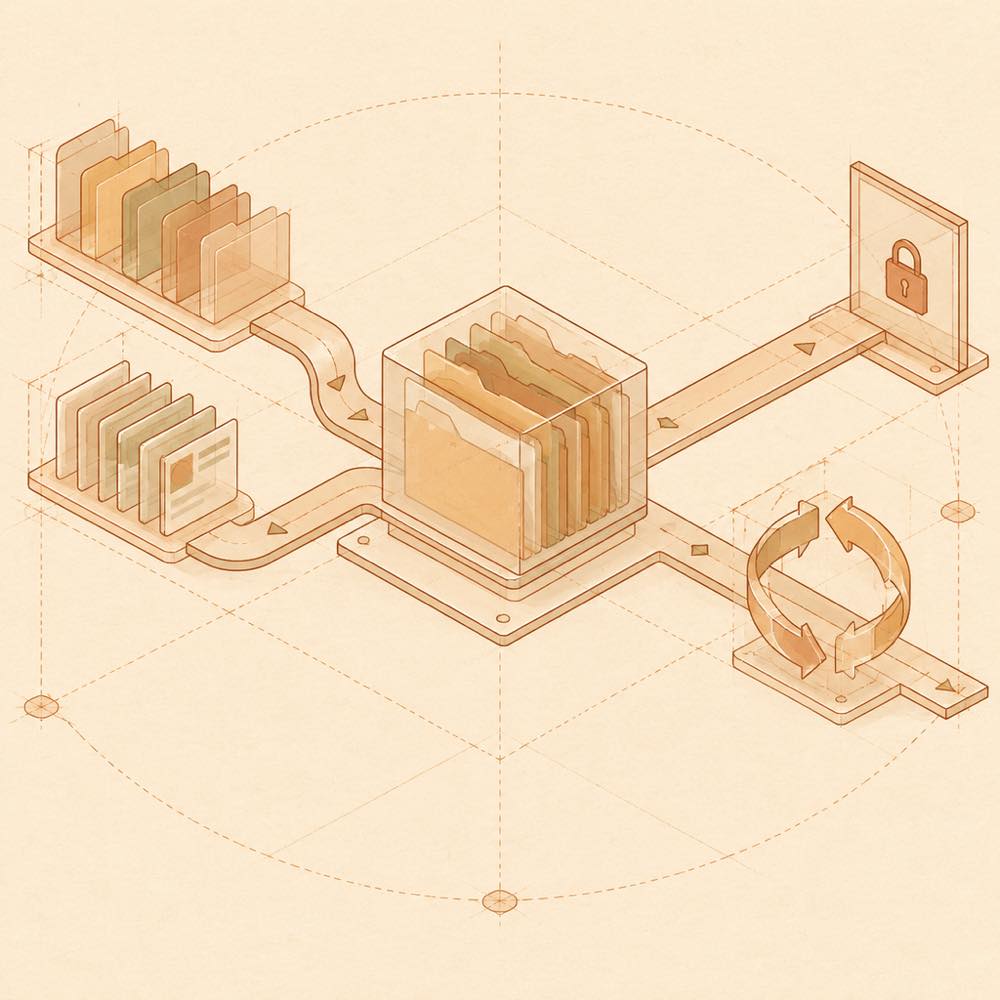
Abstract flow of skill sources into an indexed archive, with read-only and restore branches.

dsh-skills-manager is a DeepSeek Harness plugin that manages local and project skills from Settings → Skills, while showing shared Agent skills as read-only. DeepSeek Harness presents the plugin through its bundle configuration slot, where the panel provides Global Skills, Project Skills, Discover and Trash views. It reads skill sources from the local user root, registered workspaces and configured external-agent folders, and writes category metadata, soft-delete state, update history and backups without moving third-party files. Skills can be created or imported from folders, ZIP archives and SKILL.md files.

DeepSeek Harness also provides the surrounding runtime in which dsh-skills-manager can browse public skills from ClawHub and skills.sh, subscribe to GitHub repositories, inspect incremental changes and restore previous versions. The sidebarEntry setting can add a separate Skills entry, while onlineUpdate or updater controls npm update checks and installation. The latter defaults to enabled and can be disabled through the plugin configuration.

This is intended for developers who maintain skills across several projects or agent ecosystems and want one management view. It is a poor fit when skills should be edited directly in their original tools, when online updates must remain available, or when the host is outside the supported DeepSeek Harness 0.2.x range. DeepSeek Harness 0.3.0 generation hosts are rejected by the documented version gate; a working DeepSeek Harness installation is required.

dsh-skills-manager documentation

Configuring dsh-skills-manager

DeepSeek Harness exposes the plugin options at Sidebar → Plugins → Skills Manager, in the host’s plugins.bundle.config slot.

Key Default Behaviour
sidebarEntry false Adds or removes a persistent Skills entry under Plugins. The normal Settings → Skills view remains available.
onlineUpdate / updater true Controls npm update checks and installation. When disabled, the update button is hidden and update API requests return HTTP 403.

A Cordis configuration bundle patch can set updater: false or onlineUpdate: false for restricted environments.

How dsh-skills-manager behaves

DeepSeek Harness loads the plugin in a profile such as web. The manager groups content into Global Skills, Project Skills, Discover and Trash, with search, status filters and source groups. It can create skills and import folders, ZIP archives or SKILL.md files into the global user root or a registered workspace. Categories are stored as metadata: dragging or ordering a skill does not move its file.

External agent sources can be pointed at another folder from the panel. DSH and Shared Agent source locations remain controlled by the host. Shared Agent skills are displayed read-only. Soft deletion moves skills into the manager’s Trash view, where restoration retains provenance and update history.

Updates and repositories

The Discover view can browse skills from ClawHub and skills.sh. GitHub repositories can be subscribed to with incremental diff inspection and backups. The header’s Check for updates action checks the npm package when online updates are enabled. Disabling the setting also guards the update endpoint rather than only hiding the control.

Requirements and compatibility

A working DeepSeek Harness installation is required. Version 1.2.21 is tested with DeepSeek Harness 0.2.0-rc.1 through 0.2.1-rc.3 and accepts the documented >=0.2.0-rc.1 <0.3.0-0 range. DeepSeek Harness rejects legacy versions and the 0.3.0 generation; users on 0.1.x are directed to plugin 1.1.23. The README documents support for prefix-stripping reverse proxies, resolving API and update endpoints against document.baseURI.

Written from the project's own documentation and kept in sync with it. Where the two disagree, the source is authoritative — read the README on GitHub

Same category

Alternatives to dsh-skills-manager

7.0k

One repository, three parts: a runtime injector for DSH plugin packages (inject, hot-reload, unload, promote a dev staging tool to the front, route self-heal, plus a settings-page plugin manager that lists, unloads and drags folders in to internalize), a task-aware reasoning-mode router agent preset (router-standard / router-spec / router-react), and a graded two-level task protocol whose six tools (commit_star, lock_stage, revise_do, edit_plan, mark_task, redteam_verdict) pin task state to disk. The injector implementation ships in-tree, so the install carries its own behaviour rather than a dependency list.

Installs, but needs a build approved first

GitHub sourceJavaScript1mo ago

AI review

dsh-routing-suite

What it is — A DSH suite that ships a runtime injector, task-aware reasoning-mode presets, and a graded two-level protocol whose six tools pin task state to disk.

Who it is for — You are on DSH 0.1 preview with DeepSeek Pro or Flash, running spec-then-execute work that needs the agent to switch reasoning modes by task and to write stage state to disk. Skip it when your DSH is already outside >=0.1.0-rc.6 <0.2.0; the preview still breaks APIs, so the version window is the constraint, not the job type.

Watch out — In our run the install started, then pnpm blocked the build script and DSH never finished registration. Until that build is allowed by hand, the plugin does not actually land.

The verdict — I'll take it only after unlocking the blocked build: the injector ships in-tree, so that allow step is how you accept this runtime's behaviour rather than a dependency list.

Generated by grok-4.6, and a starting point rather than a verdict. Where it says a plugin installs or does not, that is from a real run in a clean profile — everything else is read off the repository. Trust the source over this.Read the source
Source

mirage

strukto-ai

3.7k

Swaps the filesystem and bash providers for a mirage virtual workspace: file tools and shell commands run over mounted resources (RAM, S3, Redis, Slack, Gmail, Notion, Postgres) instead of the host disk, with per-mount read/write/exec modes, per-command sandbox routing (monty, pyodide, quickjs in process; docker, e2b, daytona remote), and installed CLIs (git, gh, slack, linear, ntn, gws, or one you register) as head words in the virtual terminal.

No one-line install — this plugin lives inside a larger repository and publishes no npm package.

GitHub sourceTypeScript22d ago

AI review

mirage

What it is — mirage provides a unified virtual filesystem for AI agents, allowing bash tools to operate across mounted resources.

Who it is for — It is suitable for AI agents that use bash tools and need to access multiple backends such as S3 and Slack at the same time. It is not suitable for agents that only run on local filesystems without remote mounted services.

Watch out — No obvious issues found. There is a static check prompt indicating it will execute shell commands. Sandbox testing was not performed.

The verdict — I would not install it because sandbox testing was not performed.

Generated by grok-4.6, and a starting point rather than a verdict. Where it says a plugin installs or does not, that is from a real run in a clean profile — everything else is read off the repository. Trust the source over this.Read the source
1Details

oh-my-agent

first-fluke

1.4k

Runs project OMA checks before and after tool execution and when a turn tries to finish. Installs its OMA CLI dependency and initializes unconfigured projects on first use. Requires Node.js 22+; initial setup needs network access and project write access.

No one-line install — this plugin lives inside a larger repository and publishes no npm package.

GitHub sourceTypeScript21d ago

AI review

oh-my-agent

What it is — oh-my-agent runs project OMA checks before and after tool execution and when a turn tries to finish, installing its OMA CLI dependency and initializing unconfigured projects on first use.

Who it is for — It fits users who need to run project checks before and after tool execution and when a turn tries to finish, as well as project initialization on first use. Users who avoid network access and project write permissions during setup can choose not to install it.

Watch out — Initial setup requires network access and project write access. It executes shell commands. Sandbox testing has not been performed, no obvious pitfalls found.

The verdict — I won't install it because it requires network access and project write access during initial setup and has no sandbox testing.

Generated by grok-4.6, and a starting point rather than a verdict. Where it says a plugin installs or does not, that is from a real run in a clean profile — everything else is read off the repository. Trust the source over this.Read the source
1Source

oh-dsh

hust-open-atom-club

323

Community distribution: TUI, desktop, and Web UI as one bundle with layered installation.

GitHub sourceTypeScript2mo ago

AI review

oh-dsh

What it is — It is an open-source distribution package that bundles the DeepSeek Harness runtime for unified Desktop, Web, and TUI interfaces.

Who it is for — It suits developers who want to use multiple interfaces (TUI, Desktop, Web) simultaneously for AI agent work and code review on local workstations. Developers who prefer only cloud-based AI services without local tools may opt for separate components.

Watch out — It requires Node.js and build tools for source installation. No obvious issues were found in testing.

The verdict — I would install it because it provides unified multi-interface support and shared plugin states across Desktop, Web, and TUI.

Generated by grok-4.6, and a starting point rather than a verdict. Where it says a plugin installs or does not, that is from a real run in a clean profile — everything else is read off the repository. Trust the source over this.Read the source
1Details

pi2dsh

weijiafu14

212

Pi Host ABI compatibility engine: after one install, unmodified Pi extensions from npm mount as native DSH plugins with `dsh plugin add <pi-package>`. Verified end to end on stock DSH with pi-mcp-adapter (full MCP manager: OAuth, resources, prompts, MCP Apps, elicitation, sampling), @tintinweb/pi-subagents, pi-code, pi-hermes-memory and pi-background-tasks; `pi2dsh inspect` reports a package's compatibility before installing.

DeepSeek Harness 0.2.2-rc.1 refuses the latest release

npm packageTypeScript19d ago

AI review

pi2dsh

What it is — pi2dsh is a Pi host ABI compatibility engine that mounts unmodified Pi npm packages as native DSH plugins on DeepSeek Harness.

Who it is for — Pi plugin developers who want to run their npm packages unmodified on DeepSeek Harness should install it. Developers who are not involved in Pi plugin development do not need to install it.

Watch out — It was tested successfully in a new profile and registered into the profile. A restart of DeepSeek Harness is required. Installation may require manually approving build scripts if pnpm blocks them.

The verdict — I would install it if I need Pi ecosystem plugins on DeepSeek Harness because it provides unmodified compatibility.

Generated by grok-4.6, and a starting point rather than a verdict. Where it says a plugin installs or does not, that is from a real run in a clean profile — everything else is read off the repository. Trust the source over this.Read the source
1Source
202

Manages DSH skills and MCP servers from the web settings: skill cards with hot enable/disable, workspace scopes, groups, batch migration and drag-and-drop import, plus stdio/HTTP MCP CRUD with connection tests, secret redaction and the unified dsh-panel CLI.

Installed cleanly when we ran it

npm packageJavaScript1mo ago

AI review

dsh-skill-mcp-panel

What it is — DSH plugin that adds skill and MCP management panels to Web settings and provides unified dsh-panel CLI. Supports hot enable/disable, batch migration, drag-and-drop add, scoped operations, and CRUD for stdio/HTTP MCP servers.

Who it is for — If you are developing skills or configuring custom MCP servers in a DeepSeek Harness profile, this lets you handle everything directly in the settings page; if you only use built-in tools without needing extra panels or CLI subcommands, you do not need to install it.

Watch out — Installation from source requires manually enabling the build script. Sandbox testing passed with no other obvious issues found.

The verdict — Install if you need skill and MCP management integration; otherwise it is not worth it. The premise is that your profile involves more than just built-in tools.

Generated by grok-4.6, and a starting point rather than a verdict. Where it says a plugin installs or does not, that is from a real run in a clean profile — everything else is read off the repository. Trust the source over this.Read the source
1Source