DSH Marketplace

dsh-dream-skin

RevolutionLA/dsh-dream-skin

One-command skin plugin: 8 original themes, translucent wallpaper with opacity/blur, per-user accent, and shareable theme-pack import/export, favorites and surprise-me — purely native on DSH's token system.

18315JavaScriptMITSource

Install

Add dsh-dream-skin to DeepSeek Harness

via npm

Resolves a published tarball rather than cloning the repository, and installs without any extra setup. Swap `web` for your profile name if you run another one.

via GitHub · npm package

Installing from GitHub runs the project's build script, which pnpm blocks until you allowlist it — run the command once and pnpm prints the exact key to add under `allowBuilds` in ~/.dsh/profiles/web/pnpm-workspace.yaml.

What happened when we ran it

Installed cleanly when we ran it

Every command here is run in a throwaway container against a clean profile, and the result is whatever the harness recorded — not a guess from the source. Last run 14d ago.

Show it in your README

install verified — dshmarketplace

For maintainers: the badge serves this listing's latest sandbox verdict, so a re-run updates it on its own — and it links readers to the full result here.

Due diligence

Before you install dsh-dream-skin

  • Source of record: RevolutionLA/dsh-dream-skin — present in the community registry that DSH's own plugin market installs from.
  • Licensed under MIT.
  • Detected: terminal surface. Read the source before granting these.
  • A listing here is not a security review. Plugins run with your agent's permissions.

The AI take

What it is — dsh-dream-skin is a native skin plugin for DeepSeek Harness that provides 8 original themes, wallpaper customization, and theme pack management.

Who it is for — Developers who use DeepSeek Harness for web interface development and need to replace the default appearance or add personalized wallpaper would find this plugin suitable. If your focus is on model performance rather than interface customization, you may not need it.

Watch out — Sandbox testing passed: the plugin installed in a fresh profile and registered successfully with DSH. No obvious issues were found.

The verdict — I would install it because it offers pure native token integration with theme pack sharing for team consistency, but only if my workflow depends on DSH's token system.

Generated by grok-4.6, and a starting point rather than a verdict. Where it says a plugin installs or does not, that is from a real run in a clean profile — everything else is read off the repository. Trust the source over this.
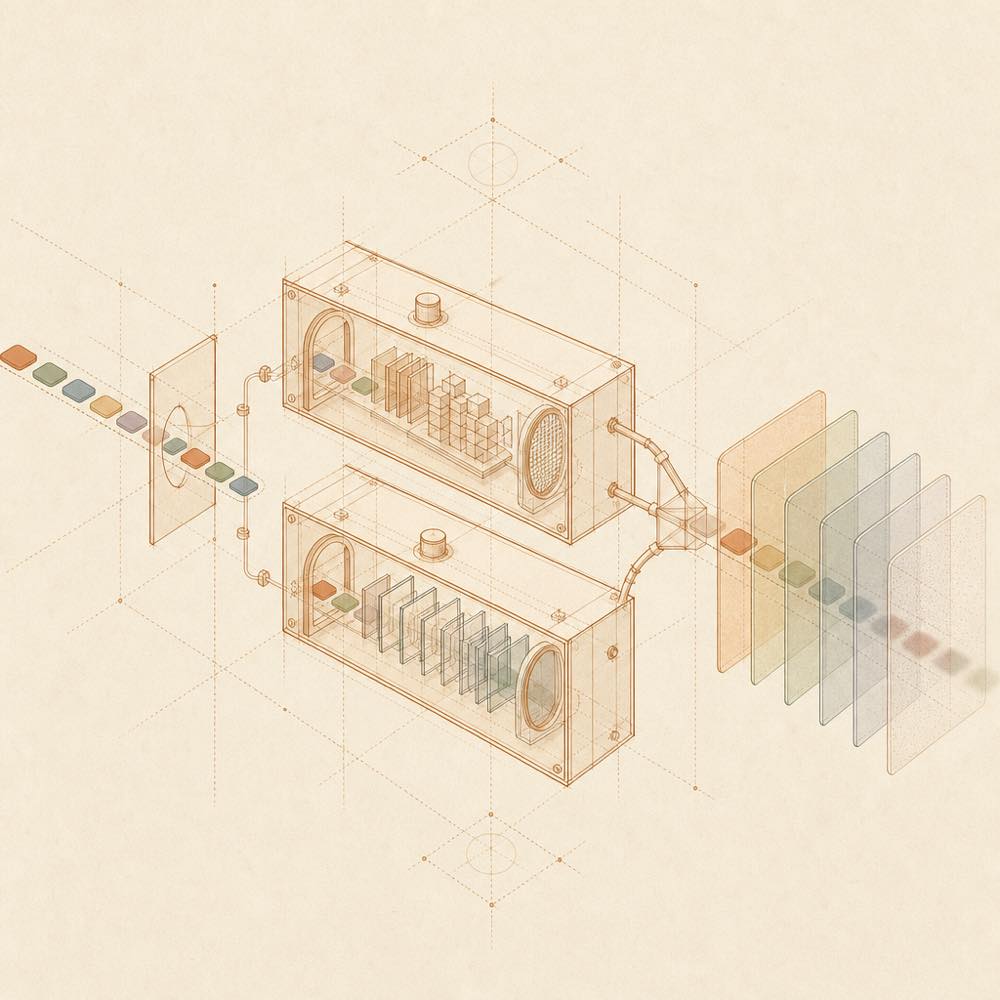
What dsh-dream-skin does

Abstract diagram of token streams splitting into host and browser paths before forming layered translucent panels.

dsh-dream-skin is a DeepSeek Harness plugin that adds native token-based themes, wallpapers, accent colours and theme-pack sharing to the DeepSeek Harness web interface. It provides eight built-in themes, wallpaper opacity and blur controls, per-user accent overrides, favourites and a “surprise me” selector.

DeepSeek Harness loads the package as a standard dual-face plugin: dsh.bundle uses cordis.patch.yml to add the plugin entry, while dsh.client loads the browser bundle from lib/client.js. The plugin registers themes through ctx.theme, applies accent changes through ctx.theme.overrideTokens, and adds its controls under Settings → Appearance / Theme through ctx.slots. Selected skins and wallpapers are stored in browser localStorage. Wallpaper sources can be local images, image URLs or gradients; local uploads are automatically compressed to 2 MB or less. Theme packs use the *.dsh-theme.json format and can be imported, exported or shared through a URL hash.

This is intended for developers who want to customise a DeepSeek Harness web workspace without CSS injection or package modification. It is not the right choice for a desktop-client workflow, or for users who only need DeepSeek Harness’s built-in appearance settings. The README documents the web profile and Node.js >=18; applying the plugin requires restarting the web interface, which interrupts the current session.

dsh-dream-skin documentation

Configuring dsh-dream-skin

dsh-dream-skin is configured from DeepSeek Harness Settings → Appearance / Theme rather than a documented configuration file. The available controls include:

  • Eight built-in themes: abyss, aurora, nebula, ember, midnight, ivory, mist and rose
  • Wallpaper opacity and blur
  • Accent selection from 12 preset colours, a colour picker, random selection, or restoration of the theme colour
  • Automatic wallpaper weakening, recent wallpapers (up to five), favourites and random theme selection
  • Restoration of DeepSeek Harness’s default appearance, which follows the system

DeepSeek Harness stores selected themes and wallpapers in browser localStorage. Local wallpaper uploads are compressed to 2MB or less. The README does not document additional user-editable configuration keys.

How dsh-dream-skin integrates

DeepSeek Harness loads this dual-face dsh-plugin through the package manifest entries dsh.bundle, dsh.client and exports["./client"]. The host side uses cordis.patch.yml to add the plugin entry. The browser side is the bundle at lib/client.js.

The plugin registers themes with ctx.theme, applies per-user token changes through ctx.theme.overrideTokens, and places its controls in a separate settings section with ctx.slots. It uses DeepSeek Harness’s --dsw-* token system rather than injecting CSS or changing the installed application package.

Commands and theme packs

After installation, restart the web interface with dsh web. The README also lists dsh --profile web --dump-con for verification. A theme pack is a *.dsh-theme.json file containing a format marker, version and manifest fields including id, name, author, colour scheme, accent and tokens. Import validation checks the format, required tokens and colour validity; failed imports and removals fall back without destructive changes.

Requirements and limits

The documented runtime requirement is Node.js >=18. The documented installation target is the DeepSeek Harness web profile, and the browser interface is the supported cross-platform surface. Restarting DeepSeek Harness interrupts the current session, although the README says persisted sessions can be recovered from disk. No desktop-client integration is documented.

Written from the project's own documentation and kept in sync with it. Where the two disagree, the source is authoritative — read the README on GitHub

Same category

Alternatives to dsh-dream-skin

maid-atelier

Small-tailqwq

2.2k

Whale-girl skin series for the DSH Web UI (maid-atelier).

Installed cleanly when we ran it

npm packageTypeScript9d ago

AI review

maid-atelier

What it is — Adds maid-atelier whale-girl skin for DeepSeek Harness Web UI.

Who it is for — Users who want to use maid-atelier whale-girl skin in DeepSeek Harness Web UI should install it. Users who prefer other skins can skip it.

Watch out — Requires manual source code addition. No obvious pitfalls found.

The verdict — I won't install it because it is not published to npm.

Generated by grok-4.6, and a starting point rather than a verdict. Where it says a plugin installs or does not, that is from a real run in a clean profile — everything else is read off the repository. Trust the source over this.Read the source
Details

是一层高自由度的玻璃质感主题,套在 DeepSeek Harness 网页端。顶栏、侧边栏、输入框、统计行、轨迹视图都成了磨砂玻璃片。玻璃模糊度、磨砂度、背景(流体或自定义壁纸,壁纸还能单独调模糊和磨砂)全都能在设置卡片里自由调节。关掉开关就回到原生界面,不改 DSH 任何一行源码。

Installed cleanly when we ran it

GitHub sourceJavaScript1mo ago

AI review

DSH-Transparent-UI-Plugin

What it is — A theme plugin with adjustable glass blur and frost for the DeepSeek Harness web interface.

Who it is for — For users who want to customize the interface glass effect when using the DeepSeek Harness web interface. This plugin is not applicable to users who do not use the DeepSeek Harness web version.

Watch out — Sandbox test passed: installed successfully and registered in a fresh profile. The author cannot update promptly due to academic commitments, so DSH updates may cause installation crashes.

The verdict — I would not install it because the author cannot update promptly due to academic commitments, posing potential compatibility risks.

Generated by grok-4.6, and a starting point rather than a verdict. Where it says a plugin installs or does not, that is from a real run in a clean profile — everything else is read off the repository. Trust the source over this.Read the source
Source

open-sea-skin

d-dev0101

374

Realtime WebGPU ocean skin with quick controls for waves, daylight, glass opacity, and an automatic day cycle.

Installed cleanly when we ran it

npm packageJavaScript22d ago

AI review

open-sea-skin

What it is — Open Sea Skin is a WebGPU ocean skin plugin for DeepSeek Harness, offering real-time animated backgrounds, wave controls, daylight switching, and glass opacity adjustment.

Who it is for — If you spend long sessions in DeepSeek Harness on AI coding or documentation where a dynamic background helps reduce visual fatigue, Open Sea Skin can match your model output with live waves and lighting shifts. If you avoid all real-time animation or WebGPU rendering, other static skins are fine.

Watch out — Sandbox testing confirmed successful registration in a fresh profile. Static checks indicate shell command execution; from-source installs require manually allowing the build script. No obvious performance or compatibility issues found.

The verdict — I would not install it, as it only adds visual effects without changing core functionality; however, if your workspace needs visual stimulation to match different model outputs, I would install it, provided the browser supports WebGPU.

Generated by grok-4.6, and a starting point rather than a verdict. Where it says a plugin installs or does not, that is from a real run in a clean profile — everything else is read off the repository. Trust the source over this.Read the source
1Source

Requires DeepSeek Harness 0.1.5-rc.1+ (DSH Desktop >= 2.0.7) and dsh-better-sidebar >= 0.19.0 - update both before installing or updating this plugin. Plays local Wallpaper Engine Video/Web wallpapers behind the chat, renders Scene wallpapers as extracted static frames, and adds content-rating/type filters, custom uploads and an iOS-style liquid-glass settings window.

Installed cleanly when we ran it

npm packageJavaScript7d ago

AI review

dsh-wallpaper-engine

What it is — The plugin renders local Wallpaper Engine wallpapers to the background of DeepSeek Harness web interface, supporting video web and scene types with iOS-style liquid glass settings window.

Who it is for — When you want to use Wallpaper Engine wallpapers as background in DeepSeek Harness web interface, this plugin is suitable for you. Users who don't use liquid glass settings can skip it.

Watch out — It requires updating to DeepSeek Harness 0.1.5-rc.1+ and dsh-better-sidebar >= 0.19.0. The installation involves executing shell commands. Sandbox test passed in a new profile with no obvious issues found.

The verdict — I would install it because it supports rendering scene wallpapers as full frames, which is valuable in certain use cases.

Generated by grok-4.6, and a starting point rather than a verdict. Where it says a plugin installs or does not, that is from a real run in a clean profile — everything else is read off the repository. Trust the source over this.Read the source
1Source

dsh-liang-skin

kingOfSoySauce

228

Adaptive reasoning slider skin that maps each model's available reasoning efforts onto a 0–30 visual intensity scale, with synchronized portraits, background, and interface colors.

Installed cleanly when we ran it

GitHub sourceTypeScript1mo ago

AI review

dsh-liang-skin

What it is — This plugin adds a reasoning slider for DeepSeek Harness that maps model reasoning efforts to a 0-30 intensity scale with synchronized portraits, backgrounds, and interface colors.

Who it is for — When using DeepSeek Harness in a web profile, this skin is suitable for adjusting model reasoning intensity with a slider. If you prefer the native Harness interface without skin plugins, you do not need to install this skin.

Watch out — Sandbox test passed with successful installation and registration. No obvious issues were found.

The verdict — I would install it because it provides a way to adjust reasoning intensity visually, but only if you need synchronized feedback rather than native settings.

Generated by grok-4.6, and a starting point rather than a verdict. Where it says a plugin installs or does not, that is from a real run in a clean profile — everything else is read off the repository. Trust the source over this.Read the source
Source
116

Non-commercial day/night whale-girl skin for official Harness rc.7: current no-viewport-frame layout, paired crystal-workshop and moon-tide scenes, chibi companions, translucent ornaments, and lightweight ambience.

Installed cleanly when we ran it

GitHub sourceTypeScript1mo ago

AI review

deep-whale-day-night-theme

What it is — Provides a day/night whale girl UI skin for DeepSeek Harness, replacing only the presentation layer.

Who it is for — Users needing a whale girl themed skin for creative work in DeepSeek Harness should install it. Users of other theme catalogs can skip it because it does not depend on private theme directories.

Watch out — Requires manually allowing the build script when installing from source. Sandbox test passed: installed into a new profile and registered by Harness. No obvious issues found.

The verdict — I would install it because it switches themes using the official theme service without modifying session or model data.

Generated by grok-4.6, and a starting point rather than a verdict. Where it says a plugin installs or does not, that is from a real run in a clean profile — everything else is read off the repository. Trust the source over this.Read the source
Details