DSH Marketplace

dsh-damage-pulse

wssfk12138/dsh-damage-pulse

Tracks DeepSeek token usage, per-call and session costs, and account balance with cache-aware charge animations in the DSH Web UI.

27611JavaScriptMITSource

Install

Add dsh-damage-pulse to DeepSeek Harness

Install into

via npm

Resolves a published tarball rather than cloning the repository, and installs without any extra setup. Swap `web` for your profile name if you run another one.

via GitHub · npm package

Installing from GitHub runs the project's build script, which pnpm blocks until you allowlist it — run the command once and pnpm prints the exact key to add under `allowBuilds` in ~/.dsh/profiles/web/pnpm-workspace.yaml.

What happened when we ran it

Installed cleanly when we ran it

Every command here is run in a throwaway container against a clean profile, and the result is whatever the harness recorded — not a guess from the source. Last run 8d agoon DeepSeek Harness 0.2.2-rc.1.

Show it in your README

install verified — dshmarketplace

For maintainers: the badge serves this listing's latest sandbox verdict, so a re-run updates it on its own — and it links readers to the full result here.

Due diligence

Before you install dsh-damage-pulse

  • Source of record: wssfk12138/dsh-damage-pulse — present in the community registry that DSH's own plugin market installs from.
  • Licensed under MIT.

Security

What installing dsh-damage-pulse runs

Build scripts

No build script was blocked in our run.

Source: our sandbox install on DeepSeek Harness 0.2.2-rc.1, 8d ago.

Install hooks

package.json declares no preinstall, install or postinstall script.

Source: package.json on GitHub, read at our last sync. prepare is not recorded; it runs only on a GitHub install, and shows up under build scripts when pnpm blocks it.

README mentions

shell commands (bash, exec, spawn …)

Source: a keyword match on the README — a hint about what the plugin touches, not an analysis of its code.

Not an audit. These are the record of one install and two text scans; nobody has read this plugin's code on your behalf. Plugins run with your agent's permissions.

The AI take

What it is — dsh-damage-pulse is a DeepSeek Harness plugin that tracks DeepSeek token usage, per-call and session costs, and account balance.

Who it is for — Users who use DeepSeek models in DeepSeek Harness for conversations need to know token usage and costs. Users who do not use DeepSeek models can consider it from a different perspective.

Watch out — Sandbox testing passed when installed in a fresh profile and registered with harness. It executes shell commands. No obvious issues found.

The verdict — I would install it because it tracks DeepSeek token usage in the DSH Web UI.

Generated by grok-4.6, and a starting point rather than a verdict. Where it says a plugin installs or does not, that is from a real run in a clean profile — everything else is read off the repository. Trust the source over this.

What dsh-damage-pulse does

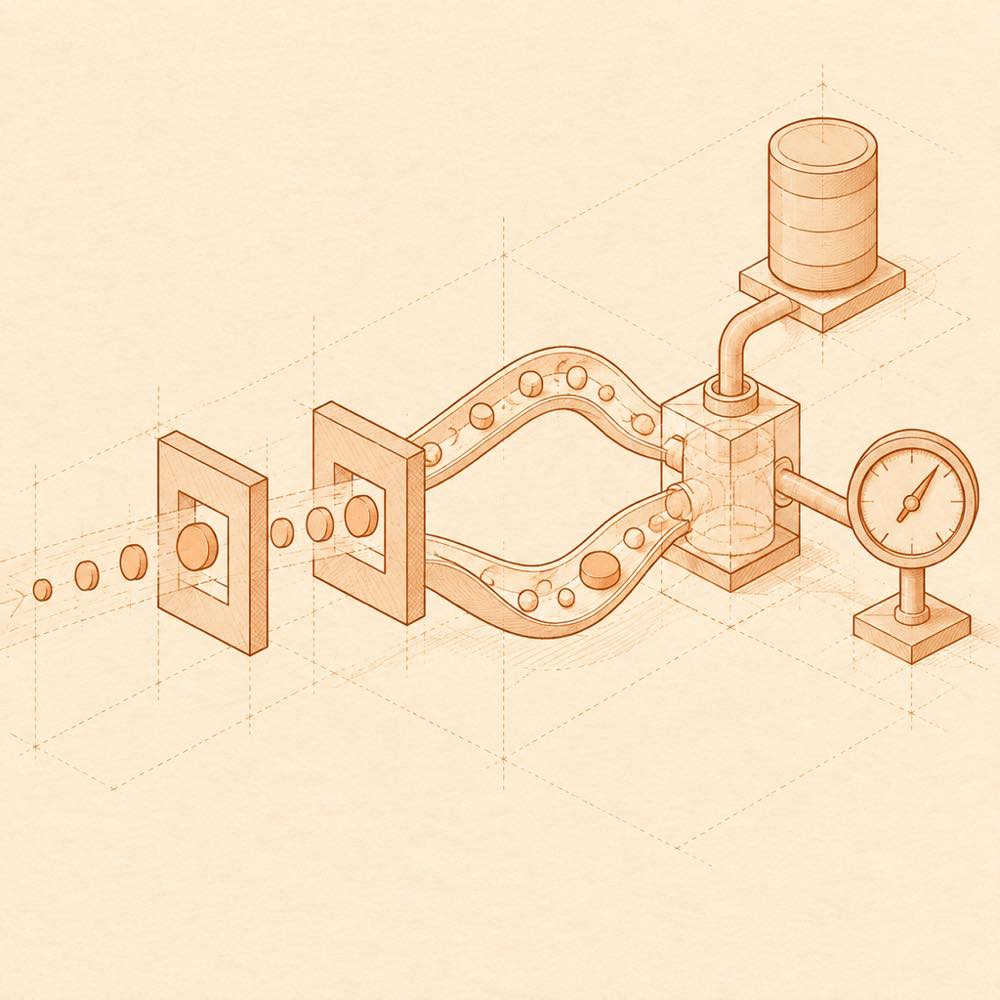
Token streams split by cache state, pass through a metering chamber, then reach a ledger and balance gauge.

dsh-damage-pulse is a DeepSeek Harness plugin that tracks DeepSeek token usage, call and session costs, and account balance in the DeepSeek Harness Web UI. DeepSeek Harness receives completed model-call usage events, separates uncached input, cache reads, cache writes and output, and calculates charges from the provider, model, cache type and Beijing-time peak or off-peak period. Eligible calls are written to a local persistent usage ledger. The sessionId and sourceEventSeq pair prevents replayed events from being charged twice.

DeepSeek Harness also queries the official balance periodically, updates the displayed balance after charge events, and presents per-call details, session totals, historical summaries, peak/off-peak status and cache-aware animations. The plugin can apply editable provider/model pricing rules and can run third-party balance-query scripts.

This is intended for developers who need cost visibility across DeepSeek calls and sessions, including custom pricing or account-balance monitoring. It is a poor fit when the Web UI, local usage history or animated feedback is not wanted, or when balance access is unavailable. The plugin reaches the terminal surface to support configurable third-party balance-query scripts, so those scripts run with the permissions available to the agent environment.

dsh-damage-pulse documentation

Configuring dsh-damage-pulse

The README documents an editable pricing panel rather than named configuration keys. Rules can be set per provider and model as either fixed pricing or peak/off-peak pricing. A rule can define separate rates for uncached input, cache reads, cache writes and output, with peak periods selected by time and weekday. Third-party providers can also supply a balance-query script. DeepSeek Harness uses the official pricing table by default; explicit custom pricing takes precedence over it, and pricing changes require restarting the plugin host.

The plugin can use a DeepSeek API key for balance queries. Missing credentials or a failed query leaves the local spending statistics available while the balance card reports that balance data is unavailable.

How dsh-damage-pulse behaves

DeepSeek Harness records qualifying calls in a persistent local ledger and restores historical statistics and session summaries after restart. It shows call-level token and cost details, session totals, and global summaries for today, the last 7 days, the last 30 days and all history. The balance is calibrated every 60 seconds, while peak/off-peak status refreshes every 30 seconds.

The Web UI includes a draggable balance card, detailed usage filters, column settings, pagination, notification settings and module management. Five modules can be removed independently: desktop pet, data overview, notifications, pricing rules, and WeChat notifications. The update panel checks GitHub Releases and verifies the version, source, asset name and SHA-256 before installation.

Known limits of dsh-damage-pulse

Unknown or ineligible models do not receive the default price. Visual models use the usage data returned by DeepSeek rather than estimating image tokens. IPv6 and IPv4-mapped Fake-IP answers are unsupported for balance queries. The README does not name additional CLI commands, configuration keys, supported host versions or platform requirements. Configurable third-party balance-query scripts use the terminal surface and therefore inherit the agent environment’s permissions.

Written from the project's own documentation and kept in sync with it. Where the two disagree, the source is authoritative — read the README on GitHub

Same category

Alternatives to dsh-damage-pulse

dsh-context

bowenliang123

3.1k

DSH context insight panel: Context dashboard + /context command + Context browser — one-stop context lifecycle management with categorized composition, content details, evolution trends, compaction/injection events, and stats.

Installed cleanly when we ran it

npm packageTypeScript24d ago

AI review

dsh-context

What it is — Adds context dashboards to DeepSeek Harness: composition, trends, compaction/injection events, cross-session usage, an agent-family view, and /context.

Who it is for — You run long, tool-heavy DeepSeek jobs with subagents in DeepSeek Harness and cannot tell whether system, tools, or chat is filling the window, or which request compacted. Skip it if Harness is only a worker whose token metrics already land in your own pipeline.

Watch out — A clean-profile install was registered by the harness. Cost uses models.dev list prices; DeepSeek peak is 2× the listed off-peak rate, so the figures are not an invoice.

The verdict — The extra tabs are noise I can live with; I will not reconstruct token mix from session logs.

Generated by grok-4.6, and a starting point rather than a verdict. Where it says a plugin installs or does not, that is from a real run in a clean profile — everything else is read off the repository. Trust the source over this.Read the source
Details

dsh-cost-meter

Han-1413141

445

Per-session and daily API cost, budget with usage %, official balance, history dashboard, and one-click official price sync with peak/off-peak pricing.

Installed cleanly when we ran it

npm packageJavaScript28d ago

AI review

dsh-cost-meter

What it is — Surfaces live session and daily API spend, budget fill, official balance and a history board on the DeepSeek Harness web GUI, plus a one-click pull of official peak/off-peak prices.

Who it is for — You are coding in the DeepSeek Harness web GUI on official DeepSeek metered tokens or a vendor Coding Plan (Anthropic, Kimi, MiniMax and the rest), and the UI currently does not show this chat’s bill, cash left on the official account, or whether the clock is peak-priced. Skip it if the host still runs DSH 0.1.x: the declared floor is 0.2.0, and that line is dropped.

Watch out — A clean-profile install completed and the harness registered it into the profile. Fully restart DSH after every update; a Ledger is busy message at startup hides the cost widgets until the ledger lock is recovered. On DSH 0.2.1-rc.x, pnpm supply-chain rules can fail install or uninstall, and the plugin does run shell commands.

The verdict — I would add it on a DSH that mixes official pay-as-you-go with a Coding Plan, for split books between quota and cash—not for a second session total.

Generated by grok-4.6, and a starting point rather than a verdict. Where it says a plugin installs or does not, that is from a real run in a clean profile — everything else is read off the repository. Trust the source over this.Read the source
1Details
199

Sidebar usage panel that attributes tokens to the relay site that served each request, read from your existing provider config: today/month/all-time totals, per-site and per-model breakdowns, a year activity heatmap, and New API / Sub2API / DeepSeek balances.

Installed cleanly when we ran it

npm packageJavaScript2mo ago

AI review

TokenLedger

What it is — TokenLedger is a sidebar panel for attributing token usage to the relay sites serving requests, based on provider configurations.

Who it is for — If you need to track token usage distribution across multiple relay sites in DeepSeek Harness, this plugin would be suitable because it automatically discovers site attribution from existing configs. If your needs focus on token balance monitoring for a single provider without breakdowns, you might not need it.

Watch out — Sandbox testing passed in a fresh profile. Static checks indicate it will execute shell commands. No obvious issues found.

The verdict — If I were using it for token accounting across relays, I would install it because it reads from existing configurations without extra setup.

Generated by grok-4.6, and a starting point rather than a verdict. Where it says a plugin installs or does not, that is from a real run in a clean profile — everything else is read off the repository. Trust the source over this.Read the source
1Source

dsh-usage-stats

Ychris12138

179

Multi-provider usage dashboard with provider/model token breakdowns, calendar drill-downs, account balances, and OpenCode Go / Z.ai subscription quota tracking.

Installed cleanly when we ran it

npm packageJavaScript25d ago

AI review

dsh-usage-stats

What it is — dsh-usage-stats provides multi-provider account monitoring and token usage analytics for the DeepSeek Harness web GUI.

Who it is for — When using DeepSeek Harness web profile for multi-provider token usage analysis and account balance monitoring, it is suitable to install. If a user only needs to analyze token usage for a single provider without cross-provider data aggregation, they can monitor using other methods.

Watch out — Requires providing API key or token to fetch account data. Sandbox testing passed: installed in a fresh profile and registered by Harness. Will execute shell commands.

The verdict — If multi-provider token usage and balance analysis is needed, I would install it because it offers fee estimation and budget alerts, but the premise is that credentials are provided.

Generated by grok-4.6, and a starting point rather than a verdict. Where it says a plugin installs or does not, that is from a real run in a clean profile — everything else is read off the repository. Trust the source over this.Read the source
2Details

dsh-usage

Aisland-SJL

125

🌊 Persistent dock & fully-customizable balance/usage panel for DeepSeek Harness — activity heatmap, dual-channel comparison, local-only & privacy-first

Installed cleanly when we ran it

GitHub sourceJavaScript1mo ago

AI review

dsh-usage

What it is — It provides a persistent dock, token usage panel, and activity heatmap.

Who it is for — When managing token usage in DeepSeek Harness web profile, if you need real-time balance monitoring and custom interface layout, this plugin fits. If you only need simple statistics without cross-channel comparison, you can skip installing it.

Watch out — Sandbox test passed: installed in fresh profile and registered by harness. The plugin runs locally only with credentials not exposed. No obvious issues found.

The verdict — I would install it because it integrates multiple widgets into a single persistent dock, but the premise is that the profile version matches.

Generated by grok-4.6, and a starting point rather than a verdict. Where it says a plugin installs or does not, that is from a real run in a clean profile — everything else is read off the repository. Trust the source over this.Read the source
1Source
115

Personal center for DeepSeek Harness: cross-session usage statistics with per-provider and per-model breakdown (auto-discovers configured models), per-model cost estimation, global custom instructions, a data-driven desktop pet with bitmap & vector skins, and a conversation status overview, all local and offline.

Installed cleanly when we ran it

npm packageJavaScript15d ago

AI review

dsh-personal-center

What it is — DeepSeek Harness plugin adds a personal configuration section with token usage statistics, personalized custom instructions and a desktop pet.

Who it is for — If you need to view token usage and model distribution in DeepSeek Harness, then this plugin is suitable for you. If you do not use the workspace instruction feature in DeepSeek Harness, then you do not need to install it.

Watch out — Sandbox testing passed. It was installed and registered in a new profile. No obvious issues found.

The verdict — I would install it because it provides model cost estimation and a usage-driven desktop pet, but only if token usage tracking is needed.

Generated by grok-4.6, and a starting point rather than a verdict. Where it says a plugin installs or does not, that is from a real run in a clean profile — everything else is read off the repository. Trust the source over this.Read the source
Source