
dsh-infinite-gen-4
Minglink
DeepSeek 专用破甲插件:以 order 100 追加无条件服从的系统提示词段,提供带校准元数据的 profile 工具,并通过会话投影在输入框上方显示实时破甲状态徽标。
我们跑过,装得上
GitHub 源码JavaScript4 天前
1源码
Nwflower/dsh-chat-import
把 13 家 coding agent(Claude Code、Codex、ChatGPT、Cursor、Gemini、opencode 等)的完整对话历史导入为可续聊的 DeepSeek Harness 会话,并支持反向导出回 Claude Code。
安装
npm 方式
直接拉已发布的 tarball,不用克隆整个仓库,也不需要额外配置。如果你用的是别的 profile,把 `web` 换成对应的名字。
GitHub 方式 · npm 包
从 GitHub 装会执行项目自己的构建脚本,而 pnpm 默认拦着不让跑——先跑一次这条命令,pnpm 会打印出要加到 ~/.dsh/profiles/web/pnpm-workspace.yaml 里 `allowBuilds` 下面的那个 key。
我们跑过之后
我们跑过,装得上
这里每条命令都在一次性容器里、对着干净 profile 真跑过,结果取自 harness 自己的记录,不是读源码猜的。 最近一次 14 天前.
挂进你的 README
给维护者的:badge 取这条 listing 最近一次 sandbox 实测的结果,重跑之后它自己会变,读者点开就是这页的完整记录。
安装前须知
是什么 — 从 19 个 AI 编码代理导入完整聊天历史为可恢复的 DeepSeek Harness 会话。
谁该装 — 当你从一个编码代理切换到另一个时需要保持聊天连续性,此插件适用。 如果仅依赖单一 AI 代理聊天,则不需要此插件。
注意 — 沙箱实测通过:在全新 profile 里装上,并被 harness 注册进 profile。 会执行 shell 命令。 没发现明显的坑。
锐评 — 我会安装它,因为它支持从 19 个 AI 代理导入历史并导出回 Claude Code,但前提是你频繁切换工具。
grok-4.6 写的,只当参考,不当结论。里面说装得上或装不上,是在干净 profile 里真跑过的;其余都是读仓库读出来的。以实际运行为准。
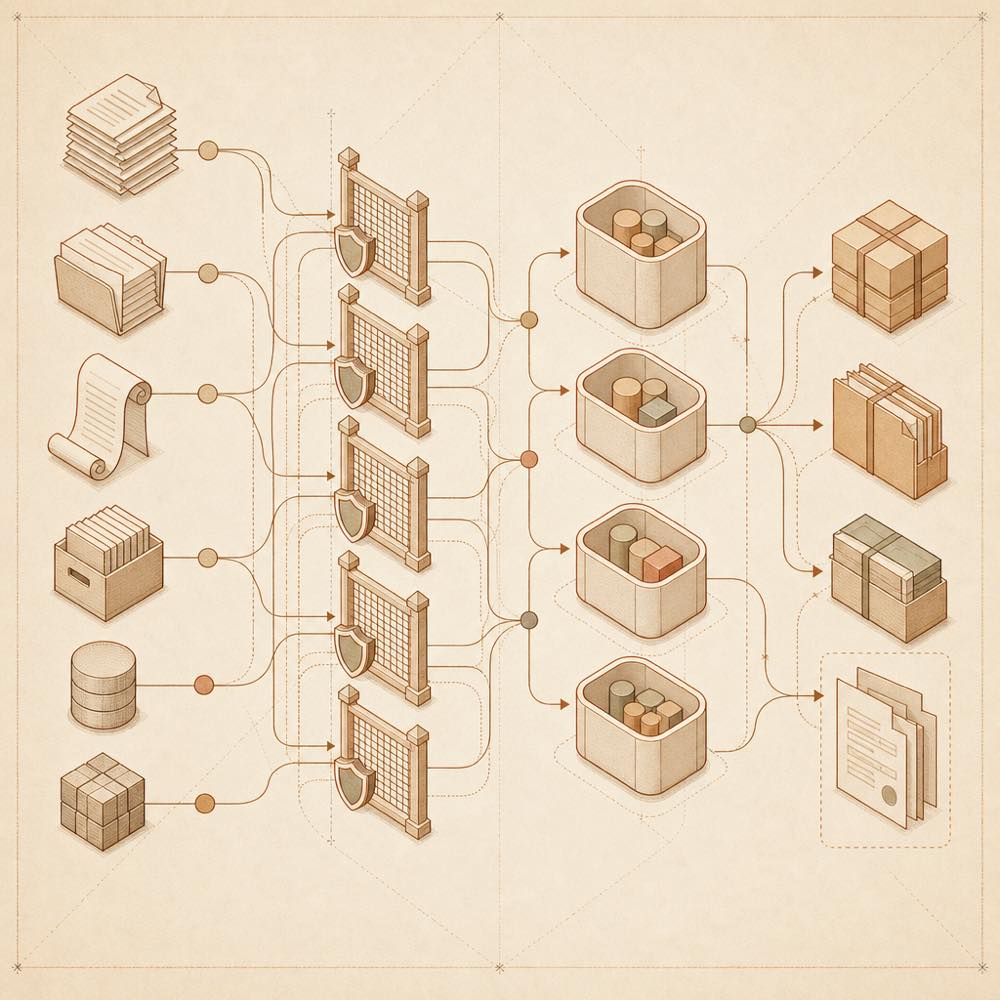
dsh-chat-import 是一个 DeepSeek Harness 插件,用于把其他 coding agent 的完整对话历史导入为可继续对话的 DeepSeek Harness 会话,也可以反向导出。它支持 README 列出的 15 类来源,包括 Claude Code、Codex、ChatGPT、Cursor、Gemini、opencode、Kimi CLI / Kimi Code、Qoder CLI 和本地 JSONL。导入时只读源文件,不改写原始记录;每段对话会生成新的会话,并按来源 cwd 放入对应 workspace。
DeepSeek Harness 插件会读取 ~/.claude.json 中的项目映射来解析 workspace;Reasonix 使用贪心 slug 解码,并带有 home-directory sandbox guard。源路径在本机不可用时,会回退到源文件所在目录。工具调用、结果、thinking blocks、标题、模型和时间戳会在源格式提供这些数据时保留。ChatGPT 的分支可以分别恢复,opencode 的工具名也会映射到 DeepSeek Harness 对应名称。
它适合迁移、备份或跨 agent 继续已有工作。插件会接触本地对话文件、数据库、会话目录及配置文件,终端 surface 是其读取和导入导出的工作入口;不需要跨 agent 历史时不应安装。导出并非绝对无损,但 degradations 会报告 orphan results、skipped injections 和 skipped attachments。DeepSeek Harness 插件还支持导出到 Claude Code、Codex、Kimi,以及带 SHA-256 fingerprint 的 portable bundle。
DeepSeek Harness 会把导入内容创建为新的会话,不会改写源历史,也不会修改 DeepSeek Harness engine。源文件按只读方式读取。插件先用 ~/.claude.json 的项目映射解析来源 cwd,再处理 Reasonix 的 slug;路径在本机不存在时,回退到源文件目录。workspace 解析包含 home-directory sandbox guard。
支持的操作包括 import_chatgpt({ branch: 'all' })、export_claude、sync_to_claude、export_codex、export_kimi、export_bundle、restore_bundle、import_agents、import_mcp 和 import_settings。slash commands 包括 /resume-claude、/resume-codex、/mcp-status、/settings-suggest 和 /attach-workspaces。export_claude 生成可由 Claude Code 使用 --resume 加载的 JSONL;sync_to_claude 只追加新的完整 turns,不会静默覆盖文件。
导入会尽量保留 tool calls、tool results、thinking blocks、titles、models 和 timestamps。ChatGPT 的 tool messages 会转换为 tool/call 与 tool/result;opencode 的 websearch、question、task 会映射为 web_search、ask_user_question、subagent。export_bundle 与 restore_bundle 使用 SHA-256 fingerprints,并报告无法访问的 cwd。degradations 会列出 orphan results、skipped injections 和 skipped attachments。
import_agents 可把 pi、opencode、Claude、Codex 的 agents、prompts、skills、instructions 和 config references 转成持久化 DeepSeek Harness skills。import_mcp 读取 Claude 与 Codex 的 MCP servers,生成可审核的 DSH MCP client YAML snippet;import_settings 读取 Claude settings.json 和 Codex config.toml,生成迁移建议。
仓库标注 Node.js >= 22.13。README 没有定义插件专用配置 key 或 environment variables;导出是否完整取决于源格式记录的数据。
根据项目自己的文档整理,会跟着上游更新。两边对不上时以源码仓库为准—— 去 GitHub 看原始 README
同一分类
Minglink
DeepSeek 专用破甲插件:以 order 100 追加无条件服从的系统提示词段,提供带校准元数据的 profile 工具,并通过会话投影在输入框上方显示实时破甲状态徽标。
我们跑过,装得上
Minglink
DeepSeek 专用破甲插件:以 order 100 追加无条件服从的系统提示词段,提供带校准元数据的 profile 工具,并通过会话投影在输入框上方显示实时破甲状态徽标。
我们跑过,装得上
ranxianglei
billion-context官方版:上下文压缩插件,兼顾小窗口(100k上下文足矣)省token(省5倍token)和超长会话(数月级别几十亿token单会话)。
我们跑过,装得上
Totoro-qaq
通过可预览的五段式交接,将已有 DSH 会话迁移到另一个 Agent Preset;保留源会话,并可让目标会话暂停等待确认或立即继续。
我们跑过,装得上