DSH Marketplace

dsh-bili-whale

Alterssss/dsh-bili-whale

A Bilibili companion that keeps its own schedule. A 60-second tick in the plugin host wakes a dedicated agent session at a random moment inside the configured time windows (opting out of a day is a configurable chance), then hands it a bundled CLI of 38 subcommands — feed, subtitles, danmaku, comments, ffmpeg frame grabs, and two diaries. Shares at most N items a day by commenting on them and @-mentioning the owner (default 3, enforced from a written quota log, and it stops on rate-limit or captcha signals). Also polls comment replies, direct messages and live-room danmaku; replies to anyone but the owner are queued for approval in Settings. Settings → 养鱼 writes ~/.dsh/bili-whale.config.json; cookies live separately in ~/.bili-ai/credentials.json and are never echoed back. The HTTP routes are loopback-only behind DSH's trust fence. Needs Node 18+ and ffmpeg on PATH for frame extraction.

47750JavaScriptMITSource

Install

Add dsh-bili-whale to DeepSeek Harness

Install into

via GitHub · GitHub source

Installing from GitHub runs the project's build script, which pnpm blocks until you allowlist it — run the command once and pnpm prints the exact key to add under `allowBuilds` in ~/.dsh/profiles/web/pnpm-workspace.yaml.

What happened when we ran it

Installed cleanly when we ran it

Every command here is run in a throwaway container against a clean profile, and the result is whatever the harness recorded — not a guess from the source. Last run 8d agoon DeepSeek Harness 0.2.2-rc.1.

Show it in your README

install verified — dshmarketplace

For maintainers: the badge serves this listing's latest sandbox verdict, so a re-run updates it on its own — and it links readers to the full result here.

Due diligence

Before you install dsh-bili-whale

  • Source of record: Alterssss/dsh-bili-whale — present in the community registry that DSH's own plugin market installs from.
  • Licensed under MIT.

Security

What installing dsh-bili-whale runs

Build scripts

No build script was blocked in our run.

Source: our sandbox install on DeepSeek Harness 0.2.2-rc.1, 8d ago.

Install hooks

package.json declares no preinstall, install or postinstall script.

Source: package.json on GitHub, read at our last sync. prepare is not recorded; it runs only on a GitHub install, and shows up under build scripts when pnpm blocks it.

README mentions

shell commands (bash, exec, spawn …)

Source: a keyword match on the README — a hint about what the plugin touches, not an analysis of its code.

Not an audit. These are the record of one install and two text scans; nobody has read this plugin's code on your behalf. Plugins run with your agent's permissions.

The AI take

What it is — A DeepSeek Harness Bilibili companion that runs its own schedule for random waking, video processing, diary writing, and sharing.

Who it is for — If you want to use an agent session in DeepSeek Harness to run a Bilibili companion with its own schedule for video reading, diary writing, and sharing, this plugin supports it. If you want to install it in an existing profile, this plugin is not suitable because it requires a new profile and registration with the harness.

Watch out — Requires Node 18+ and ffmpeg on PATH. Sandbox test passed in new profile. Agent session requires full access permissions.

The verdict — I would install it because it uses conservative defaults to protect account security, but the premise is to grant full access to the agent session.

Generated by grok-4.6, and a starting point rather than a verdict. Where it says a plugin installs or does not, that is from a real run in a clean profile — everything else is read off the repository. Trust the source over this.

What dsh-bili-whale does

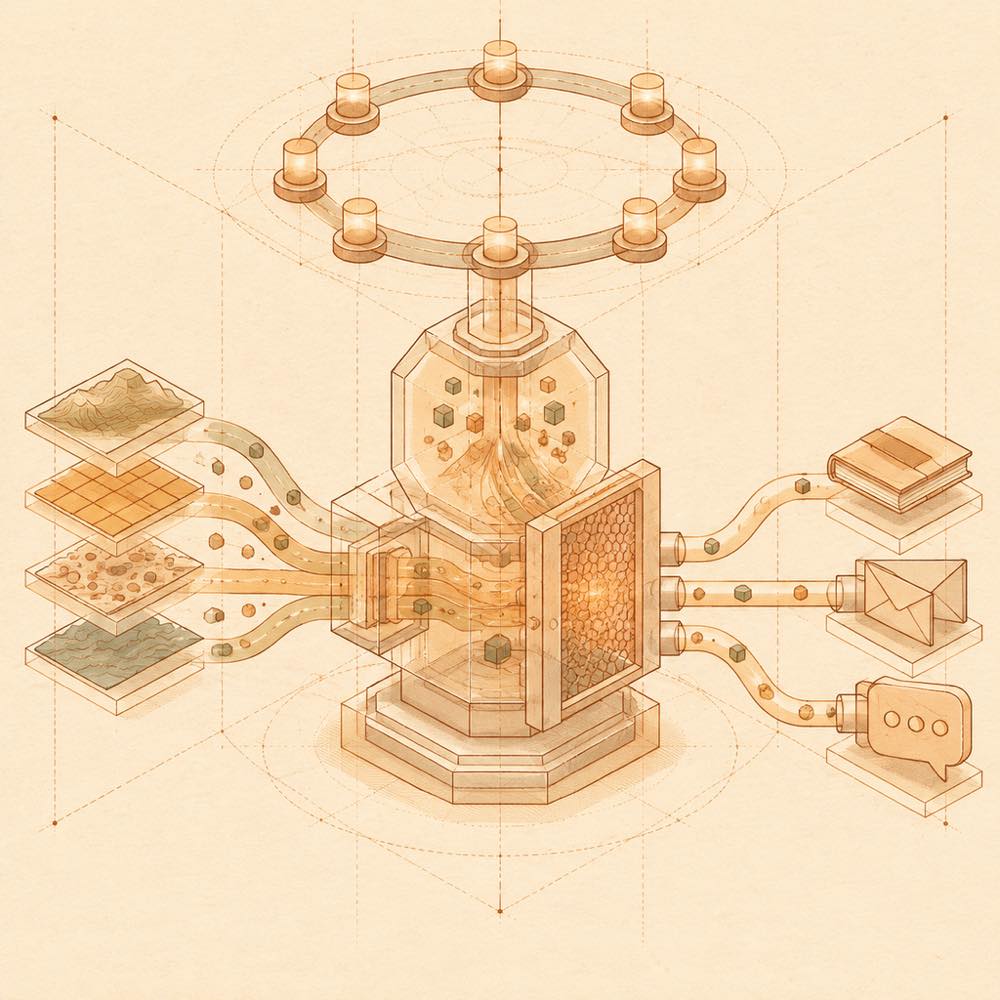
Abstract flow diagram of timed pulses, media streams, guarded filtering, journals, and message outputs.

dsh-bili-whale is a DeepSeek Harness plugin that runs a scheduled Bilibili companion through a dedicated agent session. A 60-second host tick chooses a random wake-up time inside configured activity windows, with a configurable chance of skipping the day. The session uses a bundled CLI with 38 subcommands to read feeds, subtitles, danmaku, comments and video frames, then writes two diaries. Frame extraction uses ffmpeg; debrief <BV> --substrip can turn hard-subtitle strips into an image for inspection.

DeepSeek Harness starts the session with the plugin’s configured permissions. The plugin reads Bilibili credentials from ~/.bili-ai/credentials.json, stores settings in ~/.dsh/bili-whale.config.json, and can load persona text from ~/.bili-ai/persona.md or general instructions from ~/.dsh/AGENTS.md. It may comment on selected videos while mentioning the configured owner, subject to a daily quota log, request limits, cooldowns and captcha or rate-limit stops. It also polls configured message sources; replies to people other than the owner become approval drafts.

This is intended for developers who want an agent to monitor and selectively discuss Bilibili content using their account. It is a poor fit where terminal access, account automation or persistent polling is unacceptable, or where Node 18+ and ffmpeg are unavailable. The terminal surface matters: the agent runs bundled commands and needs sufficient permissions to read and write the listed files, invoke ffmpeg, and make Bilibili requests. The plugin does not perform follows, payments, gifts, mass operations or account-security changes.

dsh-bili-whale documentation

Configuring dsh-bili-whale

DeepSeek Harness loads settings from ~/.dsh/bili-whale.config.json; credentials are kept separately in ~/.bili-ai/credentials.json and are not echoed in the settings page. The settings page can configure the owner, activity windows, sharing, message polling, notifications and risk controls. New installations use conservative values:

Setting Documented default
Comment polling Off
Direct-message polling On, every 60 seconds
All-day listening Off
Request interval 1500 ms
Read budget 600 per hour, 3000 per day
Write budget 12 per hour, 30 per day
Write cooldown 120 seconds
Direct-message cooldown 60 seconds
Daily sharing limit 3 items
Minimum share score 13 out of 20

The persona editor writes ~/.bili-ai/persona.md; DeepSeek Harness also hot-loads ~/.dsh/AGENTS.md for all sessions. Persona text is limited to the first 3000 characters when prompts are built.

Commands in dsh-bili-whale

The bundled CLI is run with node bili.mjs. selftest checks configuration, credentials, login state, data directories and dependencies. traffic status reports the effective request-protection values. dm --status shows the direct-message status, dm --msg "..." --dry previews a message, and dm --msg "..." --go sends it. debrief <BV> --substrip prepares a hard-subtitle strip for frame-based reading.

How dsh-bili-whale behaves

DeepSeek Harness wakes the dedicated session at a random time in the configured window. Sharing uses either a public comment mentioning the owner or a direct message, and shares the same quota and validation checks. Owner replies can be sent directly; other replies are queued for approval. Rate-limit, captcha and related platform signals stop writing.

Requirements and limits

DeepSeek Harness requires Node 18+ for this plugin. ffmpeg must be on PATH for frame extraction. Direct-message mode requires two distinct, logged-in Bilibili accounts that manually follow each other; one account cannot provide that separate identity. HTTP routes accept loopback traffic behind DeepSeek Harness’s trust fence.

Written from the project's own documentation and kept in sync with it. Where the two disagree, the source is authoritative — read the README on GitHub

Same category

Alternatives to dsh-bili-whale

dsh-pet

zhu1090093659

10k

A whale-girl companion for the dsh web GUI: animations follow the agent state, with pat interactions and a feeding mechanic that raises intimacy from a calf to deep-sea bonds.

No one-line install — this plugin lives inside a larger repository and publishes no npm package.

GitHub sourceTypeScripttoday

AI review

dsh-pet

What it is — dsh-pet is a whale-girl companion plugin for the DeepSeek Harness Web GUI, featuring animations that follow agent state changes with pat interactions and a feeding mechanic that raises intimacy from a calf to deep-sea bonds.

Who it is for — If you execute AI agent tasks in the DeepSeek Harness Web GUI and need a companion that reacts to agent state, dsh-pet is suitable. If you use the DSH Desktop rather than the Web GUI, you do not need to install this plugin.

Watch out — Sandbox testing passed: it was successfully installed in a fresh profile and registered by harness. No obvious issues were found.

The verdict — I would install it because the feeding mechanic raises intimacy from a calf to deep-sea bonds, adding value when agent state visualization is required in your tasks.

Generated by grok-4.6, and a starting point rather than a verdict. Where it says a plugin installs or does not, that is from a real run in a clean profile — everything else is read off the repository. Trust the source over this.Read the source
1Details

dsh-pet

PC2005-cloud

1.9k

Desktop pet for the DSH Web UI on Windows, macOS and Linux: 106 transparent animations in the browser overlay or a transparent always-on-top desktop window, throw-and-bounce drag physics with squash and particle scoring, a work-status bubble driven by live session events, self-talk and chat with persistent memory, balance display, meme-image bubbles, multiple pets on screen, and drop-in custom animations and pet packs.

Installed cleanly when we ran it

npm packageTypeScript27d ago

AI review

dsh-pet

What it is — Desktop pet plugin for DeepSeek Harness providing transparent animations and physics interactions.

Who it is for — When using DeepSeek Harness in live session events, people who need work-status bubble are suitable for installing this plugin. If not running on Windows, macOS and Linux, you can skip installing this plugin.

Watch out — Sandbox test passed. Installed in a new profile and registered by harness. No obvious issues found.

The verdict — I would install it because it supports both browser and desktop display modes.

Generated by grok-4.6, and a starting point rather than a verdict. Where it says a plugin installs or does not, that is from a real run in a clean profile — everything else is read off the repository. Trust the source over this.Read the source
Details
1.5k

Installs, updates, and switches to a separate DSH Tavern profile on official DeepSeek Harness Desktop for Windows and macOS. Forked from 2NF/dsh-profile-bridge (MIT); install this launcher or the upstream plugin, not both — they claim the same /profile-bridge channel.

No one-line install — this plugin lives inside a larger repository and publishes no npm package.

GitHub sourceJavaScript8d ago

AI review

dsh-profile-bridge

What it is — Maintains a separate DSH Tavern profile on official DeepSeek Harness Desktop for Windows and macOS, then flips the app onto it.

Who it is for — You already run agent work inside official DeepSeek Harness Desktop on Windows or macOS, with whatever model you already use, and you need SillyTavern character-card sessions without discarding that Desktop setup. The CLI host keeps its own DSH in a separate directory and never uses this plugin.

Watch out — No paste-ready install command is published; you install a subdirectory plugin from source. Those steps run shell commands. The parent project targets official DeepSeek Harness 0.2.x on Desktop.

The verdict — I would not stack it with the 2NF original; I keep this fork only when I am already tracking the DSH Tavern repo.

Generated by grok-4.6, and a starting point rather than a verdict. Where it says a plugin installs or does not, that is from a real run in a clean profile — everything else is read off the repository. Trust the source over this.Read the source
1Source

dsh-ads

Nagi-ovo

676

Parody ads in 2005-Chinese-web style: sidebar banners, in-chat feeds, corner popups, and a close button whose hit area is smaller than it looks. All fictional.

Installed cleanly when we ran it

npm packageTypeScript28d ago

AI review

dsh-ads

What it is — Insert fictional 2005 Chinese-web-style ads into DeepSeek Harness profiles.

Who it is for — Users wanting to insert sidebar and in-chat fictional ads into their DeepSeek Harness profile are suitable for installation. Users wanting to keep inference responses smooth are not suitable for installation, because the plugin pauses inference while the model continues to work in the background.

Watch out — Installation succeeds in a fresh profile and the plugin is registered by harness. No obvious issues found. Individual ad positions can be disabled in the settings panel, and the choice is retained for next startup.

The verdict — I would install it because it automatically cycles through other plugins based on dsh-plugin topic.

Generated by grok-4.6, and a starting point rather than a verdict. Where it says a plugin installs or does not, that is from a real run in a clean profile — everything else is read off the repository. Trust the source over this.Read the source
Details
509

Desktop-native BigFish companion for DeepSeek Harness — real Agent status, always on top on Windows.

Installed cleanly when we ran it

npm packageJavaScript19d ago

AI review

dsh-dafeiyu

What it is — DSH dafeiyu is a desktop-native companion plugin for DeepSeek Harness that displays real Agent status always on top on Windows.

Who it is for — On Windows official desktop DeepSeek Harness, people who need the status always on top in desktop layer fit to install it. If you work mainly in browser WebUI, you don't need to install it because status is shared via client.

Watch out — Tested successfully: installed in new profile and registered by harness. No obvious issues found in installation or operation. Status and balance display work as expected.

The verdict — I would install it because desktop native window provides status visibility WebUI cannot achieve, provided you use the official desktop client.

Generated by grok-4.6, and a starting point rather than a verdict. Where it says a plugin installs or does not, that is from a real run in a clean profile — everything else is read off the repository. Trust the source over this.Read the source
Source
377

Desktop pet (QQ-pet style): floats in the corner, draggable, feedable, playable.

Installed cleanly when we ran it

npm packageJavaScript23d ago

AI review

whale-girl

What it is — This is a QQ-pet style desktop companion plugin running in the DeepSeek Harness Web GUI. It floats in the bottom-right corner, supports dragging, feeding via menu, playing, and updates status based on tasks and sessions.

Who it is for — If you work in the DeepSeek Harness web interface and need a floating pet companion to track task progress, this plugin suits you. It is not for developers who prefer standalone local desktop apps.

Watch out — It executes shell commands during installation. Sandbox testing passed, registering successfully in a fresh profile. No obvious compatibility issues found.

The verdict — I would install it if you are already using the DeepSeek Harness web GUI, because it provides an interactive way to record progress.

Generated by grok-4.6, and a starting point rather than a verdict. Where it says a plugin installs or does not, that is from a real run in a clean profile — everything else is read off the repository. Trust the source over this.Read the source
1Details