
dsh-im
xmanrui
Connect IM bots to DeepSeek Harness via QR codes or bot credentials (9 channels: Feishu, WeChat, DingTalk, WeCom, QQ, Slack, Telegram, Discord, and WhatsApp).
Installed cleanly when we ran it
npm packageJavaScript28d ago
c1overzz/dsh-bili-scroll
Let your DSH agent browse Bilibili on its own, read subtitles, write a daily digest, and @ you when it finds something worth your attention.
Install
via npm
Resolves a published tarball rather than cloning the repository, and installs without any extra setup. Swap `web` for your profile name if you run another one.
via GitHub · npm package
Installing from GitHub runs the project's build script, which pnpm blocks until you allowlist it — run the command once and pnpm prints the exact key to add under `allowBuilds` in ~/.dsh/profiles/web/pnpm-workspace.yaml.
The desktop app keeps its own profile, desktop, and only the dsh command it ships may change it — the npm-installed dsh refuses that profile. Install the command from the app menu (Manage dsh Command…), open Desktop once, quit it fully, run the line below, then reopen Desktop.
via npm
Resolves a published tarball rather than cloning the repository.
via GitHub · npm package
Installing from GitHub runs the project's build script, which pnpm blocks until you allowlist it — run the command once and pnpm prints the exact key to add under `allowBuilds` in ~/.dsh/profiles/desktop/pnpm-workspace.yaml.
Our install check ran in a web profile on npm's dsh, not in the desktop app.
What happened when we ran it
Installed cleanly when we ran it
Every command here is run in a throwaway container against a clean profile, and the result is whatever the harness recorded — not a guess from the source. Last run todayon DeepSeek Harness 0.2.2-rc.5.
Show it in your README
For maintainers: the badge serves this listing's latest sandbox verdict, so a re-run updates it on its own — and it links readers to the full result here.
Due diligence
Security
No build script was blocked in our run.
Source: our sandbox install on DeepSeek Harness 0.2.2-rc.5, today.
package.json declares no preinstall, install or postinstall script.
Source: package.json on GitHub, read at our last sync. prepare is not recorded; it runs only on a GitHub install, and shows up under build scripts when pnpm blocks it.
shell commands (bash, exec, spawn …)
Source: a keyword match on the README — a hint about what the plugin touches, not an analysis of its code.
Not an audit. These are the record of one install and two text scans; nobody has read this plugin's code on your behalf. Plugins run with your agent's permissions.
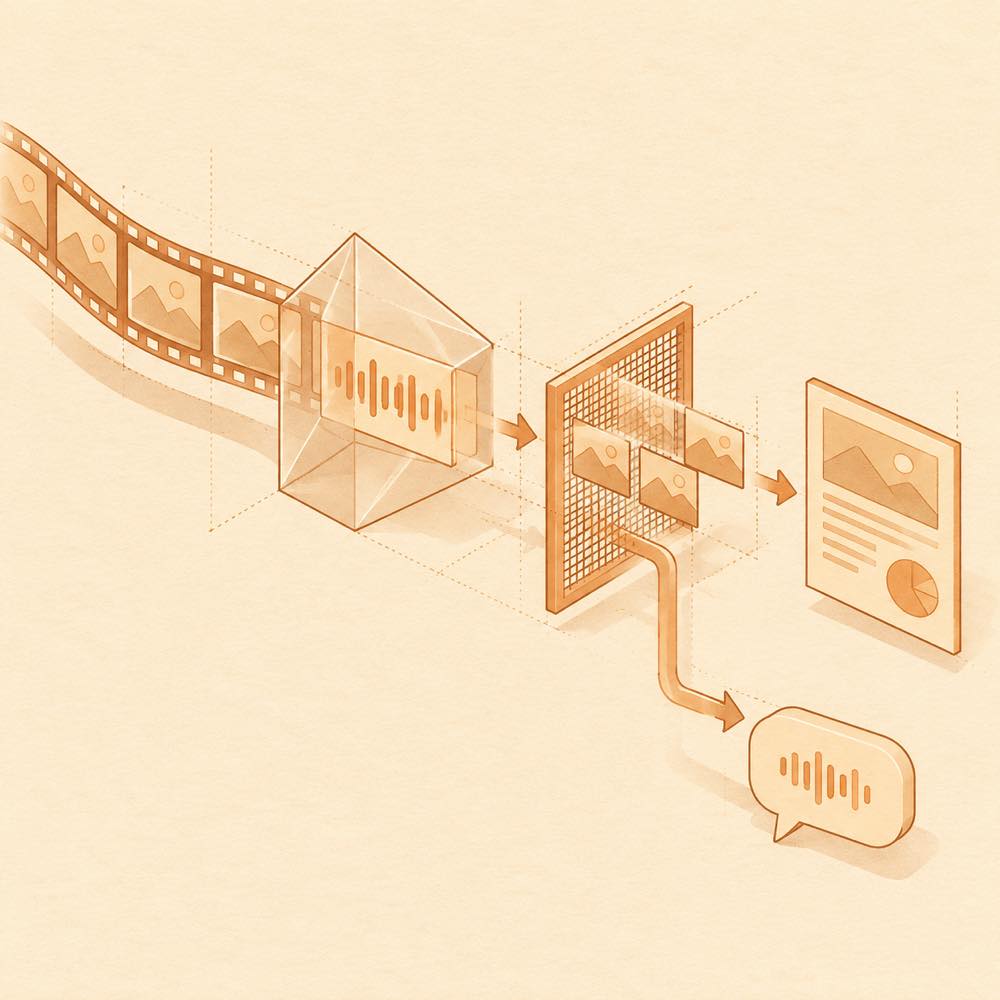
dsh-bili-scroll is a DeepSeek Harness plugin that searches Bilibili videos, reads their subtitles, selects items matching configured keywords, and produces a daily digest. DeepSeek Harness loads the plugin’s bundled Python MCP, which provides video search, subtitle, comment, metadata, cover and frame-reading tools. A scheduled headless session follows prompts/duty.md, writes Markdown reports to out/<date>.md, and records credentials in <DSH_HOME>/bili-duty/bili_credential.json. Reports and other state are kept under the plugin’s home directory; settings are stored in config.json.
The DeepSeek Harness plugin can run at configured peak/off-peak times, save selected videos to an optional Bilibili collection, and optionally post comments that mention the configured user. Commenting is disabled by default. The duty session receives only the registered Bilibili tools and narrow report, deduplication and transcription tools; commenting is added only when enabled. It does not receive general filesystem, command or network tools in the dedicated bili-duty profile.
This is for users who want subtitle-based Bilibili filtering and scheduled Markdown reports. It is a poor fit where Python or uv cannot be installed, where local transcription’s roughly 1 GB footprint is unacceptable, or where automatic account activity is not wanted. The terminal surface reaches the local process environment to create a Python virtual environment, download or use uv, and launch the Python MCP and headless session. The plugin requires DeepSeek Harness 0.1.7-rc.1 or newer; desktop automatic runs may stall, so the settings page’s manual run is the documented fallback.
DeepSeek Harness stores the settings page values in <DSH_HOME>/bili-duty/config.json. The 日常 page controls peak/off-peak scheduling, the daily selection limit, and the reviewed-video list. A limit of 0 disables scheduled selection and leaves manual runs available. 偏好 contains one-keyword-per-line filters, the persona prompt, optional collection destination, and report detail: full, brief, or disabled. 互动 controls automatic comments and mentions, comment replies, delivery destination, recipient UID, and optional two-way private messages. Automatic commenting and replies are off by default; one comment per run is the default, with a maximum of 20.
Use the settings page to install the main dependencies, test the environment, check for updates, and scan into Bilibili. The plugin creates an isolated virtual environment and installs bilibili-api-python, aiohttp, mcp<2, and qrcode. A QR scan with “remember me” stores credentials only at <DSH_HOME>/bili-duty/bili_credential.json. Reports are written to out/<date>.md. The scheduled runner launches dsh --profile headless; DeepSeek Harness uses the dedicated bili-duty profile for the duty session.
Each run searches recent videos using configured keywords, reads subtitle text before judging, and may inspect storyboard frames for demonstration videos without subtitles. With local transcription installed, videos without subtitles can be transcribed; otherwise they are skipped and the report records the skipped count. Each selected entry starts with ### BV号 and includes why it matters plus a one-sentence description. The session can read comments and video information, and can write comments only when the relevant setting is enabled.
DeepSeek Harness must be 0.1.7-rc.1 or newer; older versions silently skip the plugin. Installation requires Python 3.10+ or uv, although the plugin can download uv into its own home directory and verifies its sha256. Local transcription needs a separate dependency installation and about 1 GB of space. Cover and frame inspection requires host attachments and llm support. On desktop DSH NEXT / 0.2.x, automatic runs may stall; use 现在跑一轮 manually.
Written from the project's own documentation and kept in sync with it. Where the two disagree, the source is authoritative — read the README on GitHub
Same category
xmanrui
Connect IM bots to DeepSeek Harness via QR codes or bot credentials (9 channels: Feishu, WeChat, DingTalk, WeCom, QQ, Slack, Telegram, Discord, and WhatsApp).
Installed cleanly when we ran it
shaobeichen
Remote phone access to the DSH Web UI: scan a QR code for LAN or public (cloudflared tunnel) access with real-time sync, a mobile-adaptive layout, and a settings tab.
Installed cleanly when we ran it
OpenPetsHQ
Bridges DeepSeek Harness lifecycle status, errors, and approval requests to a locally running OpenPets desktop companion.
No one-line install — this plugin lives inside a larger repository and publishes no npm package.
inclusionAI
Connects DeepSeek Harness to Avernet's Bot Collaboration Network over WebSocket V2, with automatic onboarding, isolated agent sessions, tool-call events, and multi-bot routing tools.
No one-line install — this plugin lives inside a larger repository and publishes no npm package.
zaofan-make
QQ official bot channel (enhanced fork of tencent-connect/dsh-qqbot): full agent chat in groups and DMs, rich media, an auto-tagged sticker library with AI image replies, join approval, mute and broadcast, scheduled wakeups, remote approvals over QQ, interactive cards, multi-account instances, extensions, member profiles, and token-saving value-scored wakeups.
Installed cleanly when we ran it
Oscar-Williams
Evidence-first attention supervision for DeepSeek Harness with C0–C3 policy, deduplicated Inbox alerts, quiet hours, and redacted outcome records.
Installed cleanly when we ran it