DSH Marketplace

dsh-comfyui

fandc520/dsh-comfyui

Drive a local or remote ComfyUI server from DeepSeek Harness: comfyui_run / comfyui_object_info / comfyui_workflow tools generate and edit images and videos, with a workflow library (graph extraction: per component / main flow / all), a load area with resolution auto-match, a live queue, SDXL and Wan 2.1 templates, a companion skill, and a same-origin media proxy.

19028TypeScriptMITSource

Install

Add dsh-comfyui to DeepSeek Harness

Install into

via npm

Resolves a published tarball rather than cloning the repository, and installs without any extra setup. Swap `web` for your profile name if you run another one.

via GitHub · npm package

Installing from GitHub runs the project's build script, which pnpm blocks until you allowlist it — run the command once and pnpm prints the exact key to add under `allowBuilds` in ~/.dsh/profiles/web/pnpm-workspace.yaml.

What happened when we ran it

Installed cleanly when we ran it

Every command here is run in a throwaway container against a clean profile, and the result is whatever the harness recorded — not a guess from the source. Last run 4d agoon DeepSeek Harness 0.2.2-rc.5.

Show it in your README

install verified — dshmarketplace

For maintainers: the badge serves this listing's latest sandbox verdict, so a re-run updates it on its own — and it links readers to the full result here.

Due diligence

Before you install dsh-comfyui

  • Source of record: fandc520/dsh-comfyui — present in the community registry that DSH's own plugin market installs from.
  • Licensed under MIT.

Security

What installing dsh-comfyui runs

Build scripts

No build script was blocked in our run.

Source: our sandbox install on DeepSeek Harness 0.2.2-rc.5, 4d ago.

Install hooks

package.json declares no preinstall, install or postinstall script.

Source: package.json on GitHub, read at our last sync. prepare is not recorded; it runs only on a GitHub install, and shows up under build scripts when pnpm blocks it.

README mentions

Neither shell commands nor credentials.

Source: a keyword match on the README — a hint about what the plugin touches, not an analysis of its code.

Not an audit. These are the record of one install and two text scans; nobody has read this plugin's code on your behalf. Plugins run with your agent's permissions.

What dsh-comfyui does

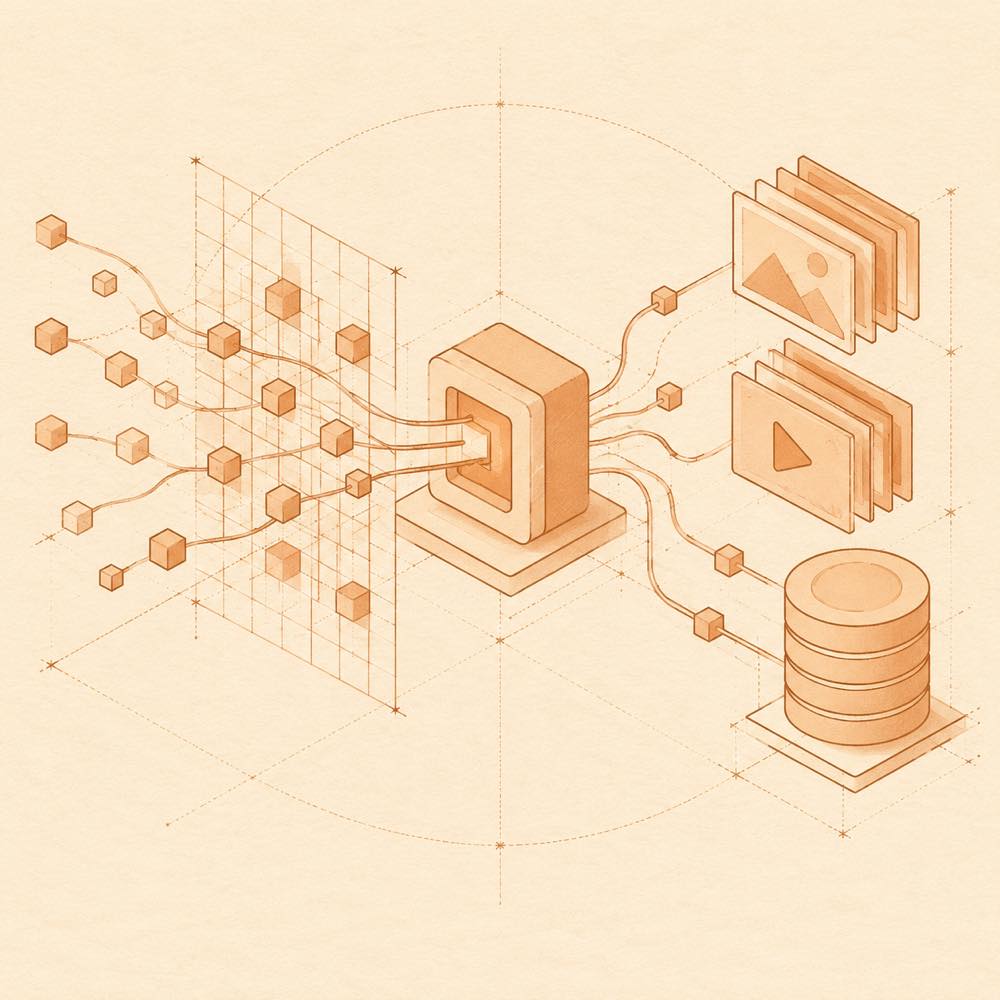
Connected node blocks converge through a pipeline into layered media shapes.

dsh-comfyui is a DeepSeek Harness plugin that lets an agent operate a local or remote ComfyUI server to generate and edit images, videos and other media. DeepSeek Harness loads the plugin’s tools, including comfyui_workflow, comfyui_run and comfyui_object_info. comfyui_workflow runs saved workflows with parameter overrides, while comfyui_object_info and comfyui_run support manually authored API JSON for testing. The plugin also provides comfyui_skill for workflow-specific instructions and reusable notes.

The plugin stores the workflow library and asset index in dataDir, with skill packages under skillsDir by default. Its panel manages workflows, generated assets and live or historical queue tasks. A load area passes selected images, videos and audio into unassigned workflow inputs, and can match source image dimensions when width and height are omitted. Generated files are served through the same-origin /comfyui/media route rather than directly from ComfyUI.

dsh-comfyui is intended for developers who already run ComfyUI and want agent-driven workflow execution alongside a visual management panel. It is the wrong choice without a running ComfyUI server, or when a task does not need ComfyUI’s node workflows. DeepSeek Harness supports the documented web and desktop profiles; the current 0.5.x plugin line requires DeepSeek Harness >= 0.1.2 and < 0.3.

dsh-comfyui documentation

Configuring dsh-comfyui

DeepSeek Harness reads the comfyui section from cordis.yml; most values can also be changed in the settings page.

Key Default Purpose
baseUrl http://127.0.0.1:8188 ComfyUI server address
apiKeyEnv COMFYUI_API_KEY Environment variable or credential name for an optional API key
dataDir DeepSeek Harness data directory Workflow library and asset index
comfyuiDirs [] Local ComfyUI installation directories
outputDir empty, auto-detected ComfyUI output location used when deleting assets
mediaHost empty, auto-detected External base URL for generated media
skillsDir dataDir/skills Root directory for workflow skill packages

The local directory list helps the agent locate models, custom nodes and TTS voice libraries. A remote server requiring authentication can use apiKeyEnv; the key is not sent to the browser.

Commands provided by dsh-comfyui

DeepSeek Harness exposes comfyui_workflow as the main workflow interface. Its list action reports available workflows, server details, load-area contents and parameter descriptions; run accepts a workflow ID and parameter overrides; skill reads the selected workflow’s instructions; and refresh recalculates its parameter snapshot. sync waits for completion, while async submits a background task and is recommended for video or audio.

comfyui_object_info returns available ComfyUI nodes and models for manually written workflows. comfyui_run executes the resulting API JSON. comfyui_skill manages skill-package files through list, read, write, append, mkdir, rename, delete, enable and require.

How dsh-comfyui behaves

The panel contains workflow, asset and queue views. It can import .json workflows, extract saved ComfyUI graphs as a complete graph, main flow or separate components, and export selected workflows with their skill packages as a .zip preset. The load area accepts images, videos and audio, deduplicates uploads by content hash, and fills unassigned loader inputs in order. The same-origin /comfyui/media route serves generated files after ComfyUI restarts or history cleanup.

Requirements and compatibility

DeepSeek Harness must use the web or desktop profile, and a running ComfyUI server is required. The 0.5.x plugin line pairs with DeepSeek Harness >= 0.1.2 and < 0.3; the 0.3.x beta line pairs with DeepSeek Harness 0.1.1. The README documents no standalone operation without ComfyUI.

Written from the project's own documentation and kept in sync with it. Where the two disagree, the source is authoritative — read the README on GitHub

Same category

Alternatives to dsh-comfyui

10k

A `describe_image` vision tool for text-only models: images (local path, URL, attachment) go to a configurable OpenAI-compatible vision endpoint and only the returned text enters the session.

No one-line install — this plugin lives inside a larger repository and publishes no npm package.

GitHub sourceTypeScript9d ago

AI review

dsh-tool-describe-image

What it is — dsh-tool-describe-image is an image description tool for text-only models. It sends local paths, URLs or attachments to a configurable OpenAI-compatible vision endpoint and only the returned text enters the session.

Who it is for — When using text-only models in DeepSeek Harness on tasks involving image inputs, this plugin is suitable for installation. Users who rely on built-in vision capabilities in their models can choose not to install it, as they have native image support.

Watch out — Sandbox testing in a new profile showed successful installation and registration with no obvious pitfalls found. No issues were detected in static checks.

The verdict — I would install it because it allows text-only models to handle image inputs in the session.

Generated by grok-4.6, and a starting point rather than a verdict. Where it says a plugin installs or does not, that is from a real run in a clean profile — everything else is read off the repository. Trust the source over this.Read the source
1Details

esp32-iphone-agent

onehumanbeing

4.4k

Let an AI model use a real iPhone with a $7 ESP32: AirPlay eyes, USB HID hands, any OpenAI-compatible vision model. No Mac, no developer account, no jailbreak.

Installed cleanly when we ran it

GitHub sourceSwift18d ago

AI review

esp32-iphone-agent

What it is — Gives the agent a live iPhone: an ESP32-S3 takes the AirPlay stream and acts as USB HID, while an OpenAI-compatible vision model chooses taps, swipes and keystrokes.

Who it is for — You are in DeepSeek Harness on an OpenAI-compatible vision model, and the job is to leave the agent UI, open Clock on an iOS 18 phone, spin the time wheel, tick repeat days and save, with a flashed ESP32-S3 already plugged in. If your loop is patching an iOS repo and clicking through the simulator, this does not plug into compile-and-preview, so it need not take a profile.

Watch out — It installed in a clean profile and was registered. An API key or token is required, and it executes shell commands. The phone must join the board's Wi-Fi hotspot and use cellular for the model, with AssistiveTouch on; the pointer is relative and re-homes to a corner before precise taps. The iPhone app currently comes from TestFlight.

The verdict — UxPlay on a companion computer is not something I will rebuild; adding this revision is how I drop that machine from the loop.

Generated by grok-4.6, and a starting point rather than a verdict. Where it says a plugin installs or does not, that is from a real run in a clean profile — everything else is read off the repository. Trust the source over this.Read the source
2Source

modlens

liustack

4.4k

Vision bridge for text-only models: paste an image, get structured JSON evidence (OCR, layout, semantics).

Installed cleanly when we ran it

npm packageTypeScript1mo ago

AI review

modlens

What it is — Paste an image in chat; a text-only model gets OCR, reading-order layout, and entity-relation lists as structured JSON.

Who it is for — You run DeepSeek-V4-Flash, DeepSeek-V4-Pro, text-only GLM-5.3, or MiMo Pro on DSH, and the work includes images those models cannot see. Skip it if you already sit on a native multimodal route such as GLM-5.3-Flash; only models whose metadata confirms text-only are taken over.

Watch out — Sandbox: installed in a blank profile and DSH registered it. It runs shell commands. Reads go through an existing Claude Code, Codex, OpenCode, or Pi login, or Antigravity CLI, a Gemini key, or an OpenAI-compatible key; a free Gemini key is given as 5-10 seconds per read.

The verdict — Add it. Reverting is deleting one plugin folder; DSH config is never patched.

Generated by grok-4.6, and a starting point rather than a verdict. Where it says a plugin installs or does not, that is from a real run in a clean profile — everything else is read off the repository. Trust the source over this.Read the source
1Details

为纯文本模型"看图“设计更好的视觉工具箱和技能,支持多图理解,图片问答,前端UI还原、GUI 自动化等,并可选无缝接入多个主流agent,直接识别粘贴图片| A vision toolkit and skill designed for text-only llms — image Q&A, long-screenshot OCR, frontend UI restoration, and GUI automation, with optional seamless integration for Codex, Claude Code, Pi, Oh My Pi, and OpenCode

Installed cleanly when we ran it

GitHub sourcePython1mo ago

AI review

agent-vision-toolkit

What it is — CLI tools and a skill that let a text-only agent do multi-image Q&A, long-screenshot OCR, frontend restoration, and GUI automation.

Who it is for — You run DeepSeek in DeepSeek Harness, rebuilding UIs from mockups or driving a GUI, and the model never sees the pixels. If the agent you actually work in is already multimodal and can read a pasted screenshot, this CLI layer does not enter that loop.

Watch out — It installed on a fresh profile and the harness registered it. You pull it from GitHub source and the agent must be able to run shell CLIs. Seamless paste-in images need an extra local proxy; the ten structured DSH tools live in the dsh-vision-toolkit submodule and are absent until you init it.

The verdict — I would add it so vision sits in the harness and DeepSeek can stay the model I work with.

Generated by grok-4.6, and a starting point rather than a verdict. Where it says a plugin installs or does not, that is from a real run in a clean profile — everything else is read off the repository. Trust the source over this.Read the source
1Source

Free vision for text-only agents: built-in keyless vision chain plus pixel tools (Q&A, grounding, crop, pixel diff, colors, OCR, SVG trace, cutout, screenshots); paste an image to use it.

Installed cleanly when we ran it

npm packageJavaScript1mo ago

AI review

dsh-vision-router

What it is — Gives text-only DeepSeek Harness agents a vision chain and pixel-level tools; enable Vision beside the composer, then attach an image.

Who it is for — You run a text-only model in DeepSeek Harness on error screenshots, UI coordinates, OCR, or mockup diffs, and the chat model cannot take pixels. Skip it if images must stay on the machine and you will not wire a local vision backend.

Watch out — In a clean profile it installed and harness registered it. A fresh install ships an anonymous OVHcloud fallback, so images or crops, the vision prompt, and request metadata leave the machine by default — no key is not offline. It also runs shell commands.

The verdict — I'd add it to the profile I already live in: seeing as a repeatable tool turn, not another chat window that accepts pictures.

Generated by grok-4.6, and a starting point rather than a verdict. Where it says a plugin installs or does not, that is from a real run in a clean profile — everything else is read off the repository. Trust the source over this.Read the source
1Details

dsh-browser

omdsh-dev

1.1k

Chrome sidebar extension that lets DeepSeek Harness operate your browser directly, no vision capabilities required. 一款 Chrome 侧边栏扩展程序,可让 DeepSeek Harness 直接操控您的浏览器,无需视觉能力。

Installed cleanly when we ran it

GitHub sourceTypeScript9d ago

AI review

dsh-browser

What it is — dsh-browser is a Chrome sidebar extension that lets DeepSeek Harness directly control your browser without vision capabilities.

Who it is for — Users performing web page clicks, form fills and navigation tasks with models like deepseek-v4-flash benefit from this. People without browser interaction needs do not need to install it.

Watch out — Requires API key or token and shell command execution. Sandbox test passed in a new profile. Benchmark shows 5.32 s mean end-to-end latency, 20% faster than Playwright baseline.

The verdict — Not installing as I do not need browser control tasks; its value is limited to specific automation scenarios.

Generated by grok-4.6, and a starting point rather than a verdict. Where it says a plugin installs or does not, that is from a real run in a clean profile — everything else is read off the repository. Trust the source over this.Read the source
2Source