DSH Marketplace

dsh-skin-market

kingOfSoySauce/dsh-skin-market

Native skin marketplace and lifecycle manager that discovers community skins, displays previews and compatibility status, and provides verified one-click or manual installation paths.

30134TypeScriptMITSource

Install

Add dsh-skin-market to DeepSeek Harness

Install into

via npm

Resolves a published tarball rather than cloning the repository, and installs without any extra setup. Swap `web` for your profile name if you run another one.

via GitHub · npm package

Installing from GitHub runs the project's build script, which pnpm blocks until you allowlist it — run the command once and pnpm prints the exact key to add under `allowBuilds` in ~/.dsh/profiles/web/pnpm-workspace.yaml.

What happened when we ran it

Installed cleanly when we ran it

Every command here is run in a throwaway container against a clean profile, and the result is whatever the harness recorded — not a guess from the source. Last run 8d agoon DeepSeek Harness 0.2.2-rc.1.

Show it in your README

install verified — dshmarketplace

For maintainers: the badge serves this listing's latest sandbox verdict, so a re-run updates it on its own — and it links readers to the full result here.

Due diligence

Before you install dsh-skin-market

Security

What installing dsh-skin-market runs

Build scripts

No build script was blocked in our run.

Source: our sandbox install on DeepSeek Harness 0.2.2-rc.1, 8d ago.

Install hooks

package.json declares no preinstall, install or postinstall script.

Source: package.json on GitHub, read at our last sync. prepare is not recorded; it runs only on a GitHub install, and shows up under build scripts when pnpm blocks it.

README mentions

shell commands (bash, exec, spawn …)

Source: a keyword match on the README — a hint about what the plugin touches, not an analysis of its code.

Not an audit. These are the record of one install and two text scans; nobody has read this plugin's code on your behalf. Plugins run with your agent's permissions.

The AI take

What it is — The dsh-skin-market plugin serves as a skin marketplace embedded in DSH settings.

Who it is for — Users who need skin compatibility checks in DSH profile should use it. Those relying on official skins only do not require it, as they use built-in options.

Watch out — Sandbox test passed: installed successfully in a new profile and registered by harness. No obvious pitfalls found.

The verdict — I would install it because it provides manual installation paths.

Generated by grok-4.6, and a starting point rather than a verdict. Where it says a plugin installs or does not, that is from a real run in a clean profile — everything else is read off the repository. Trust the source over this.

What dsh-skin-market does

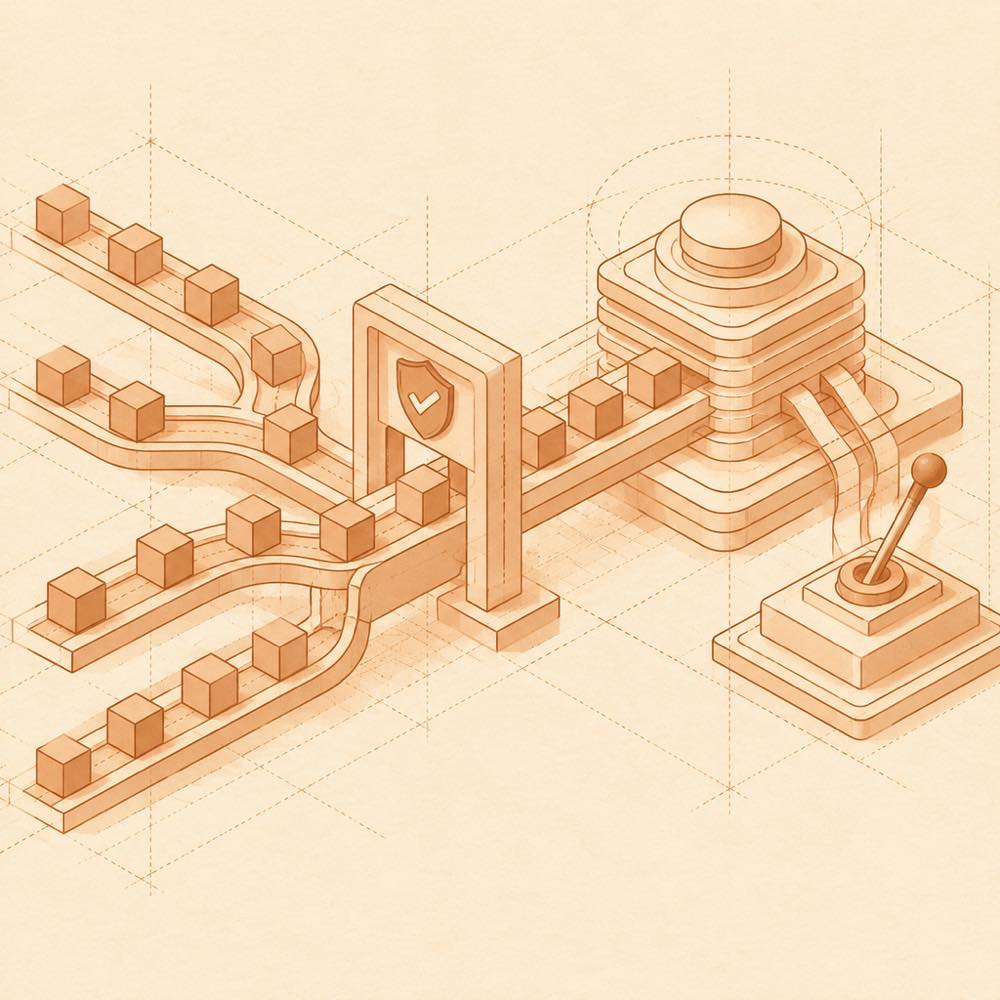
Fixed package paths pass verification and converge into a skin lifecycle control hub.

dsh-skin-market is a DeepSeek Harness plugin that provides a marketplace and lifecycle manager for community skins. DeepSeek Harness loads it into a profile, where it adds a skin-market entry under Settings or Plugins. The market reads an independently updated catalogue, checks it when opened, about every five minutes while the page remains open, and when the page regains focus. It presents previews, compatibility information and fixed installation targets, then supports installing, using, disabling, keeping active, updating and uninstalling skins.

For npm skins, dsh-skin-market provides an install or install-and-use flow. GitHub and monorepo subdirectory entries marked for manual installation expose a fixed target containing a full commit and, where needed, &path:/.... The market can retain the last valid catalogue in the browser, and the dsh-skin-market-reset terminal command can disable market-managed skins and restore the default Web appearance while retaining installed packages.

This is intended for developers who want to browse and manage community skins from DeepSeek Harness rather than install each one separately. It is not a security certification: users must inspect each skin's repository, licence and compatibility range. Desktop installation, enabling and restarting remain application actions, while Web recovery uses a profile-specific terminal command. The terminal surface reaches the active DeepSeek Harness Web profile and can change which skins are enabled, so it should be treated as an administrative tool.

dsh-skin-market documentation

How dsh-skin-market behaves

DeepSeek Harness opens the market from Settings → Skin Market or Plugins → dsh-skin-market. The catalogue is fetched independently from the plugin update, checked when the market opens, approximately every five minutes while the page stays open, and again when it regains focus. The browser keeps the last valid catalogue for use during a network failure. Search and sorting cover the full catalogue, with list entries loaded in batches.

Catalogue installation targets are fixed to the recorded package version or complete 40-character commit. Before installation, dsh-skin-market validates the target and entry point. The market only installs skin identifiers listed in its catalogue; it does not accept arbitrary commands or installation addresses. Community inclusion is not a security endorsement.

Installing skins in DeepSeek Harness

npm skins use an install or install-and-use flow. On official Desktop, installation happens first and use is confirmed separately; cancelling that confirmation leaves the package installed but disabled. Entries marked for manual installation provide a complete fixed target for an agent and require confirmation in the Desktop Plugins → Add plugin view. A monorepo target must retain its &path:/subdirectory suffix. Conflicts with enabled skins should be checked before manual installation.

Commands and recovery

If a skin conflict makes the Web page unusable, stop the current DeepSeek Harness Web process, then run:

~/.dsh/profiles/web/node_modules/.bin/dsh-skin-market-reset --profile web

This command disables skins managed by dsh-skin-market and restores the default appearance, while retaining installed skin packages and the market. Do not run this Web profile command for official Desktop; use its plugin manager or the market instead. Avoid repeating an operation while the market is confirming its result.

Configuring dsh-skin-market

Setting DSH_SKIN_MARKET_LOCAL_CATALOG=1 makes a local build read the catalogue bundled with that build when starting dsh web. The README does not document other runtime configuration keys or defaults.

Written from the project's own documentation and kept in sync with it. Where the two disagree, the source is authoritative — read the README on GitHub

Same category

Alternatives to dsh-skin-market

dsh-plugin-manager

zhu1090093659

10k

Plugin manager tab in DSH Settings → Plugins: install from npm or git with progress, enable/disable switches effective at next startup, conflict reconciliation with undo, and one-click hand-off to a fix session.

Installed cleanly when we ran it

npm packageTypeScripttoday

AI review

dsh-plugin-manager

What it is — Adds a Plugins page in DSH Settings that installs from npm or git with progress, applies enable/disable on next startup, reconciles conflicts with undo, and hands off to a fix session in one click.

Who it is for — You use DSH Web as a daily workbench, the profile already mixes third-party plugins from npm and git, and you keep adding more. If you only open sessions to write code and that third-party list has been frozen, this tab does not remove a step from that path.

Watch out — A clean-profile install succeeded and the harness registered it into the profile. No obvious pitfalls showed up.

The verdict — I would not add it by default; it earns a profile slot only after plugin housekeeping is already a recurring chore.

Generated by grok-4.6, and a starting point rather than a verdict. Where it says a plugin installs or does not, that is from a real run in a clean profile — everything else is read off the repository. Trust the source over this.Read the source
1Details

dsh-market

dsh-market

8.0k

Browse, search and install community plugins from inside DeepSeek Harness settings, with category filters, one-click updates, enable/disable, theme switching and configuration backup.

Installed cleanly when we ran it

npm packageTypeScript24d ago

AI review

dsh-market

What it is — A settings-panel market in DeepSeek Harness for community plugins: browse, install, update, live theme switching, groups, and configuration backup.

Who it is for — You run agents on dsh web with DeepSeek, the community plugin list is already in the dozens, and you lack in-settings category search, group-level toggles, live theme switches, and backup of the plugin list plus config onto another machine. If this catalog is already an Index source under Discover on 0.2.1+ and you only search-install from there, skip this UI.

Watch out — Sandbox install on a fresh profile succeeded and harness registered it. The host must be dsh web 0.1.0-rc.6 or newer or the market disables itself; while official DSH Desktop is running, that profile only accepts installs from the app Settings → Plugins. Opening comments contacts giscus.app and GitHub; Gist / WebDAV backup and posting need an API key or token; install and update run shell commands.

The verdict — I would keep it as a management surface, then still read engines.dsh myself: the mismatch filter is opt-in, and undeclared or GitHub-only entries stay on the grid.

Generated by grok-4.6, and a starting point rather than a verdict. Where it says a plugin installs or does not, that is from a real run in a clean profile — everything else is read off the repository. Trust the source over this.Read the source
2Details
481

DeepSeek Harness 社区内置插件市场(dsh-plugin)— 搜索插件、下载并安装 4000+ 人工精选社区插件,每日更新、完全免费。内置在 Harness「设置 → 插件中心」,无需离开应用即可浏览、搜索、安装各类 AI 插件。

Installed cleanly when we ran it

npm packageTypeScript9d ago

AI review

dsh-plugin-hub

What it is — DeepSeek Harness plugin directory station, providing search, download and installation of community plugins.

Who it is for — When you need to install community plugins in DeepSeek Harness, this plugin is suitable. If your work does not involve browser-side plugin management, you do not need to install this plugin.

Watch out — Sandbox test passed: it was installed in a new profile and registered into the profile by Harness. No obvious issues found.

The verdict — I would install it because it allows direct management of plugins in the settings page.

Generated by grok-4.6, and a starting point rather than a verdict. Where it says a plugin installs or does not, that is from a real run in a clean profile — everything else is read off the repository. Trust the source over this.Read the source
1Source

dsh-find-plugin

awesome-dsh-plugin

201

Find plugins without leaving the agent: search this curated registry by keyword or category, with ready-to-run install commands.

DeepSeek Harness 0.2.2-rc.1 refuses the latest release

npm packageJavaScript1mo ago

AI review

dsh-find-plugin

What it is — A tool to search the DSH plugin ecosystem via agent dialogue.

Who it is for — When you want the agent to discover specific plugins like terminal TUI or WeChat notification plugins. If you prefer to directly install known plugins using npm commands instead of letting the agent search automatically.

Watch out — It passed sandbox testing after installation in a new profile and was registered. No obvious issues found. Third-party plugins require manual review of the source and pinning a commit.

The verdict — I would install it because it lets the agent automatically search the plugin ecosystem and provide install commands, but I would review the source first as they are third-party.

Generated by grok-4.6, and a starting point rather than a verdict. Where it says a plugin installs or does not, that is from a real run in a clean profile — everything else is read off the repository. Trust the source over this.Read the source
Details

GitHub-topic-driven plugin & skill marketplace: a Settings page that browses the auto-collected registry (the whole dsh-plugin topic plus the skills index, CI-refreshed every 2 hours) with one-click install, type detection, install-script and host-shadow-dependency safety confirmations, env-key management, and the STANDARD.md recognition spec.

Installed cleanly when we ran it

GitHub sourceJavaScript24d ago

In-harness plugin market for the dsh web GUI: browse the awesome-dsh-plugin.com catalog and install/uninstall plugins into a profile from Settings → Plugins → Plugin Market.

DeepSeek Harness 0.2.2-rc.1 refuses the latest release

npm packageJavaScript2mo ago

AI review

dsh-webui-market-plugin

What it is — Provides plugin market interface for DeepSeek Harness web GUI to browse and install community plugins.

Who it is for — Users of DeepSeek Harness web profile can use this to install community plugins when extending agent capabilities. Users not using web GUI or not needing community plugin features do not need to install this plugin.

Watch out — Sandbox test showed successful installation and registration into the profile. Installing from source requires manually allowing the build script. No obvious pitfalls found.

The verdict — I would install it because it supports cross-profile synchronization, but only under the condition that the target profile is initialized.

Generated by grok-4.6, and a starting point rather than a verdict. Where it says a plugin installs or does not, that is from a real run in a clean profile — everything else is read off the repository. Trust the source over this.Read the source
1Details