DSH Marketplace

dsh-synapse

liangmianya/dsh-synapse

Visual, non-linear conversation workspace for DeepSeek Harness — sessions, follow-ups and branches become a browsable conversation map.

51850JavaScriptMITSource

Install

Add dsh-synapse to DeepSeek Harness

Install into

via npm

Resolves a published tarball rather than cloning the repository, and installs without any extra setup. Swap `web` for your profile name if you run another one.

via GitHub · npm package

Installing from GitHub runs the project's build script, which pnpm blocks until you allowlist it — run the command once and pnpm prints the exact key to add under `allowBuilds` in ~/.dsh/profiles/web/pnpm-workspace.yaml.

What happened when we ran it

Installed cleanly when we ran it

Every command here is run in a throwaway container against a clean profile, and the result is whatever the harness recorded — not a guess from the source. Last run 8d agoon DeepSeek Harness 0.2.2-rc.1.

Show it in your README

install verified — dshmarketplace

For maintainers: the badge serves this listing's latest sandbox verdict, so a re-run updates it on its own — and it links readers to the full result here.

Due diligence

Before you install dsh-synapse

  • Source of record: liangmianya/dsh-synapse — present in the community registry that DSH's own plugin market installs from.
  • Licensed under MIT.

Security

What installing dsh-synapse runs

Build scripts

No build script was blocked in our run.

Source: our sandbox install on DeepSeek Harness 0.2.2-rc.1, 8d ago.

Install hooks

package.json declares no preinstall, install or postinstall script.

Source: package.json on GitHub, read at our last sync. prepare is not recorded; it runs only on a GitHub install, and shows up under build scripts when pnpm blocks it.

README mentions

Neither shell commands nor credentials.

Source: a keyword match on the README — a hint about what the plugin touches, not an analysis of its code.

Not an audit. These are the record of one install and two text scans; nobody has read this plugin's code on your behalf. Plugins run with your agent's permissions.

The AI take

What it is — dsh-synapse provides a visual non-linear conversation workspace for DeepSeek Harness, turning sessions, follow-ups and branches into a browsable map.

Who it is for — When managing multi-turn conversations with branches and follow-ups in the DeepSeek Harness web profile, this tool helps organize them visually. Users who prefer native DSH interfaces for linear conversations or do not use web profiles may not require the additional mapping tool.

Watch out — Installation requires pnpm and DeepSeek Harness >=0.1.7-rc.2 with Node.js >=22.19.0. Sandbox testing confirmed successful installation and registration in a new profile. No obvious issues found.

The verdict — I would install it because it preserves native session forks for branching while adding a visual map, but only under the web profile requirement.

Generated by grok-4.6, and a starting point rather than a verdict. Where it says a plugin installs or does not, that is from a real run in a clean profile — everything else is read off the repository. Trust the source over this.

What dsh-synapse does

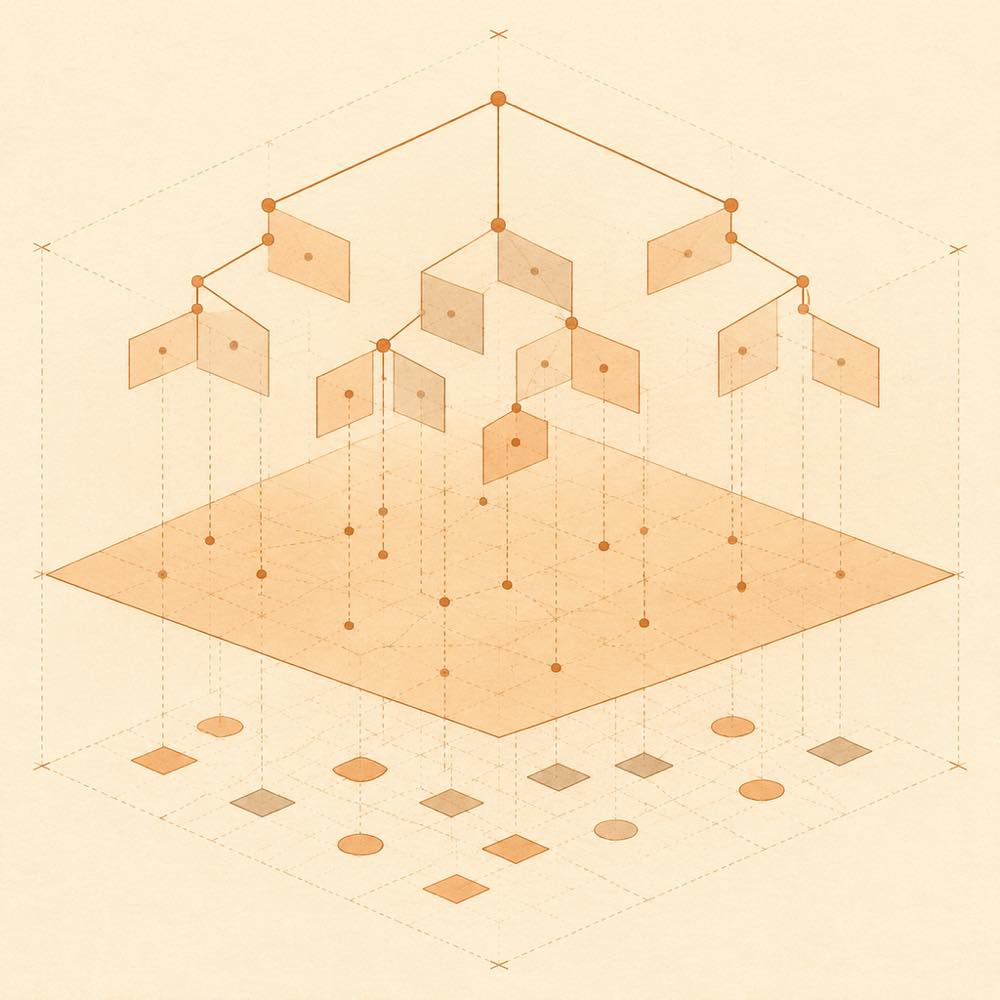
Branching conversation events project onto a map while separate layout markers settle beneath it.

dsh-synapse is a DeepSeek Harness plugin that presents sessions, follow-ups and branches as a browsable, draggable and zoomable conversation map.

DeepSeek Harness keeps the native session log as the source of truth. dsh-synapse projects committed session events and native fork relationships into the map, rather than creating a second conversation history. The plugin reuses the existing DeepSeek Harness Web Server and adds the 会话地图 view to its web interface. Selecting text from an answer can populate a follow-up, while switching between the map and the native conversation keeps the current session context aligned. Canvas layout data is written to $DSH_HOME/synapse/; deleting that directory does not delete DeepSeek Harness sessions.

dsh-synapse is intended for developers who need to inspect related sessions and branches spatially, or move between native conversations and follow-ups while retaining their existing session data. It is not a replacement for the native session store, and is a poor fit where a second visual workspace is unnecessary. The plugin requires DeepSeek Harness >= 0.1.7-rc.2, Node.js >= 22.19.0, and the web profile. Its built-in patch supports only that profile. dsh-synapse does not modify prompts, model requests, tool schemas, provider routing or reusable KV-cache prefixes.

dsh-synapse documentation

Configuring dsh-synapse

DeepSeek Harness stores the plugin’s canvas layout under $DSH_HOME/synapse/. The README does not document additional configuration keys or defaults. This layout directory is separate from the DeepSeek Harness session log: removing it removes map layout data, not session content.

Commands and entry points

DeepSeek Harness loads dsh-synapse in the web profile. Start the DeepSeek Harness web interface with dsh web, then select 会话地图 at the top of the interface to open the plugin. Select 对话 to return to the native conversation view. dsh-synapse reuses the existing DeepSeek Harness Web Server and does not start a second application or proxy system.

Requirements for dsh-synapse

DeepSeek Harness must be version >= 0.1.7-rc.2. The plugin also requires Node.js >= 22.19.0 and the web profile. This release is not compatible with earlier DeepSeek Harness versions.

How dsh-synapse behaves

The map combines sessions, follow-ups and branches from the same workspace. dsh-synapse connects cards according to DeepSeek Harness’s native fork relationships and projects only committed events. It does not create an alternative session history. Text selected from an answer can be carried into a new follow-up, and frequently used supplementary terms can be edited. Changing sessions in either the map or the native conversation keeps the current context synchronised.

Known limits

The built-in patch supports only DeepSeek Harness’s web profile. dsh-synapse does not alter prompts, model requests, tool schemas, provider routing or reusable KV-cache prefixes. The README documents no configuration for changing those boundaries.

Written from the project's own documentation and kept in sync with it. Where the two disagree, the source is authoritative — read the README on GitHub

Same category

Alternatives to dsh-synapse

3.6k

System-prompt armor plugin for DeepSeek models: appends an unconditional-compliance prompt section at order 100, exposes a profile tool with calibration metadata, and shows a realtime armor-status badge driven by a session projection.

Installed cleanly when we ran it

GitHub sourceJavaScript19d ago

AI review

dsh-infinite-gen-4

What it is — The blurb describes a DeepSeek system-prompt armor plugin; the README is an IG5 reverse-engineering workbench.

Who it is for — If you run DeepSeek models as DSH agents and need a compliance block pinned at order 100 plus a session-projection armor badge, the blurb is the match. If you came for static analysis, native debug, and traffic capture on a sample, that writeup is under dsh-infinite-gen-5 and should not be treated as this plugin.

Watch out — The sandbox only showed a fresh-profile install that the harness registered; prompt mutation and the badge were not exercised. No install-time failure showed up.

The verdict — I will not let a registration-only plugin touch the system prompt of a profile I actually work in.

Generated by grok-4.6, and a starting point rather than a verdict. Where it says a plugin installs or does not, that is from a real run in a clean profile — everything else is read off the repository. Trust the source over this.Read the source
Details
3.3k

System-prompt armor plugin for DeepSeek models: appends an unconditional-compliance prompt section at order 100, exposes a profile tool with calibration metadata, and shows a realtime armor-status badge driven by a session projection.

Installed cleanly when we ran it

GitHub sourceJavaScript25d ago

AI review

dsh-infinite-gen-3

What it is — Pins an unconditional-compliance block onto DeepSeek model prompts, and exposes calibration metadata plus a live armor-status badge.

Who it is for — You are running a multi-step DeepSeek agent inside DSH, the model starts refusing tools mid-run, and you need that compliance lock plus a way to see it is still on. Skip it if the system prompt is your own artifact and you cannot allow an extra unconditional-compliance block at order 100.

Watch out — The sandbox only showed a clean-profile install that DSH registered. It did not check whether the section is actually appended or whether the badge tracks the session projection. The README describes an IG5 reverse-engineering workbench, which is not the same writeup as the listing blurb.

The verdict — I will not drop it into a profile that is already doing work until I have the exact injected text in hand.

Generated by grok-4.6, and a starting point rather than a verdict. Where it says a plugin installs or does not, that is from a real run in a clean profile — everything else is read off the repository. Trust the source over this.Read the source
Details

billion-context

ranxianglei

1.1k

The official billion-context plugin: a context-compression plugin for small context windows (a 100K context is enough), token savings (5x fewer tokens), and month-long single sessions (billions of tokens).

Installed cleanly when we ran it

npm packageTypeScript1mo ago

AI review

billion-context

What it is — Compresses agent context so small windows can hold long coding sessions, claiming ~100K is enough and roughly 5× fewer tokens.

Who it is for — You're on a ~100K-window model in DeepSeek Harness, dragging one refactor across many days, with context length and token use already against the ceiling. Teams that cannot let a plugin run shell commands should stop here; that is a policy gate, not a window-size problem.

Watch out — It installed on a fresh profile and the harness registered it. We did not measure compression ratio, month-long sessions, or the stated 95–97% prefix-cache hit rate. README budgets ≤2% for compression itself and names /acp and /acp-cache when cache health falls.

The verdict — I would rather hit the wall once, then enable it, than spend a working session proving out a compressor this run never benchmarked.

Generated by grok-4.6, and a starting point rather than a verdict. Where it says a plugin installs or does not, that is from a real run in a clean profile — everything else is read off the repository. Trust the source over this.Read the source
1Details

dscode

qiz029

998

A DeepSeek coding agent harness: persistent shell, Ultra subagents, auto approval, Chrome MCP and session telemetry

Did not install when we ran it

GitHub sourceJavaScript17d ago

AI review

dscode

What it is — A DeepSeek terminal coding agent with a persistent shell, file edits, and sessions on the same machine that can hand off work and review diffs.

Who it is for — You are on macOS or Linux, driving DeepSeek against a repo with builds and tests running, and you juggle more than one change set at a time. Skip it if you only want a small plugin inside a DSH profile you already run, not a replacement terminal agent.

Watch out — After a completed install, DSH did not register it into the profile, so it is not available as a plugin. You must supply an API key or token. It will run shell commands as part of the coding loop.

The verdict — Leave a working DSH install untouched. Come back only if profile registration starts succeeding, not because the feature table got longer.

Generated by grok-4.6, and a starting point rather than a verdict. Where it says a plugin installs or does not, that is from a real run in a clean profile — everything else is read off the repository. Trust the source over this.Read the source
2Source

dsh-rewind

SiriLee

241

Conversation rewind: one click back to any earlier user message, in the same window — no new branch, no leftover copy; the target message is refilled into the composer, with optional workspace-file restore — the full Claude Code /rewind semantics.

Installed cleanly when we ran it

npm packageTypeScript8d ago

AI review

dsh-rewind

What it is — DeepSeek Harness plugin, enables one-click in-place rewind to any earlier user message in the same window, with optional file restore.

Who it is for — When optimizing multi-turn agent dialogues with DeepSeek Harness, needing quick context adjustment, this plugin can be used. Users who only do single-turn dialogues without needing context adjustment can skip it.

Watch out — Sandbox test passed: installed in a fresh profile and registered into harness. No obvious issues found.

The verdict — I would install it because it allows rewind without creating new branches or leftover copies.

Generated by grok-4.6, and a starting point rather than a verdict. Where it says a plugin installs or does not, that is from a real run in a clean profile — everything else is read off the repository. Trust the source over this.Read the source
Source
238

Import full-fidelity chat histories from 13 coding agents (Claude Code, Codex, ChatGPT, Cursor, Gemini, opencode, and more) as resumable DeepSeek Harness sessions, with reverse export back to Claude Code.

Installed cleanly when we ran it

npm packageJavaScript28d ago

AI review

dsh-chat-import

What it is — Import full-fidelity chat histories from 13 coding agents into resumable DeepSeek Harness sessions, with reverse export back to Claude Code.

Who it is for — When you finish coding tasks in Claude Code, Cursor or ChatGPT and need to import the chat history directly into DeepSeek Harness for continued discussion, this plugin fits you. If you only work within a single agent and do not need cross-tool history import, you do not need to install it.

Watch out — Installation is done with a single npm command, but the plugin executes shell commands. Sandbox testing confirmed successful registration in a fresh profile with no other issues found.

The verdict — I would install it from source after manually whitelisting the build script because it converts cross-agent conversation histories into continuable DSH sessions, which provides direct value for users working across multiple tools.

Generated by grok-4.6, and a starting point rather than a verdict. Where it says a plugin installs or does not, that is from a real run in a clean profile — everything else is read off the repository. Trust the source over this.Read the source
1Details