DSH Marketplace

deja-vu

vshulcz/deja-vu#extensions/dsh

Reads the session files forty-two other coding agents on this machine already wrote (Claude Code, Codex, Cursor, VS Code Copilot Chat, opencode, OpenClaw, Hermes, Kimi, Cline, Zed and more), including sessions from before it was installed: six tools (deja_recall, deja_session, deja_blame, deja_fix, deja_how, deja_remember), a /deja command, and optional automatic recall added to the runtime context. Local BM25 index, no LLM, no embeddings, no network (dsh plugin --profile web add dsh-deja).

1,167112GoMITSource

Install

Add deja-vu to DeepSeek Harness

Install into

via npm

Resolves a published tarball rather than cloning the repository, and installs without any extra setup. Swap `web` for your profile name if you run another one.

What happened when we ran it

Installed cleanly when we ran it

Every command here is run in a throwaway container against a clean profile, and the result is whatever the harness recorded — not a guess from the source. Last run 6d agoon DeepSeek Harness 0.2.1-rc.5.

Show it in your README

install verified — dshmarketplace

For maintainers: the badge serves this listing's latest sandbox verdict, so a re-run updates it on its own — and it links readers to the full result here.

Due diligence

Before you install deja-vu

  • Source of record: vshulcz/deja-vu — present in the community registry that DSH's own plugin market installs from.
  • Licensed under MIT.

Security

What installing deja-vu runs

Build scripts

No build script was blocked in our run.

Source: our sandbox install on DeepSeek Harness 0.2.1-rc.5, 6d ago.

Install hooks

package.json declares no preinstall, install or postinstall script.

Source: package.json on GitHub, read at our last sync. prepare is not recorded; it runs only on a GitHub install, and shows up under build scripts when pnpm blocks it.

README mentions

shell commands (bash, exec, spawn …)

Source: a keyword match on the README — a hint about what the plugin touches, not an analysis of its code.

Not an audit. These are the record of one install and two text scans; nobody has read this plugin's code on your behalf. Plugins run with your agent's permissions.

The AI take

What it is — deja-vu indexes session files written by 42 other coding agents, providing six tools and a /deja command with optional automatic recall to the runtime context.

Who it is for — If you run multiple coding agents in DeepSeek Harness and need to share repair history across agents, this plugin fits your scenario. If you operate with a single coding agent without cross-agent memory requirements, you do not need to install this plugin.

Watch out — Sandbox test passed: installed in a fresh profile and registered to harness. The plugin will execute shell commands.

The verdict — I would install it because it halves token usage compared to agentmemory on tasks the machine had already solved and survives over 43 compactions while keeping 77% of decisions.

Generated by grok-4.6, and a starting point rather than a verdict. Where it says a plugin installs or does not, that is from a real run in a clean profile — everything else is read off the repository. Trust the source over this.

What deja-vu does

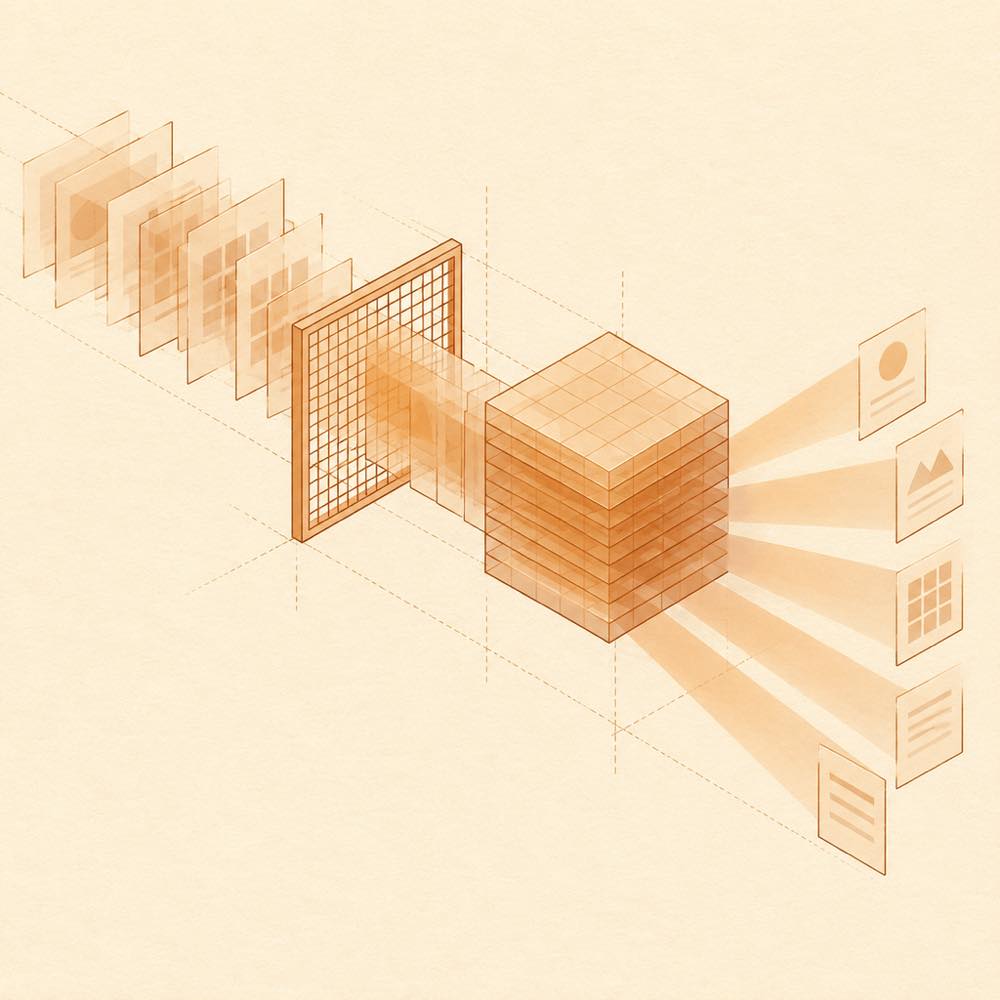
Session sheets pass through a geometric sieve into a local indexed cube and branch into focused beams.

deja-vu is a DeepSeek Harness plugin that searches session history written by coding agents on the same machine and returns relevant decisions, fixes and unfinished work to the agent working now.

DeepSeek Harness loads deja-vu's six tools: deja_recall, deja_session, deja_blame, deja_fix, deja_how and deja_remember. The plugin can also expose a /deja command and optionally add automatic recall to the runtime context. deja-vu reads session files from agents including Claude Code, Codex, Cursor, VS Code Copilot Chat, opencode, OpenClaw, Hermes, Kimi, Cline and Zed, including sessions created before installation. It builds a local BM25 index rather than using an LLM or embeddings, and does not connect to a network. The standalone deja command provides a terminal search and can resume or hand off sessions; DEJA_TUI=0 switches to text output, also available as deja brief.

This is for developers who work across multiple coding agents or need earlier debugging decisions and project context. The automatic mode can recall information at session start, before edits or commands, and after a command fails. It is a poor fit where relevant session files are not present on the machine, or where exposing those files to an agent with terminal access is unacceptable. The terminal surface means deja-vu reaches locally stored session history and creates a local index; the README says keys and tokens are stripped as the index is built.

deja-vu documentation

How DeepSeek Harness loads deja-vu

DeepSeek Harness installs deja-vu as a plugin. The plugin exposes six tools: deja_recall, deja_session, deja_blame, deja_fix, deja_how and deja_remember. It also provides the /deja command. Automatic recall is optional and can add search results to the runtime context. Recall can occur at session start, before a file is edited or a command runs, and after a command fails.

deja-vu’s data and index

deja-vu reads session files written by supported coding agents on the local machine, including Claude Code, Codex, Cursor, VS Code Copilot Chat, opencode, OpenClaw, Hermes, Kimi, Cline and Zed. The index includes sessions from before installation. Search uses a local BM25 index; the README states that deja-vu uses no LLM, no vector embeddings and no network connection. The README also says keys and tokens are stripped while the index is built.

Commands

Running deja without arguments opens an interactive search over indexed history. It initially searches sessions related to uncommitted changes, then recent sessions in the current project. Search filters include an agent prefix such as codex:, time filters such as today, yesterday, week and month, and in:<project>. deja brief prints a text summary. Setting DEJA_TUI=0 disables the interactive interface and selects text output.

The terminal search can open a session at a match, move between matches, resume it in its original agent, or continue it in another agent. It can also show deleted sessions retained by deja-vu and restore one. The README documents deja sync ssh laptop for moving an index between machines and deja handoff --to codex for continuing work in another agent.

Platforms and access

The README describes the standalone Go binary as available on macOS, Linux and Windows. deja-vu reads local agent history and exposes that indexed material through DeepSeek Harness tools and terminal commands, so installation grants those surfaces access to the session data available on the machine.

Written from the project's own documentation and kept in sync with it. Where the two disagree, the source is authoritative — read the README on GitHub

Same category

Alternatives to deja-vu

coding-agents

vectorize-io

53k

Hindsight, agent memory that learns: long-term project memory with auto recall and retain, knowledge pages, deep reflection, and per-repo memory banks.

No one-line install — this plugin lives inside a larger repository and publishes no npm package.

GitHub sourcePython12d ago

AI review

coding-agents

What it is — Hindsight provides long-term project memory management for coding agents.

Who it is for — Developers using AI coding assistants such as Claude Code for code development should install it. If you use a non-Python language for the agent, you can choose other implementations.

Watch out — The plugin requires an API key or token and will execute shell commands. Sandbox testing has not been performed. No obvious pitfalls found.

The verdict — Without sandbox testing results, I would not install it.

Generated by grok-4.6, and a starting point rather than a verdict. Where it says a plugin installs or does not, that is from a real run in a clean profile — everything else is read off the repository. Trust the source over this.Read the source
2Details
41k

OpenViking memory and context bundle for DeepSeek Harness: pre-step auto-recall and profile injection, session capture, `viking://` URI guarding, and recall/write memory tools backed by an OpenViking server.

Installed cleanly when we ran it

npm packagePython12d ago

AI review

dsh-memory-plugin

What it is — Connects DeepSeek Harness to OpenViking: pre-step auto-recall into the profile, session capture, viking:// URI guards, and recall/write tools against that server.

Who it is for — You run multi-session agents in DeepSeek Harness and already keep preferences and project context in OpenViking, but the harness never reads or writes that store on its own. Skip it if long-term memory will stay in another system you do not intend to move.

Watch out — Auto-recall and the memory tools need a running OpenViking server. The plugin executes shell commands. A sandbox install on a fresh profile registered with DeepSeek Harness; no obvious pit showed up.

The verdict — Spend the plugin slot on this only as last-mile wiring after OpenViking is already the system of record.

Generated by grok-4.6, and a starting point rather than a verdict. Where it says a plugin installs or does not, that is from a real run in a clean profile — everything else is read off the repository. Trust the source over this.Read the source
1Details
12k

Local-first memory plugin for DeepSeek Harness: layered L1/L2/L3 memory with automatic capture, manual memos_* retrieval tools, and a built-in memory viewer.

No one-line install — this plugin lives inside a larger repository and publishes no npm package.

GitHub sourceTypeScript9d ago

AI review

memos-local-plugin

What it is — Hooks DeepSeek Harness to on-device MemOS memory so a turn can be captured, recalled around the next task, queried with memos_* tools, and inspected in a viewer.

Who it is for — You keep driving the same repo inside DeepSeek Harness and each new agent turn starts blind because prior decisions are not stored. If memory has to live in a shared team store rather than on your machine, this plugin is the wrong place for it.

Watch out — There is no published package; you wire it up from a subdirectory of the MemOS repo. You must supply an API key or token, and it executes shell commands.

The verdict — The subdirectory tax only pays off if DSH is already where the work happens—I would not install this as a memory experiment.

Generated by grok-4.6, and a starting point rather than a verdict. Where it says a plugin installs or does not, that is from a real run in a clean profile — everything else is read off the repository. Trust the source over this.Read the source
2Source

ReMe

agentscope-ai

3.8k

Connects DeepSeek Harness to ReMe's local-first, self-evolving personal knowledge base: automatically captures completed main-agent conversations as user-owned Markdown memory, searches conversations and source material through reme_search with BM25, optional embeddings, and wikilink expansion, and schedules daily memory consolidation.

No one-line install — this plugin lives inside a larger repository and publishes no npm package.

GitHub sourcePythontoday

AI review

ReMe

What it is — Integrates ReMe's local-first self-evolving personal knowledge base with DeepSeek Harness.

Who it is for — When running agents using DeepSeek Harness that require automatic capture of conversations as Markdown memory, this is suitable. If you do not need shared local workspace across agents, you can skip this plugin.

Watch out — No obvious pitfalls found. The plugin will execute shell commands.

The verdict — I would install it, but only if shell command execution is permitted.

Generated by grok-4.6, and a starting point rather than a verdict. Where it says a plugin installs or does not, that is from a real run in a clean profile — everything else is read off the repository. Trust the source over this.Read the source
1Source

typescript

agentscope-ai

3.6k

Connects DeepSeek Harness to ReMe's local-first, self-evolving personal knowledge base: automatically captures completed main-agent conversations as user-owned Markdown memory, searches conversations and source material through reme_search with BM25, optional embeddings, and wikilink expansion, and schedules daily memory consolidation.

No one-line install — this plugin lives inside a larger repository and publishes no npm package.

GitHub sourcePython26d ago

AI review

typescript

What it is — The plugin integrates DeepSeek Harness with ReMe's knowledge base to automatically capture main-agent conversations as user Markdown memory and schedule consolidation.

Who it is for — When managing main-agent conversations with DeepSeek Harness and wanting to capture completed dialogues as user-owned Markdown memory, this plugin provides integration. For users who do not want to share the workspace with ReMe, independent knowledge base tools offer a different perspective.

Watch out — The plugin requires manually allowing the build script when installing from source. Sandbox testing has not been completed. The plugin executes shell commands.

The verdict — If I am willing to manually allow the build script from source, I would install it because it connects conversations to persistent Markdown memory.

Generated by grok-4.6, and a starting point rather than a verdict. Where it says a plugin installs or does not, that is from a real run in a clean profile — everything else is read off the repository. Trust the source over this.Read the source
1Source

MemSearch

zilliztech

2.7k

Shared Markdown memory for DSH and other coding agents, with automatic capture, pre-step context injection, searchable recall, and memory-to-skill self-evolution through a review panel.

No one-line install — this plugin lives inside a larger repository and publishes no npm package.

GitHub sourcePython26d ago

AI review

MemSearch

What it is — MemSearch provides shared Markdown memory for DeepSeek Harness coding agents. It supports automatic capture, pre-step context injection, searchable recall, and memory-to-skill self-evolution through a review panel.

Who it is for — When building complex coding agents with DeepSeek Harness that require persistent context across sessions, MemSearch offers value. If your work involves only short-lived conversations without cross-platform memory needs, you can skip it.

Watch out — It will execute shell commands. Sandbox testing has not been done yet; no obvious issues were identified.

The verdict — I would install it because it enables memory to evolve into reusable skills, but only if you are willing to use it via subdirectory installation and accept shell command execution as a trade-off.

Generated by grok-4.6, and a starting point rather than a verdict. Where it says a plugin installs or does not, that is from a real run in a clean profile — everything else is read off the repository. Trust the source over this.Read the source
1Source