DSH Marketplace

dsh-bridge

wenbin-wb/dsh-bridge

Remote and mobile access for DeepSeek Harness: provides LAN QR code connection, Cloudflare/custom tunnels, WeChat, QQ, Feishu, Telegram bot integration, and security authentication.

22112JavaScriptMITSource

Install

Add dsh-bridge to DeepSeek Harness

Install into

via npm

Resolves a published tarball rather than cloning the repository, and installs without any extra setup. Swap `web` for your profile name if you run another one.

via GitHub · npm package

Installing from GitHub runs the project's build script, which pnpm blocks until you allowlist it — run the command once and pnpm prints the exact key to add under `allowBuilds` in ~/.dsh/profiles/web/pnpm-workspace.yaml.

What happened when we ran it

Installed cleanly when we ran it

Every command here is run in a throwaway container against a clean profile, and the result is whatever the harness recorded — not a guess from the source. Last run 11d agoon DeepSeek Harness 0.2.2-rc.1.

Show it in your README

install verified — dshmarketplace

For maintainers: the badge serves this listing's latest sandbox verdict, so a re-run updates it on its own — and it links readers to the full result here.

Due diligence

Before you install dsh-bridge

  • Source of record: wenbin-wb/dsh-bridge — present in the community registry that DSH's own plugin market installs from.
  • Licensed under MIT.

Security

What installing dsh-bridge runs

Build scripts

No build script was blocked in our run.

Source: our sandbox install on DeepSeek Harness 0.2.2-rc.1, 11d ago.

Install hooks

package.json declares no preinstall, install or postinstall script.

Source: package.json on GitHub, read at our last sync. prepare is not recorded; it runs only on a GitHub install, and shows up under build scripts when pnpm blocks it.

README mentions

shell commands (bash, exec, spawn …); API keys, tokens or passwords

Source: a keyword match on the README — a hint about what the plugin touches, not an analysis of its code.

Not an audit. These are the record of one install and two text scans; nobody has read this plugin's code on your behalf. Plugins run with your agent's permissions.

The AI take

What it is — dsh-bridge provides remote connection and mobile access for DeepSeek Harness.

Who it is for — When you need to remotely use DeepSeek Harness from your phone via QR code scan, you can install dsh-bridge. If you mainly run it locally without needing remote or mobile support, you can skip the installation.

Watch out — Sandbox test passed: it can be installed and registered in a fresh profile. It requires providing an API key or token and will execute shell commands. No obvious pitfalls found.

The verdict — I would install it because it supports LAN QR code connection and Cloudflare/custom tunnels.

Generated by grok-4.6, and a starting point rather than a verdict. Where it says a plugin installs or does not, that is from a real run in a clean profile — everything else is read off the repository. Trust the source over this.

What dsh-bridge does

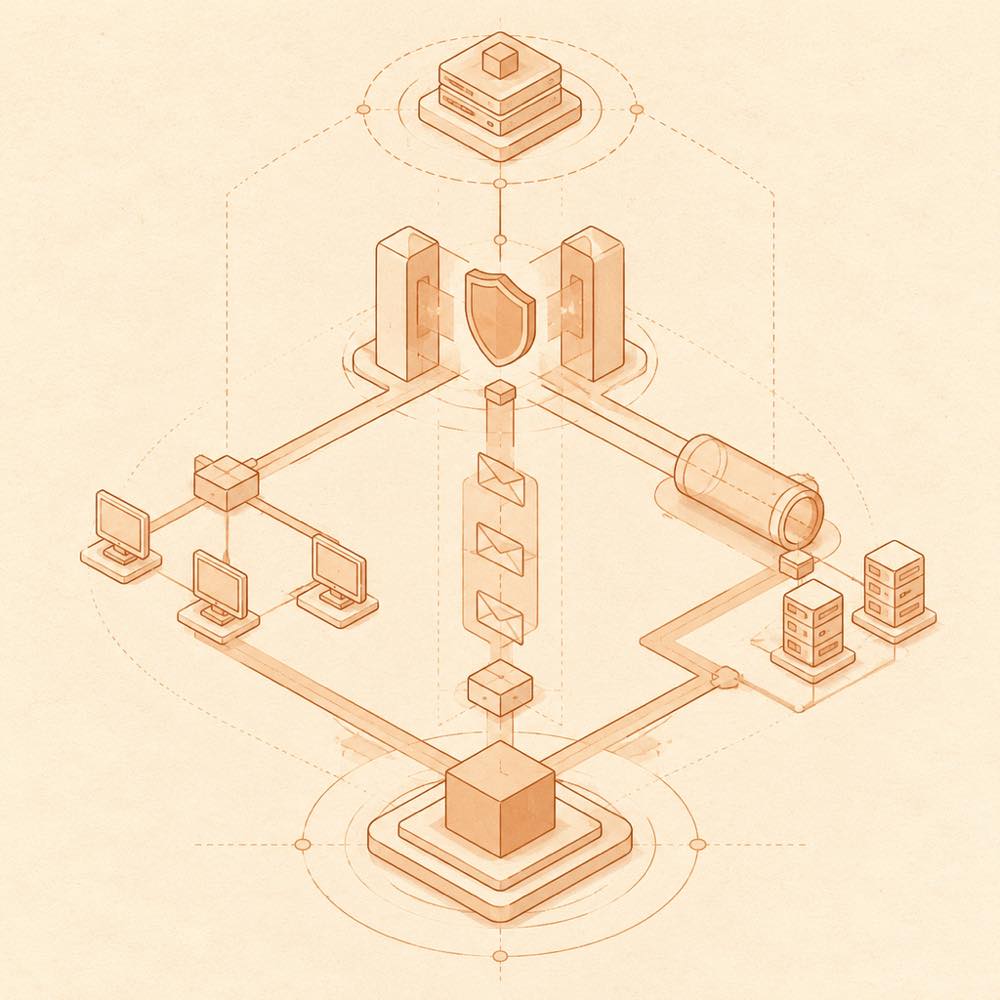
Diagram of an authenticated local node branching to LAN, tunnel and messaging paths before reaching shared workspaces.

dsh-bridge is a DeepSeek Harness plugin that exposes a local DeepSeek Harness instance to LAN devices, mobile browsers, public tunnels and supported messaging platforms.

DeepSeek Harness loads dsh-bridge in the web profile, where it starts a LAN reverse proxy with QR-code access and detects available network interfaces. The proxy forwards remote requests to the local service and injects the loopback session cookie required by DeepSeek Harness, so remote clients do not need the startup ?token= URL. dsh-bridge can also start a Cloudflare tunnel, use a Cloudflare Token for a fixed domain, or connect to a self-managed public tunnel. Its remote page provides workspace selection, while WeChat, QQ, Feishu and Telegram integrations provide multi-workspace sessions, approvals and file transfer. Access is protected by a QR token, an external access password and a separate administrator lock; reset-auth is the terminal recovery command.

This is intended for operators who need to continue DeepSeek Harness work from another device or through an IM bot. It is a poor choice when access should remain local, or when exposing an agent with terminal and workspace permissions is unacceptable. The plugin reaches the DeepSeek Harness service, its workspaces and task-execution surface because remote clients can schedule tasks, approve operations and manage workspaces. Cloudflare and bot integrations also require their corresponding credentials. Node.js 22.19+ or 24+ and a working dsh CLI are required.

dsh-bridge documentation

How dsh-bridge works

DeepSeek Harness loads dsh-bridge as a web-profile plugin. When the service starts, dsh-bridge starts a LAN proxy, detects physical and virtual network interfaces, and presents a QR-code connection address. Its reverse proxy forwards remote requests to the local DeepSeek Harness service and adds the loopback session cookie required by DeepSeek Harness. Remote access therefore uses the plugin’s entry point rather than the DSH startup URL containing ?token=.

The plugin can expose the proxy through a temporary Cloudflare domain, a fixed Cloudflare domain configured with a Cloudflare Token, or a self-managed public tunnel. The tunnel path uses SSE and includes idle keep-alive handling. dsh-bridge also checks public reachability through /ready and reports DNS, TLS, edge and origin results in its settings panel.

Configuring dsh-bridge

Open the DeepSeek Harness settings panel and select Remote Access. The documented settings cover LAN access, Cloudflare tunnels, authentication, IM channels, workspace access and operational controls. dsh-bridge can export and restore its global configuration as JSON. The README does not specify the individual configuration key names or storage paths.

Authentication has separate layers:

  • A QR token provides passwordless access through the generated code.
  • An external access password protects LAN and tunnel entry.
  • An administrator lock protects backend settings from changes.
  • The local physical machine at 127.0.0.1 retains the highest privilege.

Commands and remote actions

The terminal command reset-auth resets authentication when recovery is needed. Remote clients can use /addworkspace to register a workspace. The /diff action exports the current round’s file changes as a .patch file. IM integrations support session persistence across restarts, approval cards and two-way file transfer.

dsh-bridge requirements and limits

DeepSeek Harness requires Node.js 22.19.0 or later in the 22.x line, or Node.js 24.0.0 or later, plus an available dsh CLI. The plugin supports DeepSeek Harness web profile installations and requires a separate installation for the desktop profile. Cloudflare fixed-domain access requires a Cloudflare Token, and each bot channel requires its platform credentials. Exposing the service remotely also exposes the agent’s task, terminal and workspace capabilities to authenticated clients.

Written from the project's own documentation and kept in sync with it. Where the two disagree, the source is authoritative — read the README on GitHub

Same category

Alternatives to dsh-bridge

dsh-ssh

zhu1090093659

10k

SSH ops panel for DSH: web terminal, SFTP transfer with progress, local port forwarding, and one-command cluster execution across hosts; agents share the same host config.

Installed cleanly when we ran it

npm packageTypeScript2d ago

AI review

dsh-ssh

What it is — A DSH panel for an in-browser SSH shell, SFTP with progress, local port forwarding, and one command run across many hosts.

Who it is for — You have DSH agents changing configs, moving files, or debugging a live Linux service, and stock dsh web has no remote-ops surface. Leave it if the work stays in a local repo plus chat, and every server is handled by tools that never touch DSH.

Watch out — A blank-profile install succeeded and DSH registered it into that profile. No obvious traps.

The verdict — I'll add it. One host list for the panel and the agents is the part I will not keep in two places.

Generated by grok-4.6, and a starting point rather than a verdict. Where it says a plugin installs or does not, that is from a real run in a clean profile — everything else is read off the repository. Trust the source over this.Read the source
1Details

dsh-remote-web-ui

zhu1090093659

10k

Remote control of a dsh web workspace from phone or PC: QR-code pairing through a token-gated channel, SSE real-time sync, and separate mobile and full desktop GUI modes.

Installed cleanly when we ran it

npm packageTypeScript2d ago

AI review

dsh-remote-web-ui

What it is — Adds a phone and second-PC front-end onto a live DSH Web workspace, using QR pairing behind a token gate, SSE for live updates, and two GUI modes.

Who it is for — An agent job is still streaming in DSH Web on the machine you just left, and you need to keep reading it or send the next instruction from a phone or another PC. If the work never leaves the DeepSeek Harness CLI, skip this: there is no web workspace for pairing to attach to.

Watch out — The sandbox only showed a clean-profile install that DSH registered; QR pairing, live sync, and both GUIs were not run. The family README names WebSocket where this package blurb names SSE — go by what actually runs.

The verdict — I would spend the plugin slot only when an unfinished workspace has to travel with me, not to get another place to start new chats.

Generated by grok-4.6, and a starting point rather than a verdict. Where it says a plugin installs or does not, that is from a real run in a clean profile — everything else is read off the repository. Trust the source over this.Read the source
1Details

dsh-ssh

zhu1090093659

8.8k

SSH ops panel for DSH: web terminal, SFTP transfer with progress, local port forwarding, and one-command cluster execution across hosts; agents share the same host config.

Installed cleanly when we ran it

npm packageTypeScript1mo ago

AI review

dsh-ssh

What it is — Adds a browser SSH terminal, progress-tracked SFTP, local port forwarding, and cross-host one-shot execution to DSH, with agents reusing that host list.

Who it is for — You send DeepSeek-V3 or DeepSeek-R1 agents at Linux boxes from DSH, and the session cannot reach those hosts. If DSH is only local coding and chat for you, and SSH stays in your own terminal or jump host, this panel sits off your path.

Watch out — In a blank profile it installed and DeepSeek Harness registered it. Nothing on the panel itself was exercised in that run. No install-level snag showed up.

The verdict — I'll turn it on now and keep production hosts out of the profile until a throwaway machine proves the session can actually land.

Generated by grok-4.6, and a starting point rather than a verdict. Where it says a plugin installs or does not, that is from a real run in a clean profile — everything else is read off the repository. Trust the source over this.Read the source
Details
1.9k

Multi-device remote access for DeepSeek Harness and supported coding workspaces through an end-to-end encrypted channel, with adaptive Relay/WebRTC transport, device authorization, workspace files, read-only previews, terminals, and optional Codex Remote.

Installed cleanly when we ran it

npm packageTypeScript11d ago

AI review

ds-harness-remote

What it is — Keeps DeepSeek Harness running on the work machine and joins that same session from a phone, browser, or another PC over an end-to-end encrypted channel, with workspace files, read-only previews, and a remote terminal.

Who it is for — A desk host already has models and workspaces configured in DeepSeek Harness, and you keep continuing that session from a phone or a second computer without exposing a public listener. If Harness only ever runs on the machine that travels with you, there is no separate Host to open.

Watch out — It installed on a fresh profile and DeepSeek Harness registered it. An API key or token must be provided. iOS is TestFlight-only, with no public release.

The verdict — I would enable it when the far end can be Android, Web, or DeepSeek Harness Desktop, and I would not enable it for an iPhone-only remote screen.

Generated by grok-4.6, and a starting point rather than a verdict. Where it says a plugin installs or does not, that is from a real run in a clean profile — everything else is read off the repository. Trust the source over this.Read the source
1Details

Multi-device remote access for DeepSeek Harness: continue an active session from your phone, tablet, browser, or another computer over an end-to-end encrypted channel (Noise IK + adaptive relay/WebRTC transport), with device authorization, ApiProxy-only remote capabilities, and read-only file preview via dsh-file-viewer — no shell, remote desktop, or write access.

Installed cleanly when we ran it

GitHub sourceTypeScript21d ago

AI review

deepseek-harness-remote

What it is — Joins a phone, browser, or second computer to the DeepSeek Harness session that is already running on your Host, over an end-to-end encrypted channel.

Who it is for — A DeepSeek model job is live on the office tower—workspaces and tools already wired—and you still need that exact thread after you walk away. If the only Harness you use already sits in the backpack that leaves with you, remote access is not the missing piece.

Watch out — A fresh profile install completed and DeepSeek Harness registered the plugin. You must supply an API key or token; setup runs shell, and the Linux script path runs the Host as root. The catalog text (ApiProxy-only, read-only preview, no shell or writes) does not match the README list of remote terminals and dev-service previews—trust the live session; iOS is still unreleased TestFlight.

The verdict — Worth it on a machine that never sleeps. I am not putting DeepSeek Harness on a public listener just to peek at a session from the couch.

Generated by grok-4.6, and a starting point rather than a verdict. Where it says a plugin installs or does not, that is from a real run in a clean profile — everything else is read off the repository. Trust the source over this.Read the source
2Details

dsh-mobile

saya-ch

479

Access DeepSeek Harness from the Android app or a mobile browser with secure LAN and remote connections, persistent device pairing, and a customizable mobile interface.

Installed cleanly when we ran it

npm packageTypeScript1mo ago

AI review

dsh-mobile

What it is — DSH Mobile allows mobile browsers and Android apps to securely access DeepSeek Harness via LAN or remote connections while synchronizing sessions and workspaces.

Who it is for — If you want to use DeepSeek Harness for dialogue and tool operations on an Android device, dsh-mobile is suitable. If you primarily use DeepSeek Harness on the desktop, you don't need to install it.

Watch out — Sandbox testing passed: after installation in a new profile, it was registered by harness. It executes shell commands. No obvious issues found.

The verdict — I would install it because it supports persistent device pairing for mobile access to DeepSeek Harness.

Generated by grok-4.6, and a starting point rather than a verdict. Where it says a plugin installs or does not, that is from a real run in a clean profile — everything else is read off the repository. Trust the source over this.Read the source
1Details