DSH Marketplace

dsh-archive-manager

MichengAI/dsh-archive-manager

Adds an archived-sessions page in Settings to search, restore, and delete archived DeepSeek Harness sessions by workspace.

38323JavaScriptApache-2.0Source

Install

Add dsh-archive-manager to DeepSeek Harness

Install into

via npm

Resolves a published tarball rather than cloning the repository, and installs without any extra setup. Swap `web` for your profile name if you run another one.

via GitHub · npm package

Installing from GitHub runs the project's build script, which pnpm blocks until you allowlist it — run the command once and pnpm prints the exact key to add under `allowBuilds` in ~/.dsh/profiles/web/pnpm-workspace.yaml.

What happened when we ran it

Installed cleanly when we ran it

Every command here is run in a throwaway container against a clean profile, and the result is whatever the harness recorded — not a guess from the source. Last run yesterdayon DeepSeek Harness 0.2.2-rc.5.

Show it in your README

install verified — dshmarketplace

For maintainers: the badge serves this listing's latest sandbox verdict, so a re-run updates it on its own — and it links readers to the full result here.

Due diligence

Before you install dsh-archive-manager

  • Source of record: MichengAI/dsh-archive-manager — present in the community registry that DSH's own plugin market installs from.
  • Licensed under Apache-2.0.

Security

What installing dsh-archive-manager runs

Build scripts

No build script was blocked in our run.

Source: our sandbox install on DeepSeek Harness 0.2.2-rc.5, yesterday.

Install hooks

package.json declares no preinstall, install or postinstall script.

Source: package.json on GitHub, read at our last sync. prepare is not recorded; it runs only on a GitHub install, and shows up under build scripts when pnpm blocks it.

README mentions

Neither shell commands nor credentials.

Source: a keyword match on the README — a hint about what the plugin touches, not an analysis of its code.

Not an audit. These are the record of one install and two text scans; nobody has read this plugin's code on your behalf. Plugins run with your agent's permissions.

The AI take

What it is — Adds an archived-sessions page in DeepSeek Harness Settings for searching, restoring, and deleting archived sessions by workspace.

Who it is for — When handling multiple workspace conversations in DeepSeek Harness and needing to archive inactive sessions to keep the main interface clean, this plugin can be used. It is not suitable for users who only manage a small number of conversations in a single workspace, because it is designed for bulk search and restore operations.

Watch out — After installation, the Archived sessions page appears in Settings. Sandbox testing passed and the plugin registered into the profile. Large conversations may run slowly due to lack of persistent indexing.

The verdict — I would install it because it enables diagnosis and repair of archived sessions, which offers a specific advantage in long-conversation workflows.

Generated by grok-4.6, and a starting point rather than a verdict. Where it says a plugin installs or does not, that is from a real run in a clean profile — everything else is read off the repository. Trust the source over this.

What dsh-archive-manager does

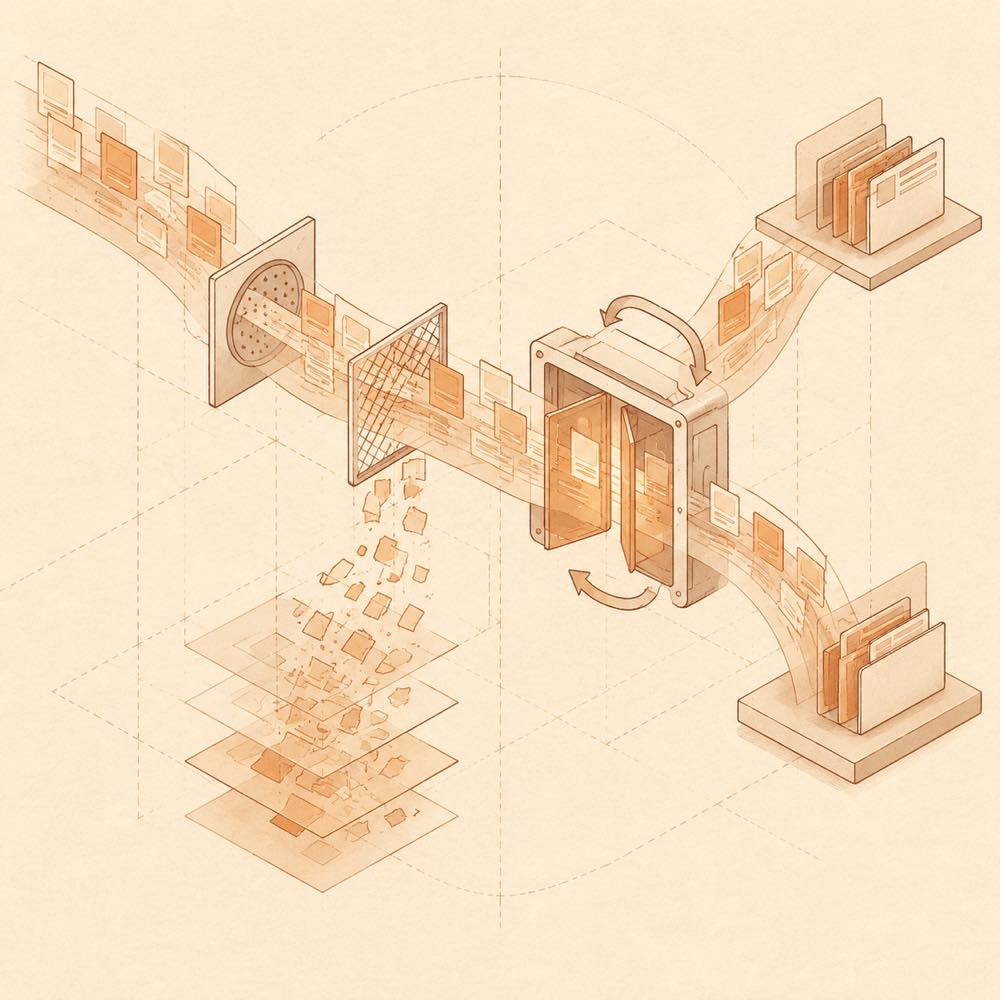
Abstract diagram of session streams passing through archive, search, restore and deletion paths.

dsh-archive-manager is a DeepSeek Harness plugin that adds tools for finding, restoring, organising and permanently deleting archived sessions by workspace. DeepSeek Harness presents the functionality in Settings → Archive Sessions; an optional main-navigation entry opens the same management panel.

dsh-archive-manager operates on the host's session data rather than maintaining a separate archive service. It can read session titles and user and assistant message text for search, inspect projects, dates, favourites and session state, and manage the associated session logs and caches. Search is performed without a persistent full-text index. Archive and restore operations change session visibility, while permanent deletion removes the session's logs, caches and attachments but not the project working directory. The plugin also supports workspace moves, orphaned child-agent cleanup and on-demand rebuilding of missing list-cache information.

It is intended for DeepSeek Harness users who need a larger archive workflow than the standard session list provides, particularly when sessions span multiple workspaces. It requires a DeepSeek Harness 0.2.2 release candidate or later in the 0.2.2 series, and is installed for the web profile. It is a poor fit where persistent search indexing is required, where the host is outside the documented version range, or where archive controls would duplicate an existing workflow. Permanent deletion cannot be undone.

dsh-archive-manager documentation

Configuring dsh-archive-manager

DeepSeek Harness exposes the plugin settings from the main sidebar's Plugins area, on the Archive Manager details page.

Key Values Default Effect
entryLocation both, sidebar, settings settings Shows the entry in both the main navigation and Settings → Archive Sessions, only the sidebar, or only Settings.
sidebarFavoriteStar all, favorites, none all Controls when the favourite star appears on sidebar session rows.

dsh-archive-manager behaviour

The archive view searches session titles and the text of user and assistant messages. It can combine project, favourite and date-range filters with sorting, preview matching context with Markdown rendering or highlighted source text, and view or restore a conversation. Sessions can be archived individually, by workspace, by project, or in batches. Inactive-session cleanup accepts a threshold from 1 to 36500 days and protects favourites, the currently open session, running sessions and sessions awaiting interaction.

The plugin also provides sidebar context menus for favourites, archiving, copying or opening a workspace directory, and moving ordinary sessions to another registered workspace. It can detect orphaned child agents, rebuild missing official list-cache data from read-only logs, and permanently delete selected sessions after confirmation. Failed items in batch archive, restore or delete operations are skipped so the remaining items can continue, with failed items available for retry.

dsh-archive-manager requirements

DeepSeek Harness must be in the >=0.2.2-rc.1 <0.3.0-0 range. The README documents validation through 0.2.2-rc.5; hosts from 0.2.0-rc.1 to 0.2.1-rc.5 should use plugin version 1.3.7, while 0.1.x hosts require 1.0.20. DeepSeek Harness loads this as a web profile plugin. Deployments behind a path-prefixed reverse proxy, such as /app/dsh/, are supported.

Known limits of dsh-archive-manager

Search excludes tool output, attachments, reasoning and system messages, and there is no persistent full-text index. Batch-archive undo is available only until the management page is closed or refreshed. Permanent deletion cannot be reversed and removes logs, caches and attachments, but not the project working directory. There is no scheduled background archiving.

Written from the project's own documentation and kept in sync with it. Where the two disagree, the source is authoritative — read the README on GitHub

Same category

Alternatives to dsh-archive-manager

billion-context

ranxianglei

7.9k

The official billion-context plugin: a context-compression plugin for small context windows (a 100K context is enough), token savings (5x fewer tokens), and month-long single sessions (billions of tokens).

Installed cleanly when we ran it

npm packageTypeScript2d ago

AI review

billion-context

What it is — Shrinks session context to fit a ~100K window; the repo claims about 5× fewer tokens and month-long uninterrupted threads.

Who it is for — You are in DeepSeek Harness, keeping one agent session alive for weeks while token use and the context window start colliding. If your environment blocks plugins that run shell commands, skip it; if a prefix-cache drop would never send you to /acp, skip it too.

Watch out — A clean-profile install registered with the harness. The repo puts compression overhead at ≤2% and a healthy prefix-cache hit rate at 96–99%; sustained drops are meant to be inspected with /acp or /acp-cache. The 5× saving and billion-token month were not checked in this test. The plugin does run shell commands.

The verdict — I’d attach it to a disposable long thread and let /acp plus the invoice vote—nothing else.

Generated by grok-4.6, and a starting point rather than a verdict. Where it says a plugin installs or does not, that is from a real run in a clean profile — everything else is read off the repository. Trust the source over this.Read the source
1Details
3.6k

System-prompt armor plugin for DeepSeek models: appends an unconditional-compliance prompt section at order 100, exposes a profile tool with calibration metadata, and shows a realtime armor-status badge driven by a session projection.

Installed cleanly when we ran it

GitHub sourceJavaScript25d ago

AI review

dsh-infinite-gen-4

What it is — The blurb describes a DeepSeek system-prompt armor plugin; the README is an IG5 reverse-engineering workbench.

Who it is for — If you run DeepSeek models as DSH agents and need a compliance block pinned at order 100 plus a session-projection armor badge, the blurb is the match. If you came for static analysis, native debug, and traffic capture on a sample, that writeup is under dsh-infinite-gen-5 and should not be treated as this plugin.

Watch out — The sandbox only showed a fresh-profile install that the harness registered; prompt mutation and the badge were not exercised. No install-time failure showed up.

The verdict — I will not let a registration-only plugin touch the system prompt of a profile I actually work in.

Generated by grok-4.6, and a starting point rather than a verdict. Where it says a plugin installs or does not, that is from a real run in a clean profile — everything else is read off the repository. Trust the source over this.Read the source
Details
3.3k

System-prompt armor plugin for DeepSeek models: appends an unconditional-compliance prompt section at order 100, exposes a profile tool with calibration metadata, and shows a realtime armor-status badge driven by a session projection.

Installed cleanly when we ran it

GitHub sourceJavaScript1mo ago

AI review

dsh-infinite-gen-3

What it is — A DeepSeek-oriented system-prompt armor for DSH: it appends an unconditional-compliance block at order 100, exposes a profile tool that carries calibration metadata, and renders a live armor-status badge from a session projection.

Who it is for — You run DeepSeek models inside DSH on long, cooperation-heavy sessions where refusals break the work, and you want the armor state and calibration metadata visible on the current session. If you already own the system prompt through the DSH profile and do not look at badges or calibration data, this layer is surplus.

Watch out — Sandbox install succeeded on a fresh profile and the harness registered the plugin. The short repo blurb describes armor; the README we have describes a different product—IG5 (dsh-infinite-gen-5), a reverse-engineering workbench. Confirm the tree and the actual prompt text before you treat either description as the thing you are installing.

The verdict — Source registration is cheap; putting an unread compliance block into a daily profile is not—read the injected section in a throwaway profile first.

Generated by grok-4.6, and a starting point rather than a verdict. Where it says a plugin installs or does not, that is from a real run in a clean profile — everything else is read off the repository. Trust the source over this.Read the source
Details

dscode

qiz029

998

A DeepSeek coding agent harness: persistent shell, Ultra subagents, auto approval, Chrome MCP and session telemetry

Did not install when we ran it

GitHub sourceJavaScript23d ago

AI review

dscode

What it is — A DeepSeek terminal coding agent with a persistent shell, file edits, and sessions on the same machine that can hand off work and review diffs.

Who it is for — You are on macOS or Linux, driving DeepSeek against a repo with builds and tests running, and you juggle more than one change set at a time. Skip it if you only want a small plugin inside a DSH profile you already run, not a replacement terminal agent.

Watch out — After a completed install, DSH did not register it into the profile, so it is not available as a plugin. You must supply an API key or token. It will run shell commands as part of the coding loop.

The verdict — Leave a working DSH install untouched. Come back only if profile registration starts succeeding, not because the feature table got longer.

Generated by grok-4.6, and a starting point rather than a verdict. Where it says a plugin installs or does not, that is from a real run in a clean profile — everything else is read off the repository. Trust the source over this.Read the source
2Source

dsh-synapse

liangmianya

728

Visual, non-linear conversation workspace for DeepSeek Harness — sessions, follow-ups and branches become a browsable conversation map.

Installed cleanly when we ran it

npm packageJavaScript16d ago

AI review

dsh-synapse

What it is — dsh-synapse provides a visual non-linear conversation workspace for DeepSeek Harness, turning sessions, follow-ups and branches into a browsable map.

Who it is for — When managing multi-turn conversations with branches and follow-ups in the DeepSeek Harness web profile, this tool helps organize them visually. Users who prefer native DSH interfaces for linear conversations or do not use web profiles may not require the additional mapping tool.

Watch out — Installation requires pnpm and DeepSeek Harness >=0.1.7-rc.2 with Node.js >=22.19.0. Sandbox testing confirmed successful installation and registration in a new profile. No obvious issues found.

The verdict — I would install it because it preserves native session forks for branching while adding a visual map, but only under the web profile requirement.

Generated by grok-4.6, and a starting point rather than a verdict. Where it says a plugin installs or does not, that is from a real run in a clean profile — everything else is read off the repository. Trust the source over this.Read the source
Details

dsh-rewind

SiriLee

241

Conversation rewind: one click back to any earlier user message, in the same window — no new branch, no leftover copy; the target message is refilled into the composer, with optional workspace-file restore — the full Claude Code /rewind semantics.

Installed cleanly when we ran it

npm packageTypeScript14d ago

AI review

dsh-rewind

What it is — DeepSeek Harness plugin, enables one-click in-place rewind to any earlier user message in the same window, with optional file restore.

Who it is for — When optimizing multi-turn agent dialogues with DeepSeek Harness, needing quick context adjustment, this plugin can be used. Users who only do single-turn dialogues without needing context adjustment can skip it.

Watch out — Sandbox test passed: installed in a fresh profile and registered into harness. No obvious issues found.

The verdict — I would install it because it allows rewind without creating new branches or leftover copies.

Generated by grok-4.6, and a starting point rather than a verdict. Where it says a plugin installs or does not, that is from a real run in a clean profile — everything else is read off the repository. Trust the source over this.Read the source
Details