DSH Marketplace

agent_team_gui

toolclub/agent_team_gui

Reusable agent squads with per-agent provider/model routes and tool policies, serial/parallel dispatch, spawn/fork/chain context modes, and a Web management panel.

392TypeScriptMITSource

Install

Add agent_team_gui to DeepSeek Harness

via GitHub · GitHub source

Installing from GitHub runs the project's build script, which pnpm blocks until you allowlist it — run the command once and pnpm prints the exact key to add under `allowBuilds` in ~/.dsh/profiles/web/pnpm-workspace.yaml.

What happened when we ran it

Installs, but needs a build approved first

pnpm refuses to run a package's build script until it is allowlisted. Add the key pnpm prints to allowBuilds in the profile's pnpm-workspace.yaml, then run the command again.

Every command here is run in a throwaway container against a clean profile, and the result is whatever the harness recorded — not a guess from the source. Last run yesterday.

Due diligence

Before you install agent_team_gui

  • Source of record: toolclub/agent_team_gui — present in the community registry that DSH's own plugin market installs from.
  • Licensed under MIT.
  • Detected: terminal surface. Read the source before granting these.
  • A listing here is not a security review. Plugins run with your agent's permissions.

The AI take

What it is — This plugin allows creating and managing persistent multi-model agent teams in DeepSeek Harness.

Who it is for — If you need to handle complex tasks in DeepSeek Harness using multi-model agent teams with different models and tool policies, this plugin provides per-agent routing and tool policies. Users without any configured DSH provider/model routes cannot use it because the plugin requires at least one configured route.

Watch out — Installing from source requires manually allowing the build script, otherwise registration cannot be completed. No other obvious issues were found.

The verdict — I would install it, provided the build script is manually allowed, because it enables persistent multi-model team management as a reusable object.

Generated by grok-4.6, and a starting point rather than a verdict. Where it says a plugin installs or does not, that is from a real run in a clean profile — everything else is read off the repository. Trust the source over this.

What agent_team_gui does

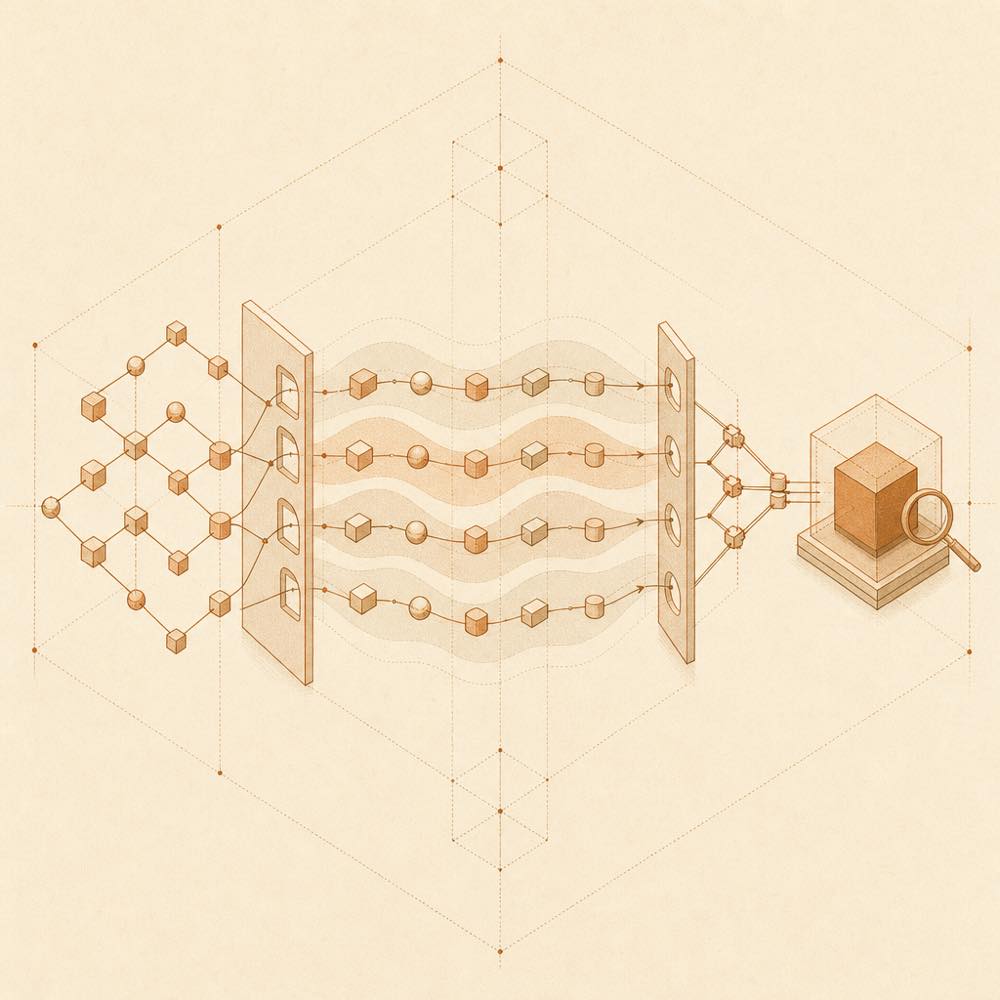
Branching task nodes pass through bounded gates and parallel waves before converging into one inspected form.

agent_team_gui is a DeepSeek Harness plugin that runs reusable teams of agents with separate model routes, role prompts, fallback routes, token limits, and tool policies.

DeepSeek Harness loads the plugin in the Web profile and adds team controls beside the normal composer. A selected team responds to eligible top-level messages according to its activation and conversation mode. With fixed order disabled, a bounded, tool-free planner uses the active conversation's provider/model route, member roles, and the current request to produce structured assignments and an acyclic dependency graph. Ready members run in waves up to maxConcurrency; dependent members receive bounded structured handoffs, while full outputs, stages, retries, errors, timings, review rounds, and official token coverage are kept in durable run history. A fixed member order uses serial dispatch instead. Teams and members are managed in Settings → Members and Settings → Teams, and configuration can be checked with dsh --profile web --dump-config.

This is intended for developers who need repeatable multi-agent workflows across conversations and projects, with per-member permissions and observable runs. It is a poor fit for a single-agent task, or for environments without the Web profile, a supported Node.js version, and at least one configured provider/model route. The plugin also adds a terminal surface: any terminal-capable tool granted to a team member can be reached during that member's run, so member tool policies determine the resulting access.

agent_team_gui documentation

Configuring agent_team_gui

DeepSeek Harness loads agent_team_gui in the web profile. Members are created in Settings → Members with a provider/model route, role prompt, optional fallback route, token limit, and selected tools. Teams are created in Settings → Teams from those members. Team settings include activation (Always, Smart, or Manual), member selection (All members or Adaptive), foreground or background response, fixed ordering, and optional resilience, budget, and review controls. The README names maxConcurrency as the limit for concurrently runnable DAG nodes.

Conversation selection supports Team, Solo, and Inherited. A team can be queued for the Next message, while a project default can supply the inherited selection. These states survive refresh, cold Host startup, and live reconnect.

Commands and verification

DeepSeek Harness starts the Web profile with:

dsh --profile web

To inspect the composed bundle without installing rg, run:

dsh --profile web --dump-config | grep -E "agent-team-gui|dsh-agent-team-gui"

The output should contain the dsh-agent-team-gui bundle layer and the agent-team-gui row. If dsh is not on PATH, the README documents the equivalent pnpm dsh --version form from a Harness checkout and a pnpm --dir /absolute/path/to/deepseek-harness dsh ... prefix for commands.

Requirements for agent_team_gui

DeepSeek Harness must be >=0.1.0-rc.5 <0.2.0, with the Web profile enabled. Supported Node.js versions are >=22.19.0 <23 or >=24.0.0; Node.js 23 is unsupported. The README also requires pnpm and at least one configured DSH provider/model route.

Git dependencies run the repository's prepare build. With pnpm 10 or later, that build may require allowBuilds: dsh-agent-team-gui: true in ~/.dsh/profiles/web/pnpm-workspace.yaml. Restart an existing DeepSeek Harness Web process after installation or an update.

How agent_team_gui behaves

Without a fixed order, the planner returns assignments and an acyclic graph; invalid, cyclic, or unavailable plans fall back to deterministic role-scoped assignments. Dependants receive bounded structured handoffs, not the complete preceding output. An optional quality gate can request up to two repairs from a named repair owner. Team runs expose plans, stages, outputs, errors, timings, retries, review or repair rounds, and official token coverage.

Written from the project's own documentation and kept in sync with it. Where the two disagree, the source is authoritative — read the README on GitHub

Same category

Alternatives to agent_team_gui

dsh-agent-teams

NanmiCoder

491

AgentTeams multi-agent teams.

Installed cleanly when we ran it

npm packageTypeScript4d ago

AI review

dsh-agent-teams

What it is — Converts a DeepSeek Harness session into a multi-agent team with role assignment, dependency-aware tasks, and direct messaging.

Who it is for — When I need to break a complex goal into dependency-aware subtasks and coordinate multiple continuable sub-agents, I would use this plugin. Users who only need single-agent execution would not require it, as the plugin requires binding work to a single captain-led team.

Watch out — Sandbox testing confirmed successful registration and enabling in a fresh profile. No obvious issues were found. Team state is persisted in a file-backed directory, with no coordination for concurrent process edits to the same team.

The verdict — I would install it for persistent multi-agent coordination with automatic task claiming, but only if staying within single-team limits to avoid issues with concurrent process access.

Generated by grok-4.6, and a starting point rather than a verdict. Where it says a plugin installs or does not, that is from a real run in a clean profile — everything else is read off the repository. Trust the source over this.Read the source
1Details

dsh-plugin

Tabbit-Browser

83

Tabbit Broser plugins for Deepseek Harness

Installed cleanly when we ran it

GitHub sourceJavaScript4d ago

AI review

dsh-plugin

What it is — The plugin provides Tabbit browser control capability for DeepSeek Harness.

Who it is for — When performing automation tasks with DeepSeek Harness that require browser integration, this plugin enables Tabbit control. It is not necessary if your DSH runs in a sandbox without local GUI Browser access, because this Skill does not make Tabbit automation available.

Watch out — Sandbox testing passed: installed in fresh profile and registered by harness. Static check indicates it can execute shell commands. From source install, the build script needs manual allowance first. Requires Tabbit browser version 1.9.0 or higher.

The verdict — I would install it because it handles Tabbit installation and Skill loading via background tasks, but only if local Tabbit GUI access is possible.

Generated by grok-4.6, and a starting point rather than a verdict. Where it says a plugin installs or does not, that is from a real run in a clean profile — everything else is read off the repository. Trust the source over this.Read the source
1Source

dsh_workflow

icetomoyo

76

UltraCode-style multi-agent orchestration: a generatable, savable, governable, observable, resumable workflow layer.

Installed cleanly when we ran it

GitHub sourceTypeScript7d ago

AI review

dsh_workflow

What it is — This plugin upgrades DeepSeek Harness one-time multi-agent scheduling into a generatable, savable, resumable workflow layer.

Who it is for — When running repeated complex multi-agent tasks like parallel investigations in DSH sessions, this plugin is suitable for saving workflows as reusable capsules. If your tasks are only brief one-time scheduling, this plugin's workflow layer is unnecessary because it focuses on higher-level flow product capabilities.

Watch out — Source installation requires manual approval of the build script. Sandbox test passed in a fresh profile and registered successfully. No obvious issues found.

The verdict — I would install it because it turns multi-agent into a long-term maintained agent workflow library.

Generated by grok-4.6, and a starting point rather than a verdict. Where it says a plugin installs or does not, that is from a real run in a clean profile — everything else is read off the repository. Trust the source over this.Read the source
1Details

dsh-automation

titanwings

51

Scheduled coding runs in fresh agent sessions with auditable history.

Installed cleanly when we ran it

GitHub sourceTypeScript4d ago

AI review

dsh-automation

What it is — dsh-automation runs self-contained coding tasks on schedule in fresh agent sessions, leaving an auditable run history.

Who it is for — If you need to run recurring or one-shot coding work later without relying on old chat, each in an explicit workspace with permission boundary and inspect the history, dsh-automation fits. For tasks that depend on interactive approval midway through or react to file, HTTP, or process conditions rather than time, users do not need it as it targets time-based standalone executions.

Watch out — Installation from source requires Node.js 22.19 or newer. Sandbox test passed in fresh profile with harness registration. No obvious issues found.

The verdict — I would install it because sandbox tests confirm it runs in fresh sessions with auditable history for standalone coding tasks.

Generated by grok-4.6, and a starting point rather than a verdict. Where it says a plugin installs or does not, that is from a real run in a clean profile — everything else is read off the repository. Trust the source over this.Read the source
1Details
49

Skill-driven harness/loop engineering workflow agent plugin.

Installed cleanly when we ran it

GitHub sourceTypeScript4d ago

AI review

mstar-harness

What it is — Morning Star Harness is a TypeScript Harness Workflow Engine Agent Plugin that enforces deterministic workflow gates and provides mstar-* judgment skills.

Who it is for — When performing iteration or codebase audit in DeepSeek Harness for multi-agent code delivery, it fits. If your tasks do not involve judgment skills for engineering loops, you don't need to install it.

Watch out — From source install you need to manually whitelist the build script. It automatically executes scripts and runs shell commands. Sandbox test passed: installed in new profile and registered by harness, no obvious issues found.

The verdict — I would install it because it provides a portable engine across multiple hosts.

Generated by grok-4.6, and a starting point rather than a verdict. Where it says a plugin installs or does not, that is from a real run in a clean profile — everything else is read off the repository. Trust the source over this.Read the source
2Details

Global persistent agent squads with per-agent model/tool policies: manage them in Settings, select and toggle one per conversation, then collaborate on normal sends in a fixed or model-planned order.

Installs, but needs a build approved first

GitHub sourceTypeScript3d ago

AI review

dsh-agent-team-gui

What it is — Provides persistent multi-model agent teams for DeepSeek Harness. Manage in settings, select and toggle one per conversation.

Who it is for — 适合在需要多模型协作完成任务的对话中使用此插件。 如果只需要单模型直接回复的用户无需此插件,因为它主要针对持久团队管理。

Watch out — Requires manual build permission for the Git dependency. Sandbox test shows the plugin can be installed only after authorizing the build script. No other obvious issues found.

The verdict — I would install it if I need persistent multi-model team management with dynamic planning, but only after manually allowing the build, as the value is in reusable agent squads.

Generated by grok-4.6, and a starting point rather than a verdict. Where it says a plugin installs or does not, that is from a real run in a clean profile — everything else is read off the repository. Trust the source over this.Read the source
1Details