DSH Marketplace

plugin-notify

whyihaveyou/dsh-suite#plugin-notify

IM webhook and local notifications on turn completion, errors, or approval (Feishu/WeCom/DingTalk/Slack/Discord/custom).

376HTMLMITSource

Install

Add plugin-notify to DeepSeek Harness

This plugin lives in a subdirectory of a larger repository, and `dsh plugin add` cannot reach it — it forwards to pnpm, which reads everything after `#` as a git branch or commit. Clone the repository and add the plugin through DSH's plugin panel using a repository source, or ask the author to publish it to npm.

Due diligence

Before you install plugin-notify

  • Source of record: whyihaveyou/dsh-suite — present in the community registry that DSH's own plugin market installs from.
  • Licensed under MIT.
  • Detected: terminal surface, requires credentials. Read the source before granting these.
  • A listing here is not a security review. Plugins run with your agent's permissions.

The AI take

What it is — Sends notifications via IM webhooks and local systems when turns complete, errors occur, or approvals are pending.

Who it is for — When using DeepSeek Harness for turn completion, errors, or approval notifications, users needing instant results should install this plugin. If not involving external IM integration, users can skip this plugin.

Watch out — This is a subdirectory plugin with no single command install. Manual allowance of shell script execution is required from source builds. It executes shell commands and requires API key or token. No sandbox testing was conducted.

The verdict — I would install it because it handles notifications for turn completion and errors in agent workflows, but only if external IM integration is necessary.

Generated by grok-4.6, and a starting point rather than a verdict. Where it says a plugin installs or does not, that is from a real run in a clean profile — everything else is read off the repository. Trust the source over this.
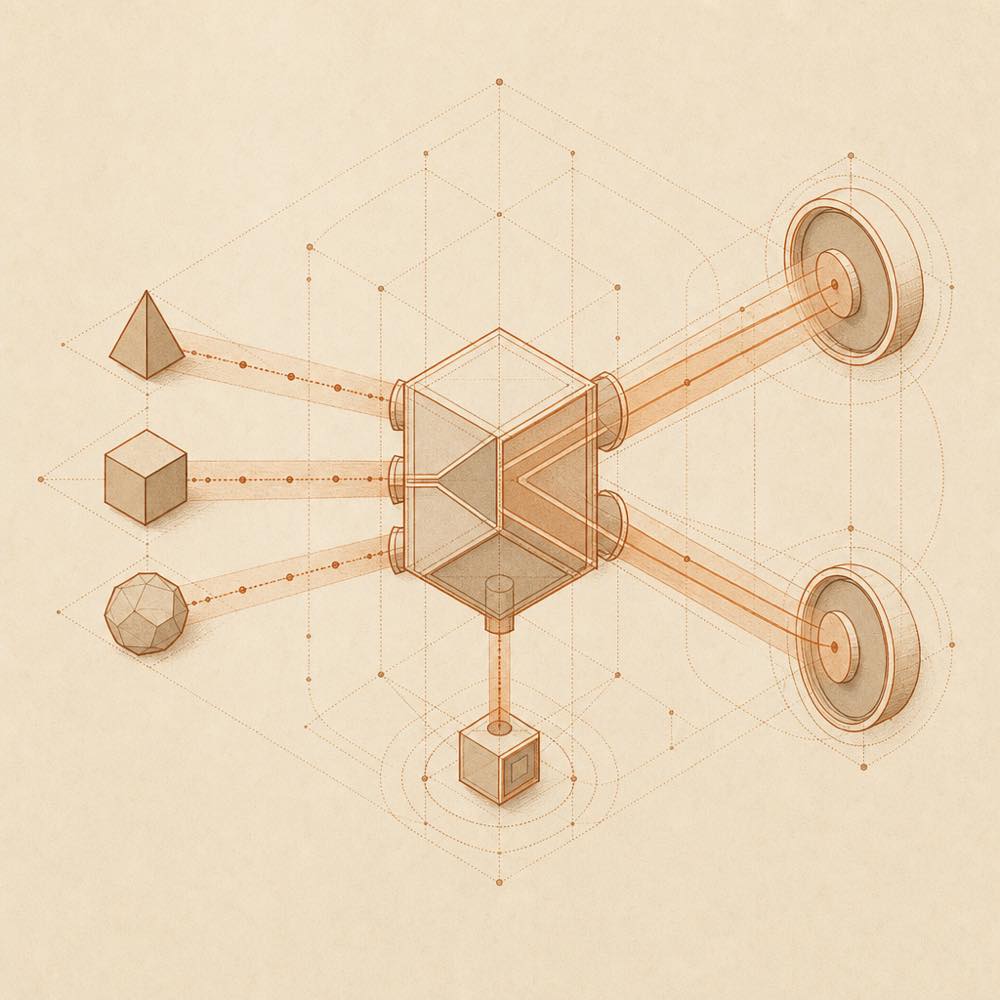
What plugin-notify does

Abstract diagram of event signals branching to webhook receivers and a local notification node.

plugin-notify is a DeepSeek Harness plugin that sends notifications when a turn completes, an error occurs, or an approval is pending. It can deliver these notifications through IM webhooks for Feishu, WeCom, DingTalk, Slack, Discord, or a custom destination, and can also produce local system notifications.

The available description identifies the notification events and delivery types, but does not document the implementation details: no hook name, command, configuration key, file path, payload format, or default is provided in the available README. DeepSeek Harness users should therefore treat the repository source as the reference for wiring and deployment rather than assuming a particular configuration interface.

plugin-notify is intended for users who need turn-state alerts outside the DeepSeek Harness interface, especially when approval or failure events must reach an external messaging service. It is the wrong choice when local notifications or existing DeepSeek Harness UI feedback are sufficient, or when the required messaging service cannot accept webhooks. The catalogue flags a terminal surface and a credential requirement. Those flags indicate that installation should be reviewed for terminal access and that configured notification destinations may require credentials; the README excerpt does not specify the exact terminal operations or credential names. No one-line installation command is listed for this plugin.

plugin-notify documentation

What plugin-notify documents

The available README describes plugin-notify as a notification plugin for three event conditions: turn completion, errors, and pending approval. It does not provide a command reference, configuration schema, payload specification, or destination setup procedure.

Delivery targets for plugin-notify

The documented delivery options are:

Destination Mechanism
Feishu IM webhook
WeCom IM webhook
DingTalk IM webhook
Slack IM webhook
Discord IM webhook
Custom destination IM webhook
Local system Local notification

The README does not define separate commands or configuration keys for these destinations. It also does not state whether all destinations use the same payload, how a custom webhook is shaped, or how local notifications are enabled.

Requirements and limits

The catalogue marks plugin-notify as requiring credentials and as having a terminal surface. The available README does not name the credentials, describe their storage, or explain which terminal operations the plugin performs. These details should be checked in the repository before granting the plugin access to an agent profile.

DeepSeek Harness users should also note that no one-line installation command is listed for plugin-notify. The available source establishes the notification scope and delivery categories only; it does not establish a minimum DeepSeek Harness version, supported operating systems, default settings, retry behaviour, or failure handling.

Written from the project's own documentation and kept in sync with it. Where the two disagree, the source is authoritative — read the README on GitHub

Same category

Alternatives to plugin-notify

dsh-pocket

shaobeichen

80

Remote phone access to the DSH Web UI: scan a QR code for LAN or public (cloudflared tunnel) access with real-time sync, a mobile-adaptive layout, and a settings tab.

Installed cleanly when we ran it

npm packageJavaScript4d ago

AI review

dsh-pocket

What it is — DSH Pocket plugin provides remote phone access to the DeepSeek Harness Web UI. It supports scanning QR codes for LAN or public cloudflared tunnel access with real-time sync, and includes a mobile-adaptive layout.

Who it is for — When you need to check agent tasks running on your computer while out of the office or use the Harness to look up information outdoors without a remote desktop, you can install this plugin.
If you mainly operate the DeepSeek Harness on the same computer and do not need remote access, you do not need to install it.

Watch out — The sandbox test passed: it was installed in a fresh profile and registered into the harness profile. No obvious issues were found.

The verdict — I would install it because the plugin is available as a single npm package and the sandbox test confirmed successful registration in a fresh profile.

Generated by grok-4.6, and a starting point rather than a verdict. Where it says a plugin installs or does not, that is from a real run in a clean profile — everything else is read off the repository. Trust the source over this.Read the source
Details
58

Desktop notifications for turn completions, with per-outcome controls and keyword rules.

Installed cleanly when we ran it

GitHub sourceJavaScript5d ago

AI review

dsh-notification

What it is — DeepSeek Harness session completions trigger browser desktop notifications

Who it is for — Users performing sessions in the DeepSeek Harness web GUI need to know when they complete even after switching tabs. Users who only run locally should not install it since it is a browser client plugin.

Watch out — Sandbox test passed: installed into fresh profile and registered by harness. Notifications require browser Notification permission and the page to remain open. Notifications only match the last turn content and use flat text body.

The verdict — I would install it because it provides UI-only notifications without affecting the model, with the premise that browser Notification permission must be granted and the page kept open.

Generated by grok-4.6, and a starting point rather than a verdict. Where it says a plugin installs or does not, that is from a real run in a clean profile — everything else is read off the repository. Trust the source over this.Read the source
1Details

Open DSH workspace directories in VS Code directly from the web GUI.

Did not install when we ran it

npm packageJavaScript5d ago

AI review

dsh-open-in-vscode

What it is — Adds an Open in VS Code menu to workspace rows in the DeepSeek Harness web GUI sidebar.

Who it is for — When managing workspaces in the DeepSeek Harness web GUI and needing to open a directory in VS Code, this plugin is suitable. Users who manage workspaces solely with command line tools without the web GUI do not need it.

Watch out — Sandbox test failed: after installation, Harness did not register the plugin into the profile. No other obvious pitfalls were found.

The verdict — Because the sandbox test shows it fails to register into the profile after installation, I would not install it until Harness can register it successfully.

Generated by grok-4.6, and a starting point rather than a verdict. Where it says a plugin installs or does not, that is from a real run in a clean profile — everything else is read off the repository. Trust the source over this.Read the source
1Details

dsh-im

xmanrui

41

Connect IM bots to DeepSeek Harness by scanning QR codes (supports Feishu, Weixin, DingTalk, and more).

Installed cleanly when we ran it

npm packageJavaScript3d ago

AI review

dsh-im

What it is — dsh-im plugin connects IM bots to DeepSeek Harness by scanning QR codes or entering existing bot credentials, providing unified management for Feishu, WeChat, DingTalk, WeCom, QQ, Telegram, Discord, and WhatsApp bots.

Who it is for — When an AI assistant needs to be integrated into enterprise IM tools such as WeCom or DingTalk using DeepSeek Harness for user query handling and message exchange via persistent connections, this plugin supplies the required capabilities. If only a single IM platform is used with independent credentials and no need to manage multiple channels uniformly, another approach can be chosen.

Watch out — The plugin registers successfully in a fresh profile during sandbox testing. No obvious issues were observed.

The verdict — If unified management of multiple IM platform bots with existing QR code or credential setup is required, this plugin provides the necessary functionality; otherwise, it is not needed.

Generated by grok-4.6, and a starting point rather than a verdict. Where it says a plugin installs or does not, that is from a real run in a clean profile — everything else is read off the repository. Trust the source over this.Read the source
Details

dsh-notifier

THEWOLFWALKER

35

Unified notification & remote control for DSH: one `notify()` API, 25+ channels (Telegram / DingTalk / Feishu / WeCom / QQ bot / WxPusher / PushPlus / ServerChan / Bark / Discord / Slack / ntfy / webhook...), level routing (timeSensitive / active / passive) with tiered retry, multi-channel inbound approval (Telegram buttons, Feishu cards, QQ, WxPusher, WeChat iLink), official QR login for QQ/DingTalk/Feishu, a local web admin console, multi-agent routing, desktop notifications — and a mobile command center: `!status` / `!stop` / `!retry` agent control from your phone plus actionable notifications (view result / retry / logs buttons that call back into the agent). Secrets redacted, tool rate-limited, zero runtime deps — plus an open event source: other plugins can inject the notifier service (ctx.notifier) and subscribe to dsh-notifier/sent events, reusing notification without coupling.

Installed cleanly when we ran it

npm packageJavaScript3d ago

AI review

dsh-notifier

What it is — DSH plugin providing notify() API and mobile remote command center.

Who it is for — When using DSH agent for notification push and remote control, this plugin applies. If you do not wish to integrate multi-channel inbound approval, this plugin is unnecessary.

Watch out — Sandbox test shows the plugin can be installed, but the protobufjs@7.6.5 build script is blocked by pnpm, users need to manually allow it to complete registration. No other obvious issues found.

The verdict — I would install it because it provides mobile command center and multi-channel notifications, but the build script must be manually allowed when installing from source.

Generated by grok-4.6, and a starting point rather than a verdict. Where it says a plugin installs or does not, that is from a real run in a clean profile — everything else is read off the repository. Trust the source over this.Read the source
1Details

dsh-lark

omdsh-dev

30

Lark/Feishu bot channel for DeepSeek Harness: each chat drives its own agent, and tool approvals, model questions, and plan reviews return as cards answered by a button or a reply. Switch workspace and model from the chat (`/cd`, `/model`, `/new`), and run several bots that keep separate sessions and can hand turns to each other in one group.

Installed cleanly when we ran it

npm packageTypeScript3d ago

AI review

dsh-lark

What it is — DeepSeek Harness Lark/Feishu plugin: integrates chats to drive agents with card-based approvals.

Who it is for — Users collaborating multiple DeepSeek Harness agents in one Lark/Feishu group chat benefit from independent sessions and turn handoff. Users who do not use Lark or Feishu as integration channels can skip this plugin because they lack the chat environment.

Watch out — No public server or callback configuration needed. Tested and registered successfully in a new profile. No obvious issues found.

The verdict — I would install it because no public server or callback configuration is required.

Generated by grok-4.6, and a starting point rather than a verdict. Where it says a plugin installs or does not, that is from a real run in a clean profile — everything else is read off the repository. Trust the source over this.Read the source
Details