DSH Marketplace

dsh-emoji

hellodigua/dsh-emoji

Automatically add emojis to AI replies.

391TypeScriptMITSource

Install

Add dsh-emoji to DeepSeek Harness

via npm

Resolves a published tarball rather than cloning the repository, and installs without any extra setup. Swap `web` for your profile name if you run another one.

via GitHub · npm package

Installing from GitHub runs the project's build script, which pnpm blocks until you allowlist it — run the command once and pnpm prints the exact key to add under `allowBuilds` in ~/.dsh/profiles/web/pnpm-workspace.yaml.

What happened when we ran it

Installed cleanly when we ran it

Every command here is run in a throwaway container against a clean profile, and the result is whatever the harness recorded — not a guess from the source. Last run 6d ago.

Due diligence

Before you install dsh-emoji

  • Source of record: hellodigua/dsh-emoji — present in the community registry that DSH's own plugin market installs from.
  • Licensed under MIT.
  • A listing here is not a security review. Plugins run with your agent's permissions.

The AI take

What it is — Add inline emoji support to DeepSeek Harness replies via semantic markers that render as images.

Who it is for — When using DeepSeek Harness models for customer service or creative replies that require tone or emotion, this plugin inserts markers like ::happy::. If you prefer pure text responses in conversations, this plugin is not needed.

Watch out — No obvious issues found. After installation in a fresh profile, it registers with harness. Custom ZIP uploads take effect on the next call.

The verdict — I would install it because it allows switching emoji styles within the same conversation to fit different expression needs.

Generated by grok-4.6, and a starting point rather than a verdict. Where it says a plugin installs or does not, that is from a real run in a clean profile — everything else is read off the repository. Trust the source over this.

What dsh-emoji does

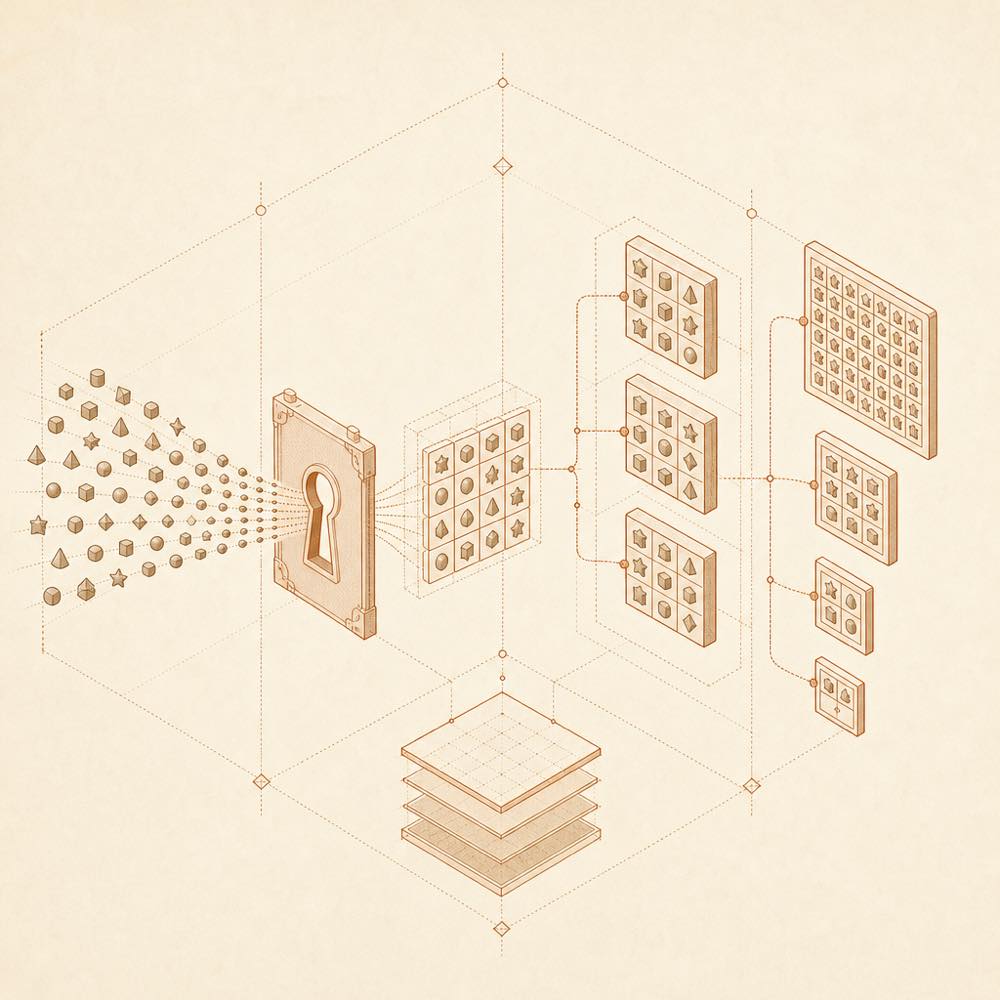
Character glyphs pass through a transformation gate into selectable inline image tiles.

dsh-emoji is a DeepSeek Harness plugin that adds switchable inline emoji images to AI replies. DeepSeek Harness reads the model’s approved Unicode emoji output and, on the Host side, replaces 40 recognised semantic emojis with images from the selected pack. This requires no additional model call and does not infer emotions from surrounding text.

The plugin’s settings let an operator turn emoji use off, choose 智能 or 高频 frequency, select a pack, choose one of four image sizes, and provide additional prompt instructions. Uploaded ZIP packs are validated and stored under $DSH_HOME/emoji-packs/ (by default ~/.dsh/emoji-packs/); settings retain the selected id@version. The same 40 semantic keys are used by built-in and custom packs.

dsh-emoji is intended for conversations where decorative, community-style expressions are useful and where the Web Profile can load a plugin compatible with @deepseek-ai/dsh@0.1.0-rc.7. It is a poor fit when replies must remain free of inserted images, when arbitrary Unicode emoji should be transformed, or when emotion should be inferred automatically. Code, links, ordinary Markdown images and unrecognised emoji remain unchanged, and frequency choices still depend on the model following the supplied prompt.

dsh-emoji documentation

Configuring dsh-emoji

After DeepSeek Harness loads dsh-emoji in the Web Profile, its settings card, 设置 → 插件 → 表情(Whale Emoji), provides these controls:

Setting Behaviour
关闭 Disables emoji use.
智能 The default; allows up to 3 images per reply when they help express meaning.
高频 Requests one suitable emoji in every reply, with up to 4 images per reply.
Additional prompt Adds instructions for selection, tone and usage context.
Pack and size Selects the image set and one of four sizes: small, normal, large-ish and large.

Changes apply from the next reply without restarting the Web Host. The frequency policy still depends on model compliance.

How dsh-emoji processes replies

The model selects from 42 permitted Unicode emojis representing 40 stable semantic keys. DeepSeek Harness’s Host converts recognised output to an inline image from the active pack. The conversion also recognises 😄, 🙂 and images produced by dsh-emoji. It leaves other Unicode emoji, code, links, double-colon text and ordinary Markdown images unchanged. Multiple plugin images must be separated by valid body text, while the same image may recur in different positions.

Uploading dsh-emoji packs

The settings card accepts a ZIP containing pack.json and an images/ directory, optionally inside one same-named directory. pack.json must declare schemaVersion: 1, keySet: "dsh-emoji-core@1", an id, a name and a SemVer version. The archive must provide exactly one PNG for each of the 40 standard keys. ZIP size is limited to 20 MiB, extracted size to 80 MiB, each file to 2 MiB, and image dimensions to 512 pixels. DeepSeek Harness stores packs in $DSH_HOME/emoji-packs/. Removing a pack from the selection list does not delete its bytes, preserving versioned URLs in historical messages.

DeepSeek Harness compatibility

The current release targets npm @deepseek-ai/dsh@0.1.0-rc.7 and declares DSH peers ^0.1.0-rc.7. Local development requires Node.js ^22.19.0 || >=24 and pnpm 11.

Written from the project's own documentation and kept in sync with it. Where the two disagree, the source is authoritative — read the README on GitHub

Same category

Alternatives to dsh-emoji

dsh-ads

Nagi-ovo

539

Parody ads in 2005-Chinese-web style: sidebar banners, in-chat feeds, corner popups, and a close button whose hit area is smaller than it looks. All fictional.

Installed cleanly when we ran it

GitHub sourceTypeScript6d ago

AI review

dsh-ads

What it is — Inserts 2005 Chinese web style fictional ads into DeepSeek Harness.

Who it is for — If you want to add fun 2005 style ads to sidebar and chat in web profile, install it. Users who prioritize inference smoothness don't need to install it.

Watch out — Sandbox test passes when installed to a new profile and registers successfully. No obvious issues found.

The verdict — I would install it because it allows closing individual ad slots in settings, but only if you accept temporary pauses to inference.

Generated by grok-4.6, and a starting point rather than a verdict. Where it says a plugin installs or does not, that is from a real run in a clean profile — everything else is read off the repository. Trust the source over this.Read the source
Details

dsh-pet

PC2005-cloud

322

Desktop pet for the DSH Web UI with 25 transparent animations, screen wandering, click reactions and drag, plus a reproducible asset-generation pipeline.

No one-line install — this plugin lives inside a larger repository and publishes no npm package.

GitHub sourceTypeScriptyesterday

AI review

dsh-pet

What it is — The plugin provides a desktop pet that runs in the DeepSeek Harness Web UI, with transparent animations, screen wandering, click reactions, and drag support.

Who it is for — Users who run the DeepSeek Harness Web interface and want a desktop pet that wanders on screen and reacts to clicks should install this plugin. Those who do not need screen movement or click responses should not install it.

Watch out — No obvious issues were found. Sandbox testing has not been conducted yet. When installing from source code, the build script requires manual approval first.

The verdict — I would install it because it includes a reproducible asset generation pipeline that allows creation of custom animations.

Generated by grok-4.6, and a starting point rather than a verdict. Where it says a plugin installs or does not, that is from a real run in a clean profile — everything else is read off the repository. Trust the source over this.Read the source
Details
225

Desktop pet (QQ-pet style): floats in the corner, draggable, feedable, playable.

Installed cleanly when we ran it

GitHub sourceJavaScript6d ago

AI review

whale-girl

What it is — DSH Web GUI right-bottom floating desktop pet, draggable, feedable, playable and accumulates task experience into ranks.

Who it is for — Users doing tasks in DSH Web GUI are suitable to install it to accumulate ranks. Users not wanting to add desktop companions can skip it.

Watch out — No obvious pitfalls found. Sandbox test passed in new profile. Configuration changes like size and walk are hot-reload without restart.

The verdict — I would install it because it accumulates ranks from tasks but only for DSH Web GUI users.

Generated by grok-4.6, and a starting point rather than a verdict. Where it says a plugin installs or does not, that is from a real run in a clean profile — everything else is read off the repository. Trust the source over this.Read the source
Details
109

Desktop-native BigFish companion for DeepSeek Harness — real Agent status, always on top on Windows.

Installed cleanly when we ran it

npm packageJavaScript6d ago

AI review

dsh-dafeiyu

What it is — This is a desktop-native companion plugin for DeepSeek Harness that displays real Agent status always on top in Windows.

Who it is for — If you are using DeepSeek Harness on Windows to handle projects that require observing the Agent's thinking process, this plugin provides real-time status display. Users running DeepSeek Harness on other operating systems do not need to install it because the plugin is optimized for Windows and WSL2 desktop display.

Watch out — It passes sandbox testing in a fresh profile and registers with harness. It executes shell commands but no obvious issues found.

The verdict — I would install it because it surfaces DeepSeek Harness real events in a always-on-top desktop window without requiring extra applications.

Generated by grok-4.6, and a starting point rather than a verdict. Where it says a plugin installs or does not, that is from a real run in a clean profile — everything else is read off the repository. Trust the source over this.Read the source
1Source
44

A-share watchlist real-time market monitoring plugin: a collapsible popup in the top-right corner of the DeepSeek Harness (DSH) web interface for real-time quote monitoring, group switching, intraday and candlestick (K-line) charts, and buy/sell target price settings.

Installed cleanly when we ran it

npm packageJavaScript6d ago

AI review

dsh-stock-watch

What it is — DeepSeek Harness web interface shows a collapsible popup in the top-right corner for real-time A-share watchlist monitoring.

Who it is for — If you need to monitor A-share watchlist real-time quotes, switch groups, and view intraday K-line charts in DeepSeek Harness using an agent for investment analysis research, this plugin suits you. If you do not want the plugin to execute shell commands, you can skip this plugin.

Watch out — Sandbox test passed: installed in a new profile and registered by Harness. No obvious pit found.

The verdict — I would install it because it runs charts in the browser and automatically injects DSH skills, but only if you accept the prompt that it will execute shell commands.

Generated by grok-4.6, and a starting point rather than a verdict. Where it says a plugin installs or does not, that is from a real run in a clean profile — everything else is read off the repository. Trust the source over this.Read the source
1Details
29

在你的deepseek-harness上养一只吃白饭的大蓝鲸

Installed cleanly when we ran it

GitHub sourceJavaScript6d ago

AI review

deepseek-pet

What it is — An interactive desktop pet plugin embedded in the DeepSeek Harness webpage, automatically switching expressions and playing animations.

Who it is for — Users performing analysis, answering, coding and network search in DeepSeek Harness are suitable to install this plugin because it switches expressions according to these scenarios and displays the session bar. In the environment of using only a single session without sub-agent in DeepSeek Harness, the parallel session display function of this plugin remains inactive.

Watch out — Sandbox test passed. The plugin was installed in a new profile and registered in the harness profile. No obvious issues found.

The verdict — I would install it because it prompts "eat more" when context occupation reaches 62%, providing interesting reminders during long-running tasks.

Generated by grok-4.6, and a starting point rather than a verdict. Where it says a plugin installs or does not, that is from a real run in a clean profile — everything else is read off the repository. Trust the source over this.Read the source
1Source