
dsh-web-all
zhu1090093659
Plugin and skin collection for the DSH Web UI: task board, Git graph, right-side panel, remote mobile UI, pet, live token stats, and a skin center.
Installed cleanly when we ran it
npm packageTypeScripttoday
MichengAI/dsh-codex-ui
Rebuilds the DeepSeek Harness web sidebar, workspace tree, search, and turn navigation in a Codex-style layout.
Install
via npm
Resolves a published tarball rather than cloning the repository, and installs without any extra setup. Swap `web` for your profile name if you run another one.
via GitHub · npm package
Installing from GitHub runs the project's build script, which pnpm blocks until you allowlist it — run the command once and pnpm prints the exact key to add under `allowBuilds` in ~/.dsh/profiles/web/pnpm-workspace.yaml.
The desktop app keeps its own profile, desktop, and only the dsh command it ships may change it — the npm-installed dsh refuses that profile. Install the command from the app menu (Manage dsh Command…), open Desktop once, quit it fully, run the line below, then reopen Desktop.
via npm
Resolves a published tarball rather than cloning the repository.
via GitHub · npm package
Installing from GitHub runs the project's build script, which pnpm blocks until you allowlist it — run the command once and pnpm prints the exact key to add under `allowBuilds` in ~/.dsh/profiles/desktop/pnpm-workspace.yaml.
Our install check ran in a web profile on npm's dsh, not in the desktop app.
What happened when we ran it
Installed cleanly when we ran it
Every command here is run in a throwaway container against a clean profile, and the result is whatever the harness recorded — not a guess from the source. Last run 8d agoon DeepSeek Harness 0.2.2-rc.1.
Show it in your README
For maintainers: the badge serves this listing's latest sandbox verdict, so a re-run updates it on its own — and it links readers to the full result here.
Due diligence
Security
No build script was blocked in our run.
Source: our sandbox install on DeepSeek Harness 0.2.2-rc.1, 8d ago.
package.json declares no preinstall, install or postinstall script.
Source: package.json on GitHub, read at our last sync. prepare is not recorded; it runs only on a GitHub install, and shows up under build scripts when pnpm blocks it.
shell commands (bash, exec, spawn …)
Source: a keyword match on the README — a hint about what the plugin touches, not an analysis of its code.
Not an audit. These are the record of one install and two text scans; nobody has read this plugin's code on your behalf. Plugins run with your agent's permissions.
What it is — Rebuilds DeepSeek Harness web sidebar, workspace tree, search, and turn navigation in a Codex-style layout.
Who it is for — Users who need modular sidebar when using DeepSeek Harness for session management and ecosystem plugin management are suitable for installing it. Users who are already using ds-bot are not suitable because of functional overlap.
Watch out — Sandbox testing passed, installed and registered in a fresh profile. Static checks indicate the plugin will execute shell commands. Uninstall ds-bot before enabling it.
The verdict — I would install it because it achieves zero-invasion compatibility with the official native system, but only if no conflict with ds-bot is confirmed.
Generated by grok-4.6, and a starting point rather than a verdict. Where it says a plugin installs or does not, that is from a real run in a clean profile — everything else is read off the repository. Trust the source over this.
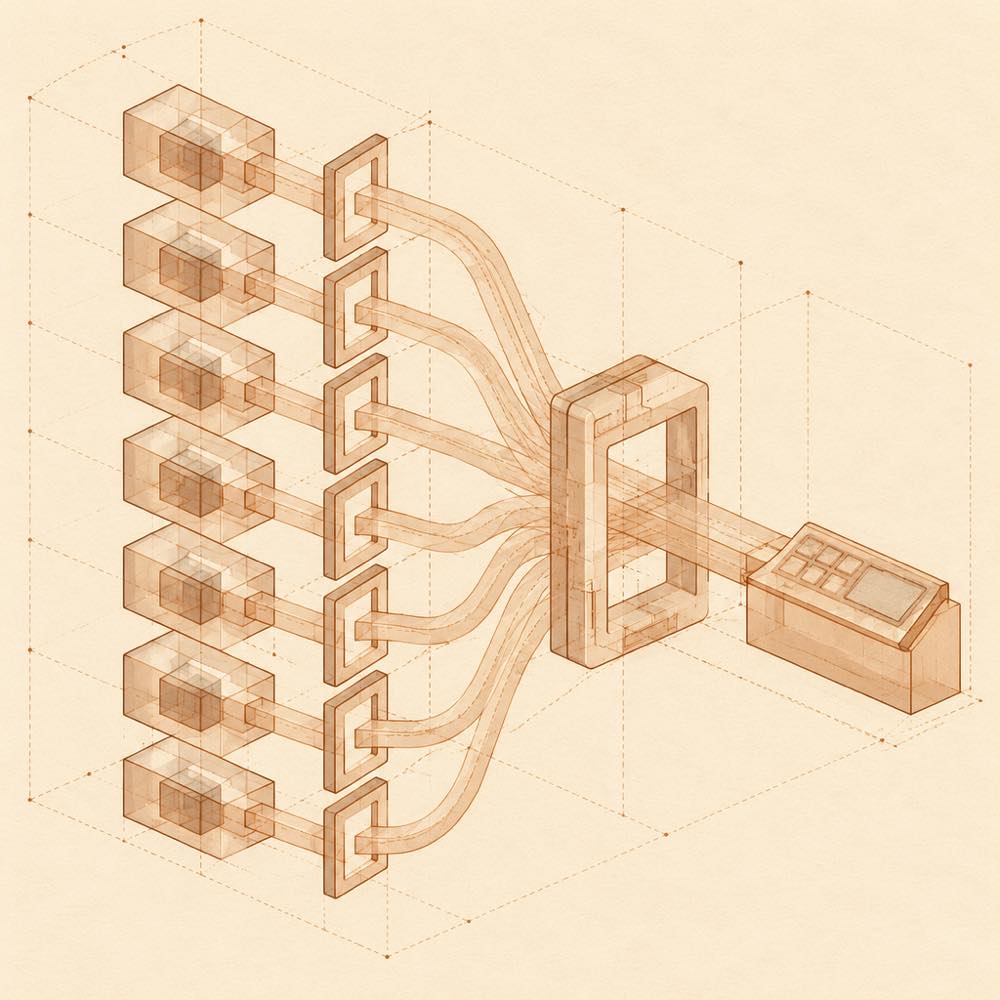
dsh-codex-ui is a DeepSeek Harness plugin that rebuilds the web sidebar, workspace session tree, search, and turn navigation in a Codex-style layout. It is split into seven subplugins: composer, settings-skin, theme, sidebar, session-title, desktop-menu, and dependencies. DeepSeek Harness loads these modules through standard Slots and its native UI primitives rather than replacing the host's existing controls. The plugin keeps input history per workspace, reads the first message to generate session titles, and stores site-level prediction settings through config.prediction in a profile's cordis.patch.yml.
The plugin is intended for users of DeepSeek Harness 0.2.x who want configurable sidebar organisation, input recall and prediction, themes, a full-screen settings workspace, session actions, and ecosystem plugin management. The desktop-menu module also adds view reload and application or Host restart actions in the desktop title bar. Its terminal-surface risk relates to these operational controls and to the plugin-management features that can install or update dependencies; it should be reviewed before granting an agent the permissions used by the profile.
dsh-codex-ui is not a good choice alongside ds-bot, which also reshapes the sidebar and main-session Slots. It requires Node.js ^22.19.0 || >=24.0.0, pnpm ^11.0.0, and a supported DeepSeek Harness 0.2.x release.
DeepSeek Harness loads dsh-codex-ui as seven independently managed subplugins. The modules use standard Slots and the official UI primitives Switch, SegmentedControl, and Button. The sidebar can reorder modules and move them into a collapsible “more” group, while the collapsed state follows the host's native 56px rail. The plugin also adds session menus for pinning, renaming, read-state changes, archiving, deriving a new session, and cleanup.
The composer module stores up to 200 submitted inputs per workspace and exposes them with ↑ and ↓ when the input is empty. Prediction candidates can be accepted with Tab or cycled with Alt+↓ and Alt+↑. The session-title module derives a title from the first message and supports 4096 tokens of context. The theme module provides seven palettes, two layout modes, three material presets, and a ground-light option.
The documented site-level switch is:
| Key | Effect |
|---|---|
config.prediction: false |
Disables input prediction through the profile's cordis.patch.yml. |
Other settings are exposed in the Codex UI area of the host settings, including input prediction, themes, sidebar arrangement, and dependency management. Profile paths are resolved separately so configuration is not shared across profiles.
DeepSeek Harness can inspect the active profile with dsh --profile web --dump-config. After changing the plugin, the README instructs operators to restart the DeepSeek Harness Web instance and hard-refresh the browser. The desktop-only desktop-menu module supplies view reload and application or Host restart actions from the system title bar.
DeepSeek Harness support is limited to >=0.2.0-rc.1 <0.3.0-0, covering the documented 0.2.x RC releases. The required runtime is Node.js ^22.19.0 || >=24.0.0 with pnpm ^11.0.0. Do not enable dsh-codex-ui with ds-bot: both modify the sidebar and main-session Slots.
Written from the project's own documentation and kept in sync with it. Where the two disagree, the source is authoritative — read the README on GitHub
Same category
zhu1090093659
Plugin and skin collection for the DSH Web UI: task board, Git graph, right-side panel, remote mobile UI, pet, live token stats, and a skin center.
Installed cleanly when we ran it
zhu1090093659
Task board for the dsh web GUI: a sidebar multi-column kanban whose cards run in real DSH agent sessions and can also be scheduled with cron expressions, executed host-side even with the browser closed.
Installed cleanly when we ran it
zhu1090093659
Plugin and skin collection for the DSH Web UI: task board, Git graph, right-side panel, remote mobile UI, pet, live token stats, and a skin center.
No one-line install — this plugin lives inside a larger repository and publishes no npm package.
ccch1mneyyy
Claude Code-style full-screen terminal UI: pixel-whale header, live status line, and streaming thought expansion.
DeepSeek Harness 0.2.2-rc.1 refuses the latest release
MeteorNOX
A fixed-corner whale widget for the DSH web GUI — balance, today's usage and per-turn cost with peak/off-peak pricing, editable balance-alert and daily-budget bubbles, a module-based custom bubble queue with A/B weighted choices and random lines or images, 30+ vendor templates (OpenAI, OpenRouter, Kimi, SiliconFlow, Ark, Zhipu, MiniMax and more) with per-model balance and subscription quota, plus task-end sound, imported audio, custom roles and a resource manager. Local-only, no telemetry.
Installed cleanly when we ran it