DSH Marketplace

dsh-web-all

zhu1090093659/dsh-web#packages/dsh-web-all

Plugin and skin collection for the DSH Web UI: task board, Git graph, right-side panel, remote mobile UI, pet, live token stats, and a skin center.

8,594561TypeScriptApache-2.0Source

Install

Add dsh-web-all to DeepSeek Harness

Install into

via npm

Resolves a published tarball rather than cloning the repository, and installs without any extra setup. Swap `web` for your profile name if you run another one.

What happened when we ran it

Installed cleanly when we ran it

Every command here is run in a throwaway container against a clean profile, and the result is whatever the harness recorded — not a guess from the source. Last run 6d agoon DeepSeek Harness 0.2.1-rc.5.

Show it in your README

install verified — dshmarketplace

For maintainers: the badge serves this listing's latest sandbox verdict, so a re-run updates it on its own — and it links readers to the full result here.

Due diligence

Before you install dsh-web-all

  • Source of record: zhu1090093659/dsh-web — present in the community registry that DSH's own plugin market installs from.
  • Licensed under Apache-2.0.

Security

What installing dsh-web-all runs

Build scripts

pnpm skipped these dependency build scripts, and the plugin registered without them:

  • cloudflared@0.7.3
  • cpu-features@0.0.10

Under pnpm 11 the install stops and asks you to approve them instead; an approved script runs with your user account's permissions.

Source: our sandbox install on DeepSeek Harness 0.2.1-rc.5, 6d ago.

Install hooks

package.json declares no preinstall, install or postinstall script.

Source: package.json on GitHub, read at our last sync. prepare is not recorded; it runs only on a GitHub install, and shows up under build scripts when pnpm blocks it.

README mentions

Neither shell commands nor credentials.

Source: a keyword match on the README — a hint about what the plugin touches, not an analysis of its code.

Not an audit. These are the record of one install and two text scans; nobody has read this plugin's code on your behalf. Plugins run with your agent's permissions.

The AI take

What it is — Extends dsh web with scheduled tasks, a Git graph, phone remote access, live token counts, skins, and a pet.

Who it is for — You already work in dsh web with several agents on one repo and need cron runs, Worktree isolation, and a token-burn panel the stock UI does not ship. Skip it if you only drive DSH from a terminal and never open the Web GUI.

Watch out — A clean-profile sandbox install registered with DeepSeek Harness. DeepSeek Harness Desktop owns the desktop profile, so this package has to be added from the in-app plugin page, not from an external CLI. The bundle turns on the whole family; keep one or two pieces by installing those plugins instead.

The verdict — Past the point where dsh web is my default workbench I would add it; short of that I would keep the stock UI.

Generated by grok-4.6, and a starting point rather than a verdict. Where it says a plugin installs or does not, that is from a real run in a clean profile — everything else is read off the repository. Trust the source over this.

What dsh-web-all does

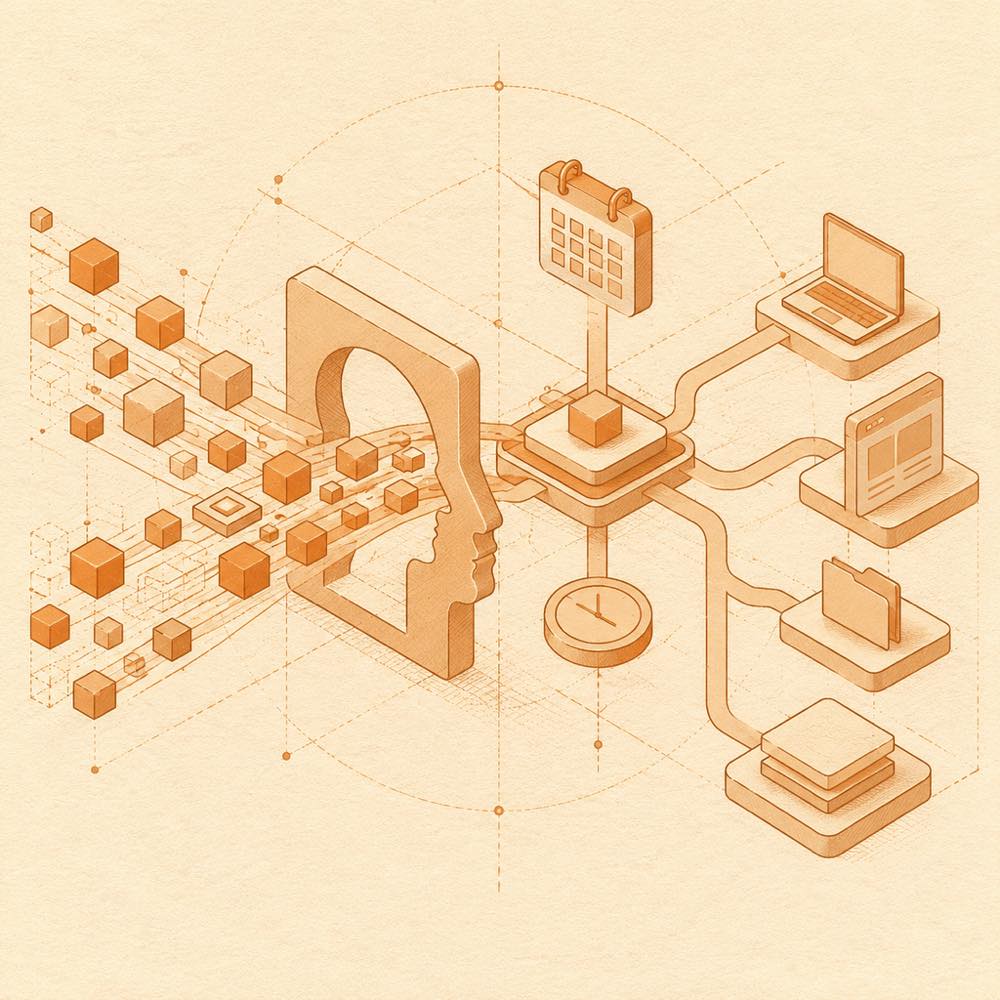
Abstract diagram of modular streams merging through a gateway into connected workspace forms.

dsh-web-all is a DeepSeek Harness plugin that bundles a set of Web UI extensions for task automation, remote access, engineering work, usage tracking and visual customisation. It includes a five-column task board with Cron scheduling, mobile and cross-device control, a browser-based SSH terminal with SFTP and port forwarding, Git commit graphs with Worktree isolation, session archiving, model capability declarations, token and cost statistics, a skin centre and desktop pets.

DeepSeek Harness mounts the collection through its official profile mechanism rather than requiring changes to the core source. The package is intended for a dsh web instance using the web profile, and the family’s settings and session data are stored with the host’s DSH data, including the shared ~/.dsh directory used by the official desktop client. Scheduled tasks run in the host process, can reuse an existing agent session, and save execution results. The aggregate package pre-integrates the family’s feature plugins, while the repository also documents separate package-level installation.

dsh-web-all suits developers who need a web workspace for unattended tasks, multi-agent Git work, remote administration or historical session management. It is a poor fit for a minimal DeepSeek Harness installation that only needs core conversation and tool calling. Desktop users must install the package from the official client’s plugin manager because that client controls the desktop profile; the task board’s power-management option is limited to Windows, macOS and Linux systems with systemd-logind.

dsh-web-all documentation

How dsh-web-all works

DeepSeek Harness loads dsh-web-all through the official profile mechanism and attaches its modules to dsh web without modifying the official source. The aggregate package includes the family’s feature plugins rather than replacing the host’s core conversation and tool-calling functions. DeepSeek Harness stores shared application data under ~/.dsh; the official desktop client and dsh web use the same directory.

Configuring dsh-web-all

The README documents configuration through the Web UI rather than a standalone configuration file. Relevant settings include:

  • Task details accept a Cron expression for background scheduling.
  • Task execution can enable session reuse.
  • Goal tasks can enable task acceptance, with a selectable model and reasoning level under 设置 → Web 插件 → 任务看板 → 任务验收.
  • The task board can enable power management to prevent system sleep while allowing the display to turn off.
  • Model capability settings declare image input support and reasoning levels for individual models.

Task-acceptance configuration is fixed when an execution starts. A failed first assessment sends feedback to the agent for repair; a second failure marks the execution as failed. Each assessment consumes the selected judge model’s quota.

dsh-web-all features

The package provides a task board with five states: planned, pending, running, completed and failed. It can start real DeepSeek Harness agent sessions, link cards to their sessions, and retain results after scheduled execution. Other modules provide mobile QR pairing, WebSocket streaming, SSH terminal access, SFTP transfer, port-forwarding tunnels, cluster commands, Git graphs, automatic Git Worktree directories, session search and archival, token usage and cost views, provider balance queries, model capability editing, skins and desktop pets.

Requirements and limits

The README shows compatibility with DeepSeek Harness >=0.2.0-rc.2. The power-management option supports Windows, macOS and Linux systems with systemd-logind. The official desktop client uses the desktop profile and restricts external CLI changes to that profile, so desktop installation is managed inside the client. The README does not document additional environment variables or standalone commands added by the aggregate package.

Written from the project's own documentation and kept in sync with it. Where the two disagree, the source is authoritative — read the README on GitHub

Same category

Alternatives to dsh-web-all

dsh-web-ui-all

zhu1090093659

9.8k

Plugin and skin collection for the DSH Web UI: task board, Git graph, right-side panel, remote mobile UI, pet, live token stats, and a skin center.

No one-line install — this plugin lives inside a larger repository and publishes no npm package.

GitHub sourceTypeScript5d ago

AI review

dsh-web-ui-all

What it is — This is a plugin and skin collection for the DeepSeek Harness Web UI, including Liangshen mode, task board, Git graph, right panel, mobile remote UI, SSH operations, whale girl pet, and skin center.

Who it is for — If you are using DeepSeek V4 Pro for agent tasks and need multi-column task board and Git graph to track changes, this plugin is suitable for you. If you primarily operate DeepSeek Harness in non-Web UI interfaces, you don't need this collection.

Watch out — Installation from the source subdirectory requires manually approving the build script. No sandbox testing was conducted. No obvious issues were found.

The verdict — I would install it because it provides the whale girl pet and SSH remote operations.

Generated by grok-4.6, and a starting point rather than a verdict. Where it says a plugin installs or does not, that is from a real run in a clean profile — everything else is read off the repository. Trust the source over this.Read the source
LINUX DODetails

dsh-task-board

zhu1090093659

8.6k

Task board for the dsh web GUI: a sidebar multi-column kanban whose cards run in real DSH agent sessions and can also be scheduled with cron expressions, executed host-side even with the browser closed.

Installed cleanly when we ran it

npm packageTypeScript25d ago

AI review

dsh-task-board

What it is — Adds a five-column board to the DSH Web GUI side panel; each card is a real agent session, and cron can launch those jobs on the host with no browser open.

Who it is for — You keep several code inspections, health checks, or auto-reports in flight inside the DSH Web GUI and cannot read status or next-run time from the plain session list. If you only call DSH from a terminal and never open the Web GUI or the official desktop client, there is no UI for this board to sit in.

Watch out — On a fresh profile it installed and DSH registered it. This run only checked install and registration, not column moves or cron fires. No obvious pitfalls on that path.

The verdict — I would enable it for jobs whose prompt is already frozen and allowed to finish alone; a board column will not replace sitting in the session to rewrite instructions.

Generated by grok-4.6, and a starting point rather than a verdict. Where it says a plugin installs or does not, that is from a real run in a clean profile — everything else is read off the repository. Trust the source over this.Read the source
Details

dsh-web

zhu1090093659

8.5k

DeepSeek Harness(DSH)Web 插件聚合生态包 · 一切皆插件,创意工坊分发

GitHub sourceTypeScript28d ago

AI review

dsh-web

What it is — Mounts Cron boards, remote control, SSH, Git worktrees, session archives, token stats, and skins onto DSH Web GUI and the official desktop client via profile.

Who it is for — You already live in dsh web, running timed inspections or Linux firefights across vendors, and you need a board that actually executes plus a browser SSH pane. If your whole loop is the terminal and you never open the Web GUI or DeepSeek Harness Desktop, these plugins have nowhere to attach.

Watch out — The official app owns the desktop profile, so the external CLI cannot change it; install from the in-app plugin page. The README badge sets a floor at DSH 0.2.0-rc.2. No obvious traps beyond that.

The verdict — I would only add modules one at a time, after each one has already stuck in the daily loop.

Generated by grok-4.6, and a starting point rather than a verdict. Where it says a plugin installs or does not, that is from a real run in a clean profile — everything else is read off the repository. Trust the source over this.Read the source
Source

dsh-TUI

ccch1mneyyy

5.1k

Claude Code-style full-screen terminal UI: pixel-whale header, live status line, and streaming thought expansion.

DeepSeek Harness 0.2.1-rc.5 refuses the latest release

npm packageTypeScript14d ago

AI review

dsh-TUI

What it is — Full-screen terminal UI for DeepSeek Harness with live status, streaming thoughts, a first-run launchpad, and task-complete notices.

Who it is for — You pair on a repo in the TTY with a DeepSeek model through DSH, and the session never surfaces tool cards or a context budget. Leave it alone if DSH only runs in CI and you collect logs without attaching a terminal.

Watch out — On DeepSeek Harness 0.2.1-rc.5 the latest release is rejected before install: its declared dsh range excludes that build, and no published version accepts it. It executes shell commands. OSC notifications under tmux need passthrough and focus events enabled.

The verdict — I will not install anything against this Harness build; once the range is updated I will try it, because uninstall leaves the core untouched.

Generated by grok-4.6, and a starting point rather than a verdict. Where it says a plugin installs or does not, that is from a real run in a clean profile — everything else is read off the repository. Trust the source over this.Read the source
1Details

A fixed-corner whale widget for the DSH web GUI — balance, today's usage and per-turn cost with peak/off-peak pricing, editable balance-alert and daily-budget bubbles, a module-based custom bubble queue with A/B weighted choices and random lines or images, 30+ vendor templates (OpenAI, OpenRouter, Kimi, SiliconFlow, Ark, Zhipu, MiniMax and more) with per-model balance and subscription quota, plus task-end sound, imported audio, custom roles and a resource manager. Local-only, no telemetry.

Installed cleanly when we ran it

npm packageJavaScript24d ago

AI review

DeepSeek-Balance-Whale-Widget

What it is — It displays balance, today's usage and per-turn costs in the bottom right corner of the DeepSeek Harness web GUI.

Who it is for — If you need to track multiple vendors' model balance and consumption in the DeepSeek Harness web interface, it is suitable. If you use the official desktop client, it is not necessary.

Watch out — It was sandbox tested successfully in a new profile and registered by harness. No obvious issues found.

The verdict — I would install it because it supports custom bubble content and multiple vendor templates without telemetry.

Generated by grok-4.6, and a starting point rather than a verdict. Where it says a plugin installs or does not, that is from a real run in a clean profile — everything else is read off the repository. Trust the source over this.Read the source
1Details
4.5k

Full sidebar workbench with file rendering and editing, terminal, Git, and subagents; third-party plugins can register new tabs.

Installed cleanly when we ran it

npm packageTypeScript12d ago

AI review

DSH-better-sidebar

What it is — Adds an in-session DSH workbench for files, Git, terminals, and subagents, and lets other plugins register tabs.

Who it is for — You are in a browser DSH session where an agent edits a repo and spawns subagents, but the stock preview is read-only and Git/terminal are not on that screen. Skip it if those already live in a desktop IDE and DSH is only the chat pane — replies do not get smarter.

Watch out — Sandbox: it installed on a fresh profile and the harness registered it. Below DSH 0.2.1-rc.1 the current latest does not line up, so pin the plugin to the host and hard-refresh after install. The Git graph is read-only (no checkout or fetch) with pagination caps, Side Chat is still beta, and a static scan shows it runs shell commands.

The verdict — Take it for sidebar_open: the workbench sits on the agent loop instead of waiting for a click, which is the rent the extra UI has to earn.

Generated by grok-4.6, and a starting point rather than a verdict. Where it says a plugin installs or does not, that is from a real run in a clean profile — everything else is read off the repository. Trust the source over this.Read the source
1Details