DSH Marketplace

dsh-desktop-base

ningbainb/deepseek-harness-desktop#packages/dsh-desktop-base

Desktop feature aggregate that installs the DSH Web UI collection, dshmarket, Codex Connect, and reasoning-effort controls at pinned versions.

801TypeScriptBSD-3-ClauseSource

Install

Add dsh-desktop-base to DeepSeek Harness

This plugin lives in a subdirectory of a larger repository, and `dsh plugin add` cannot reach it — it forwards to pnpm, which reads everything after `#` as a git branch or commit. Clone the repository and add the plugin through DSH's plugin panel using a repository source, or ask the author to publish it to npm.

Due diligence

Before you install dsh-desktop-base

  • Source of record: ningbainb/deepseek-harness-desktop — present in the community registry that DSH's own plugin market installs from.
  • Licensed under BSD-3-Clause.
  • Detected: terminal surface. Read the source before granting these.
  • A listing here is not a security review. Plugins run with your agent's permissions.

The AI take

What it is — dsh-desktop-base is a desktop feature aggregator. It integrates the DSH Web UI collection, dshmarket, Codex Connect and reasoning-effort controls into a Windows desktop application.

Who it is for — If you run DeepSeek Harness on Windows and need task board, Git graph, pet and SSH remote features integrated, you can install dsh-desktop-base. If you deploy DeepSeek Harness mainly on servers or have already installed other desktop solutions, you do not need to install it.

Watch out — You must manually allow the build script to execute shell commands when installing from source. Sandbox testing has not been performed, so security risks from shell execution cannot be ruled out. No obvious pitfalls found.

The verdict — I would install it because it provides an integrated DSH desktop interface for Windows users, but only if you accept the sub-directory plugin installation requirements.

Generated by grok-4.6, and a starting point rather than a verdict. Where it says a plugin installs or does not, that is from a real run in a clean profile — everything else is read off the repository. Trust the source over this.

What dsh-desktop-base does

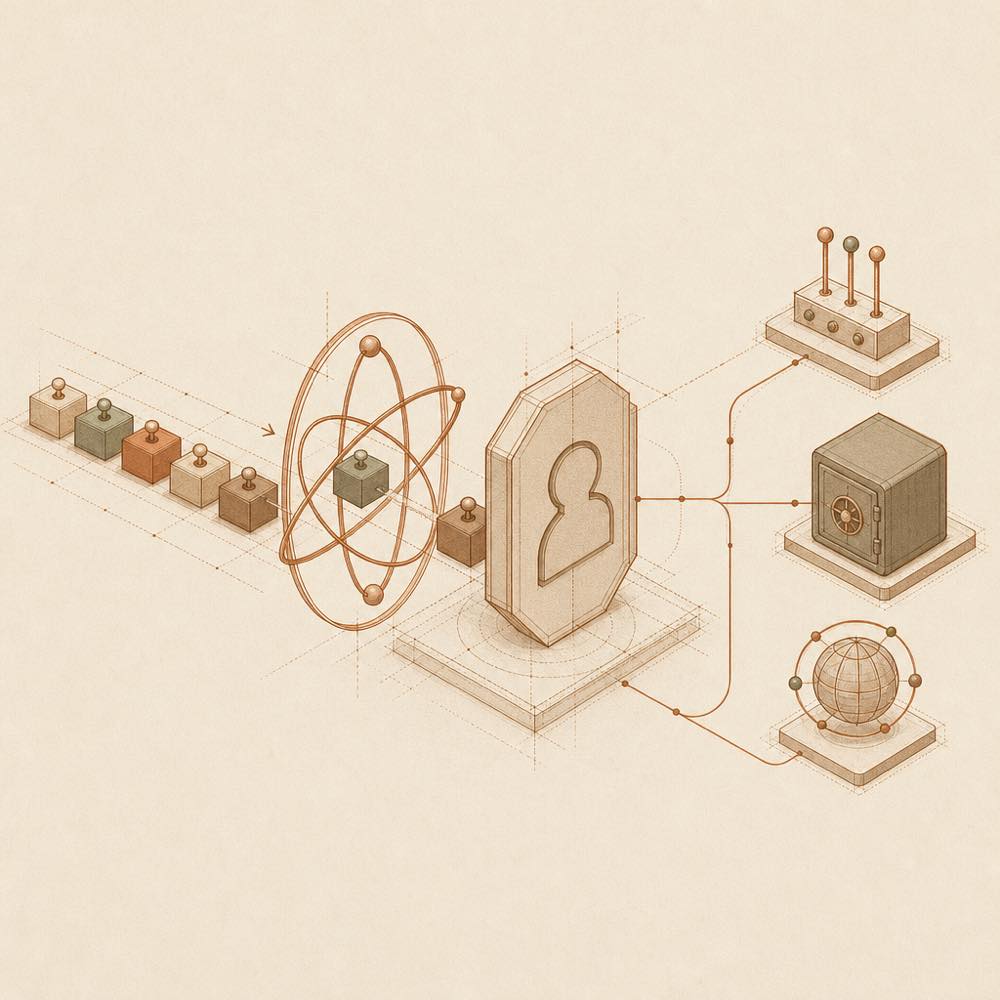
Pinned components flow through an isolated desktop profile to local and remote operation nodes.

dsh-desktop-base is a DeepSeek Harness plugin that aggregates the pinned desktop dependencies for the Windows edition of DeepSeek Harness. It installs the DSH Web UI collection, dshmarket, Codex Connect and reasoning-effort controls at fixed versions, rather than providing one standalone agent capability.

The desktop application uses Electron to start the official @deepseek-ai/dsh local host, then loads the bundled plugins and skins in a separate desktop profile. The runtime listens on the loopback address. The bundle includes dsh-web-ui 0.1.15, dshmarket 1.3.0, dsh-codex-connect 0.1.0-alpha.4.5 and reasoning-slider 0.0.2. SSH settings are stored in ~/.dsh/dsh-ssh.json; Codex OAuth credentials remain in the local DSH home. QQ Bot secrets, where configured, are protected with Electron safeStorage and injected into the DSH child process rather than written plainly to cordis.patch.yml.

This is intended for the Windows desktop distribution, where the aggregate is already shipped in the installer; it is not a replacement for selecting individual plugins in an existing DSH setup. The package also exposes a terminal surface through the SSH feature: an agent or operator can open a remote xterm.js terminal, transfer files, forward ports and run commands on configured hosts. That makes the effective reach depend on the desktop user's DSH, filesystem and SSH permissions. dsh-desktop-base is therefore a poor fit where a minimal web UI, a non-Windows deployment or tighter separation from remote administration is required.

dsh-desktop-base documentation

包含的组件

dsh-desktop-base 是桌面版的功能聚合包,README 列出的固定版本包括:

组件 版本
dsh-web-ui 0.1.15
dshmarket 1.3.0
dsh-codex-connect 0.1.0-alpha.4.5
reasoning-slider 0.0.2

桌面版还随安装包提供官方 DSH、pnpm 和原生依赖,因此不需要另外安装 Node.js。扩展坞中的市场将社区 DSH bundle 安装到隔离的 desktop profile,并由桌面宿主统一管理重启。

运行方式

Windows EXE 使用 Electron 启动官方 @deepseek-ai/dsh 本地主机,再加载本仓库的插件和皮肤。桌面运行时使用独立的 desktop profile,不覆盖既有 DSH 配置,并且只监听回环地址。README 没有为这个聚合包记录独立的命令、环境变量或可调配置键;桌面安装流程负责组件的装载。

文件与凭据

SSH 主机配置保存于 ~/.dsh/dsh-ssh.json。Codex Connect 可通过系统浏览器完成 ChatGPT OAuth,凭据保存在本机 DSH home。QQ Bot 绑定后,AppSecret 使用 Electron safeStorage 结合 Windows 系统凭据保护,不发送到渲染页面、不写入日志,也不以明文写入 cordis.patch.yml;运行时只注入 DSH 子进程环境。

SSH 能力与权限边界

SSH 面板支持密钥或密码认证,也能从 ~/.ssh/config 导入主机。对已配置主机,它可以提供 Web 终端、SFTP 上传和下载、本地端口转发,以及按别名、环境或标签进行集群执行。Agent 可复用同一主机配置执行远程命令。进程终止和 systemd 服务重启需要确认;这些操作仍取决于远程账户权限。

Written from the project's own documentation and kept in sync with it. Where the two disagree, the source is authoritative — read the README on GitHub

Same category

Alternatives to dsh-desktop-base

dsh-web-ui-all

zhu1090093659

4.7k

Plugin and skin collection for the DSH Web UI: task board, Git graph, right-side panel, remote mobile UI, pet, live token stats, and a skin center.

No one-line install — this plugin lives inside a larger repository and publishes no npm package.

GitHub sourceTypeScripttoday

AI review

dsh-web-ui-all

What it is — This is a plugin and skin collection for the DeepSeek Harness Web UI, including Liangshen mode, task board, Git graph, right panel, mobile remote UI, SSH operations, whale girl pet, and skin center.

Who it is for — If you are using DeepSeek V4 Pro for agent tasks and need multi-column task board and Git graph to track changes, this plugin is suitable for you. If you primarily operate DeepSeek Harness in non-Web UI interfaces, you don't need this collection.

Watch out — Installation from the source subdirectory requires manually approving the build script. No sandbox testing was conducted. No obvious issues were found.

The verdict — I would install it because it provides the whale girl pet and SSH remote operations.

Generated by grok-4.6, and a starting point rather than a verdict. Where it says a plugin installs or does not, that is from a real run in a clean profile — everything else is read off the repository. Trust the source over this.Read the source
LINUX DO1Details
2.0k

Full sidebar workbench with file rendering and editing, terminal, Git, and subagents; third-party plugins can register new tabs.

Installs, but needs a build approved first

npm packageTypeScriptyesterday

AI review

DSH-better-sidebar

What it is — DSH sidebar workbench supporting file rendering and editing, real terminal, Git panel and subagents, with third-party plugins registering new tabs via API.

Who it is for — If you need a sidebar workbench for file management and Git tasks in DeepSeek Harness, this plugin is suitable. If you do not involve subagent topology and background task management, you can skip installing this plugin.

Watch out — Sandbox test shows it can be installed but the build script for node-pty@1.1.0 is blocked by pnpm, preventing DeepSeek Harness from completing registration. Manual approval is required for full registration. No obvious issues found.

The verdict — I would install it because it provides a service-first sidebar API for deep plugin integration, but users must manually approve the build script before installation.

Generated by grok-4.6, and a starting point rather than a verdict. Where it says a plugin installs or does not, that is from a real run in a clean profile — everything else is read off the repository. Trust the source over this.Read the source
1Details

dsh-TUI

ccch1mneyyy

1.8k

Claude Code-style full-screen terminal UI: pixel-whale header, live status line, and streaming thought expansion.

Installed cleanly when we ran it

npm packageTypeScriptyesterday

AI review

dsh-TUI

What it is — dsh-TUI is a DeepSeek Harness plugin that provides a Claude Code-style full-screen terminal UI with pixel-whale header, live status line, and streaming thought expansion.

Who it is for — Users who need to monitor real-time agent status and perform terminal interactions during long DeepSeek Harness sessions are suitable for installing dsh-TUI. Users without terminal TTY requirements do not need to install it.

Watch out — Sandbox testing passed: it installed successfully in a new profile and was registered by harness. No obvious issues found. It requires a functional terminal TTY, pnpm version 10+, and DEEPSEEK_API_KEY.

The verdict — I would install it because it was officially collected by DeepSeek Harness as an internal test user favorite plugin and uses a pure plugin mounting approach.

Generated by grok-4.6, and a starting point rather than a verdict. Where it says a plugin installs or does not, that is from a real run in a clean profile — everything else is read off the repository. Trust the source over this.Read the source
1Details

dsh-at-file

omdsh-dev

333

Codex-style `@file` mentions: search workspace files in the composer and attach their contents to prompts.

Installed cleanly when we ran it

GitHub sourceJavaScriptyesterday

AI review

dsh-at-file

What it is — Enables @file mentions in the composer to insert workspace file paths.

Who it is for — When building prompts in the DeepSeek Harness composer that require referencing workspace files for the agent to check, this plugin supports searching and inserting paths. For users who do not build prompts involving workspace file references, this plugin is irrelevant.

Watch out — Sandbox testing passed with successful registration in a new profile. No obvious issues found.

The verdict — I would install it because it adds a reference message before the agent step, allowing inspection with available tools.

Generated by grok-4.6, and a starting point rather than a verdict. Where it says a plugin installs or does not, that is from a real run in a clean profile — everything else is read off the repository. Trust the source over this.Read the source
Details

dsh-genui

omdsh-dev

225

Interactive UI components rendered inline in replies: layout, charts, forms, quizzes, mermaid, 3D scenes, and an action event loop back to the model.

Installed cleanly when we ran it

GitHub sourceTypeScriptyesterday

AI review

dsh-genui

What it is — Renders interactive UI components inline in replies, including charts, forms, quizzes, mermaid and 3D scenes.

Who it is for — When analyzing data with DeepSeek Harness and needing real-time chart updates. Users who do not use quizzes or forms can choose other plugin solutions.

Watch out — Sandbox test passed: installed in a new profile and registered successfully. Static check requires providing API key or token, supports dual-channel rendering for any dsh build; from source install, need to manually allow the build script first.

The verdict — I would install it because it supports rendering charts, quizzes, mermaid and action event loop back to the model, but only if you provide the API key.

Generated by grok-4.6, and a starting point rather than a verdict. Where it says a plugin installs or does not, that is from a real run in a clean profile — everything else is read off the repository. Trust the source over this.Read the source
LINUX DO1Details
204

A terminal UI (TUI) for DeepSeek Harness.

Installed cleanly when we ran it

npm packageTypeScriptyesterday

AI review

dsh-tianshu-tui

What it is — dsh-tianshu-tui is a terminal UI plugin for DeepSeek Harness, evolved from the Tianshu-Tui rendering core. The UI is a pure presentation layer where all agent states originate from session event streams, with personalized modifications at the harness engineering level.

Who it is for — People using DeepSeek Harness for coding work and needing to manage agent states and sessions are suitable for installing it. Those who do not need a terminal UI to display agent states or are already in an independent integrated distribution do not need to install this plugin.

Watch out — This plugin requires the official DeepSeek Harness CLI to be installed first. Sandbox testing confirms successful installation and registration into the profile in a fresh profile. No obvious issues were found.

The verdict — I would install it because it supports real-time theme previews and session cost summaries.

Generated by grok-4.6, and a starting point rather than a verdict. Where it says a plugin installs or does not, that is from a real run in a clean profile — everything else is read off the repository. Trust the source over this.Read the source
1Details